


A Guide to Biometric Access Control Systems
- Бонус за регистрацию онлайн казино
- Jul 10, 2025
- 16 min read
Imagine a key that’s uniquely you—a key you can never lose, forget, or have stolen. That’s the simple but powerful idea behind biometric access control systems. Instead of relying on something you have, like a physical key or a plastic card, this technology confirms who you are by using your distinct biological traits to grant or deny access.
What Are Biometric Access Control Systems?
At the end of the day, a biometric access control system is just a security setup that uses your unique physical or behavioral traits to verify your identity. It’s the ultimate form of personal ID. Where older systems ask for a keycard or a PIN code, a biometric system asks for a piece of you—a fingerprint, the shape of your face, or even the unique pattern of veins in your hand.
This changes the security game entirely. Anyone who finds a lost keycard can use it, creating an instant security breach. A forgotten password can leave you locked out. But your biometric data is tied directly to you, making it incredibly difficult to copy, steal, or share. It's no wonder the market for these systems is exploding, with some analysts predicting it will hit $60.16 billion by 2033.
From What You Have to Who You Are
The real difference is how you prove you're you. The old way depended on objects or secrets, while the new way depends on your physical self.
Traditional Access (What You Have/Know): Think physical keys, keycards, fobs, and PINs. Security here hinges on keeping those items or codes safe. If they’re compromised, your security is too.
Biometric Access (Who You Are): This approach uses measurable, one-of-a-kind human characteristics. Because no two people have the exact same fingerprint or iris pattern, the system can be almost certain it's you before unlocking a door.
This shift isn't just about beefing up security; it’s about making access smoother and more reliable. No more fumbling for a keycard or calling IT to reset a forgotten password. Access becomes second nature.
The process is surprisingly simple. First, a user’s biometric data—say, a fingerprint—is captured and saved as a secure digital template. When that person wants to get in, they present their finger to the scanner. The system scans it, compares it to the saved template, and if it's a match, the door unlocks. The whole thing takes just a couple of seconds.
To make it even clearer, let's look at a direct comparison.
Biometric vs. Traditional Access Control
This table breaks down the fundamental differences between biometric systems and the older methods we're all used to.
Feature | Biometric Systems | Traditional Systems (Keys/Cards) |
|---|---|---|
Credential Type | Unique biological traits (fingerprint, face) | Physical object or secret code |
Security Level | High (very difficult to replicate) | Moderate to Low (can be lost, stolen, or shared) |
User Convenience | High (nothing to carry or remember) | Low (requires carrying items or memorizing codes) |
Risk of Loss | None | High (lost keys/cards are a common issue) |
As you can see, biometrics moves security from being about a replaceable token to an irreplaceable identity, fundamentally strengthening security while making life easier for the user.
Exploring Different Biometric Technologies
When you're thinking about biometric access control systems, it's a bit like looking into a contractor's toolbox. You wouldn't use a sledgehammer to hang a picture frame, right? The same principle applies here. Different biometric tools are built for different jobs, and each has its own way of working, its own ideal environment, and its own set of pros and cons. Figuring out these differences is the first real step to picking the right system, whether you’re locking down a small office or a huge construction site.
This growing variety of options is a big reason why so many industries are getting on board. The global market for these systems is booming, with forecasts showing it'll hit around $9.65 billion by 2025. From there, it's expected to keep growing at a steady 7.77% each year through 2033. This isn't just hype; it's driven by real-world improvements making the technology more accurate, affordable, and flexible enough for everything from your local bank to a downtown skyscraper. You can dig into the market trends and drivers to see the full picture of this expansion.
Before we dive into the specific types, take a look at the image below. It breaks down the basic authentication process that’s at the heart of nearly all these technologies.
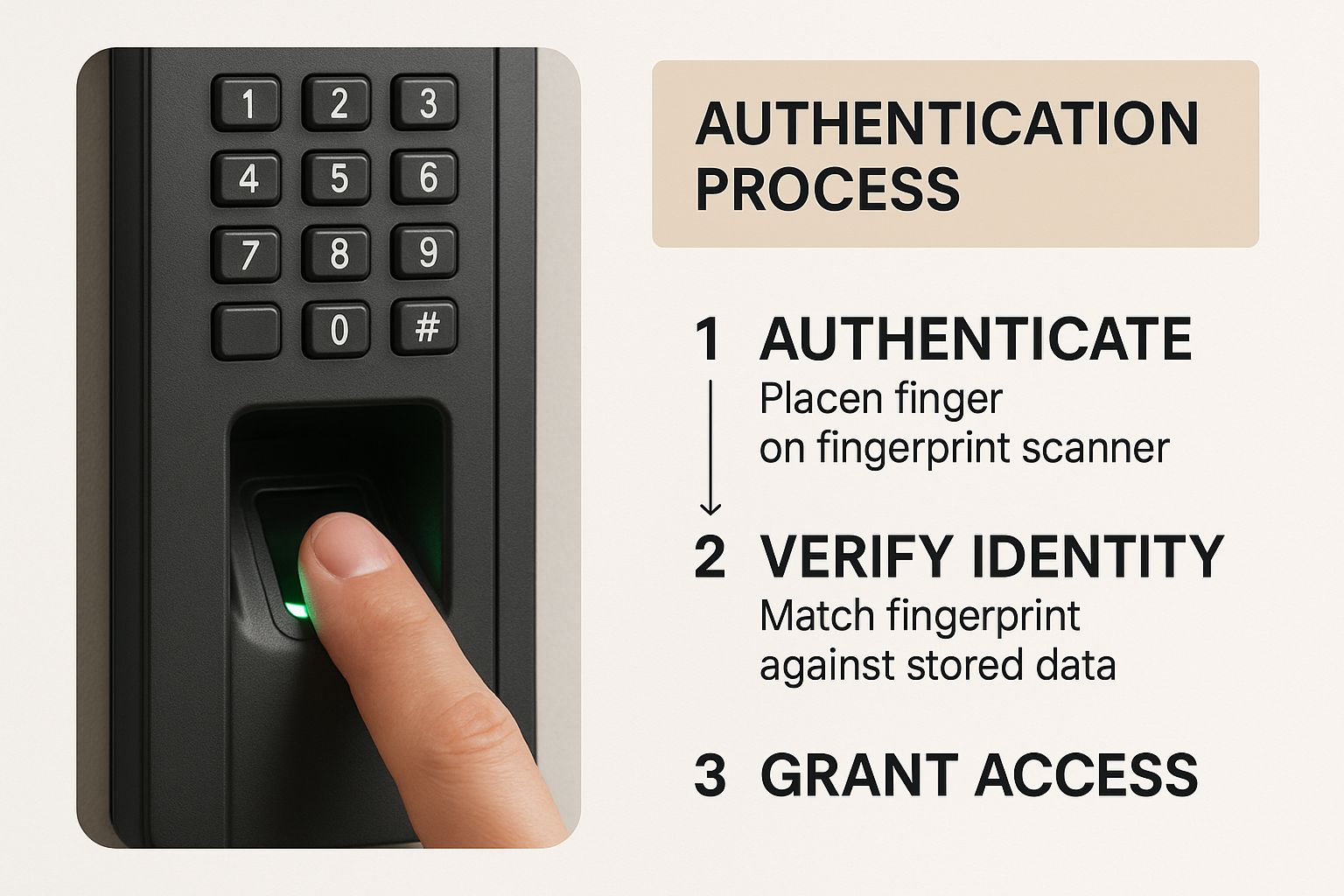
As you can see, it’s a simple but powerful sequence: capture a unique trait, convert it into a digital template, and then match it for verification. This core process is what makes it all work, regardless of the technology we're about to discuss.
Fingerprint Recognition
Fingerprint scanners are the classic, the one everyone knows. Think of them as the trusty workhorse of access control. They do exactly what you'd expect: capture the unique pattern of ridges and valleys on a person's fingertip to grant access.
There's a reason they're so common. Fingerprint recognition is a fantastic blend of being affordable, quick, and generally very reliable for most business settings—think office doors, server rooms, and labs. The main drawback? They can get finicky in rougher environments. If your team's hands are often dirty, wet, or scarred—like on a construction site or in a factory—you might run into some trouble.
Key Insight: Fingerprint scanning really hits the sweet spot between strong security and a reasonable price point. For many businesses just getting started with biometrics, it’s the natural first choice.
Facial Recognition Technology
Not too long ago, facial recognition felt like something straight out of a sci-fi movie. Now, it's unlocking our phones and speeding us through airport security. These systems work by mapping the unique geometry of a face, measuring dozens of different points like the distance between your eyes, the shape of your cheekbones, and the depth of your eye sockets.
The biggest win here is pure convenience. It’s a completely hands-free experience, making it perfect for high-traffic areas where you need to keep people moving. Imagine employees walking into a busy corporate lobby without even breaking their stride. The trade-off is that performance can sometimes be impacted by things like poor lighting, a bad camera angle, or even just a significant change in someone's appearance.
Iris and Retina Scanning
When you need the absolute highest level of security, you bring in the heavy-hitters: iris and retina scanners. These technologies focus on the intricate and unique patterns inside the human eye, which are even more distinct than a fingerprint and stay the same for a person's entire life.
Iris Scanning: This method uses a special camera to capture the unique, colored pattern of the iris. It’s incredibly secure and almost impossible to fool.
Retina Scanning: A bit more invasive, this one maps the unique pattern of blood vessels at the back of your eye. It’s also extremely secure but requires the user to get very close to the scanner.
Given their high cost and precision, you won't find these on your average office door. Instead, they’re reserved for protecting the most sensitive areas imaginable—places like government facilities, military bases, and top-secret R&D labs where a security breach is simply not an option.
Voice and Vein Pattern Recognition
Beyond the big three, a few other technologies have found their niche. Voice recognition, for instance, analyzes the unique characteristics of a person's speech, like pitch and frequency. This makes it a great option for verifying identity over the phone or in other remote situations. Then there's vein pattern recognition, which scans the unique layout of veins in a person's palm or finger. It’s another high-security, touchless option that has the added benefit of not being affected by cuts or dirt on the skin's surface.
The Real-World Benefits of Biometric Security
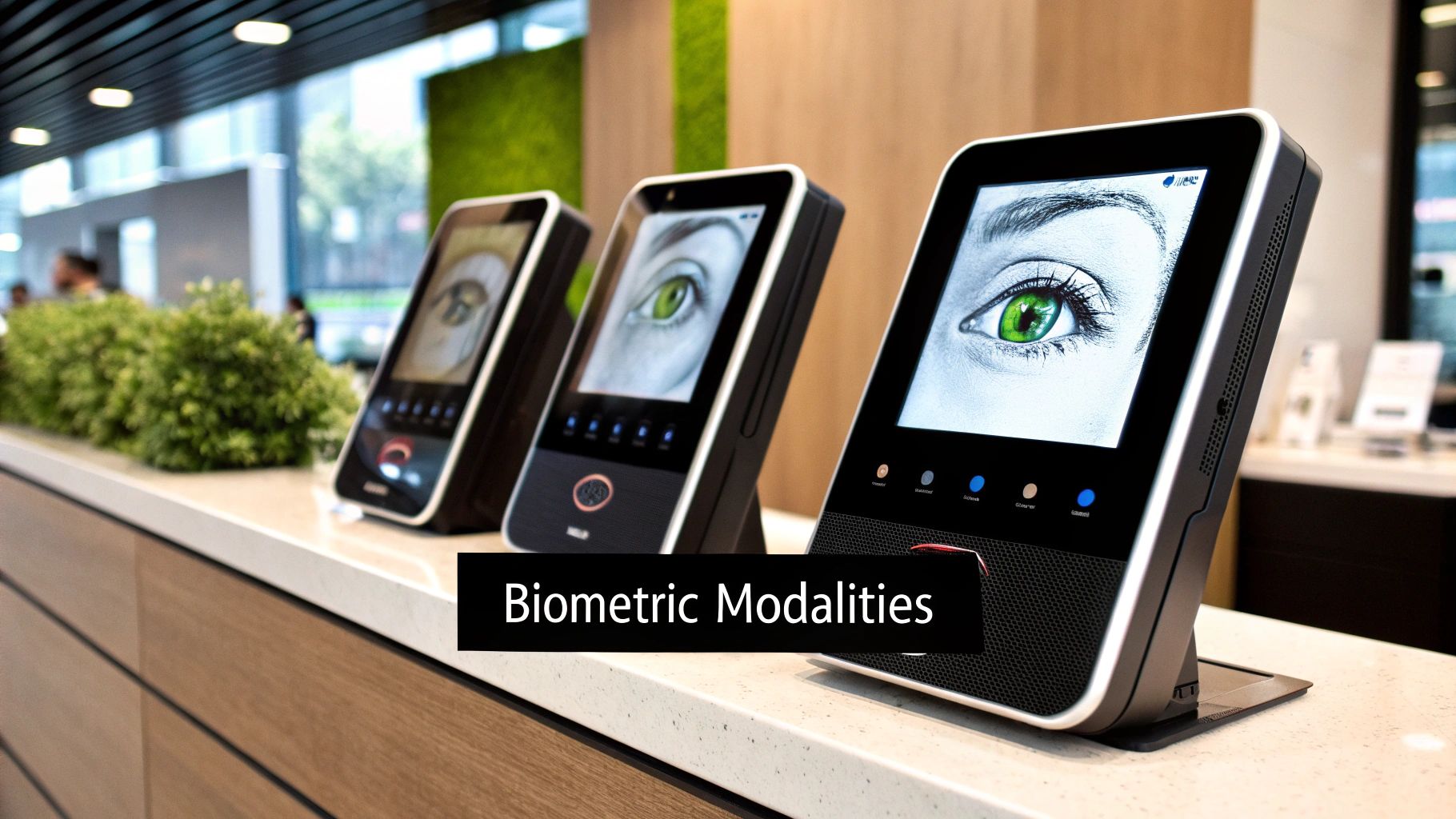
It’s easy to get caught up in the high-tech cool factor of biometric access control systems, but their real worth goes much deeper than just fancy gadgets. When you adopt biometrics, you're not just buying a lock; you're investing in tangible benefits that tighten security, smooth out daily operations, and can even boost your bottom line. It’s the difference between reacting to a problem and proactively preventing it.
The most obvious win is getting rid of all the problems that come with physical keys and cards. Think about it. When an employee loses a keycard, it's not just a minor hassle—it’s a security risk until you deactivate it. A lost physical key? That's a costly locksmith visit waiting to happen.
Biometrics makes those issues disappear. A person's fingerprint, face, or iris is the key. It can’t be lost, stolen, forgotten, or handed off to a friend. This single change closes one of the most common backdoors for unauthorized access.
Unlocking Operational Efficiency and Cost Savings
Beyond just stopping intruders, biometric systems bring a level of efficiency that many businesses don't expect. This is especially true for dynamic environments like construction sites or manufacturing plants, where you can tie access control directly into time and attendance tracking. Suddenly, a tedious administrative chore is completely automated, eliminating payroll errors and putting an end to "buddy punching"—where one employee clocks in for another.
This automation pays for itself in several clear ways:
Reduced Administrative Overhead: No more manually checking, correcting, and chasing down timesheets. Your admin team is free to focus on more important work.
Guaranteed Payroll Accuracy: By linking clock-ins to a confirmed biometric identity, you're only paying for hours that were actually worked. Every single time.
Streamlined User Management: Adding a new hire or removing a departing employee from the system is instant. It’s all done from a central dashboard, with no keys to collect or cards to issue.
By turning every doorway into a data checkpoint, biometric systems create an undeniable record of who was where, and when. This not only bolsters security but also gives you rock-solid data for operational insights and compliance audits.
A solid biometric system is a huge piece of the puzzle when it comes to physical security. For a broader look at understanding physical security best practices and how to protect your entire premises, there are some great resources available.
Enhancing the User Experience
Let's be honest: security is often a pain. But it doesn't have to be. One of the most underrated benefits of biometrics is just how much easier it makes life for everyone. Employees, contractors, and visitors get to enjoy seamless, key-free entry. No more fumbling for a keycard while your hands are full or trying to remember a PIN you haven't used all weekend.
This small convenience adds up, creating a more positive and efficient workplace. It’s a move toward smarter, more human-friendly security, and it's catching on fast. The global biometric access control market was valued at around $23.7 billion in 2025 and is expected to soar to $60.16 billion by 2033. This boom is driven by a global demand for security that is both stronger and more convenient.
At the end of the day, these systems offer something invaluable: peace of mind. Whether you're a small business owner protecting sensitive files or a site manager trying to prevent equipment theft, knowing that only verified people can get in is a powerful feeling.
How to Choose the Right Biometric System
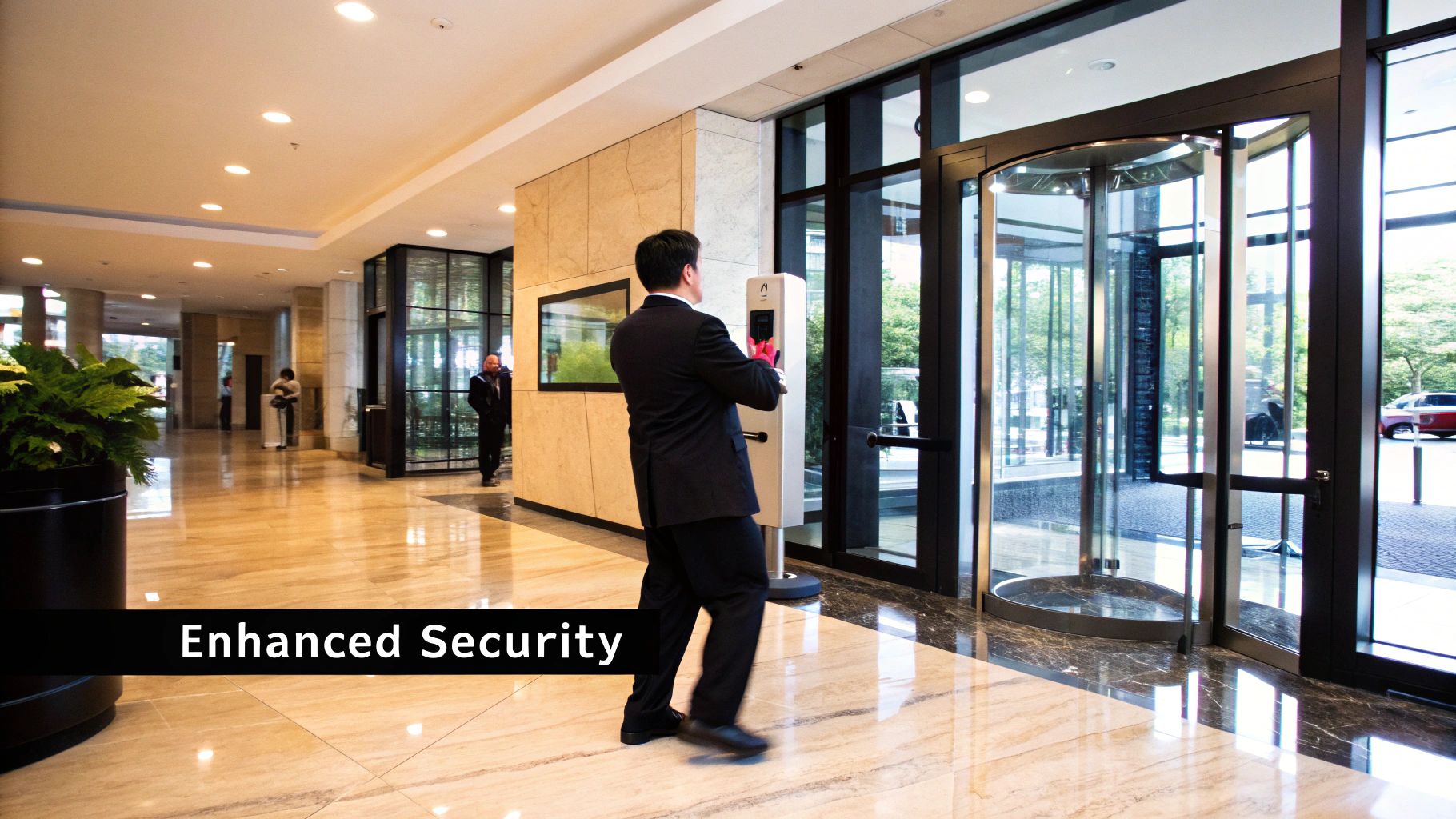
Choosing the right biometric system can feel overwhelming, but it doesn't have to be. Instead of getting bogged down in technical jargon, the best approach is to start with a practical look at your specific situation. The truth is, the best biometric access control systems aren't a one-size-fits-all product; they're solutions that are carefully matched to the environment, the people, and the security stakes involved.
The first step is to honestly assess your security needs. Are you trying to secure a small office holding sensitive client files, or are you managing a massive construction site with millions in heavy equipment? The answer directly points to the right technology. A low-risk office might do just fine with a simple fingerprint scanner, but a high-security laboratory will likely need the near-flawless accuracy of an iris scanner.
This kind of strategic thinking is becoming the norm. The global access control market is on track to explode from USD 19.05 billion in 2025 to USD 61.31 billion by 2035. That's a huge jump, and it’s fueled by businesses demanding better accuracy and less hassle than old-school keys and cards can offer. You can learn more about this global shift toward integrated and reliable security systems from industry analysts.
Evaluate Your Physical Environment
This is a big one, and it’s where many people go wrong. Where will the scanner actually be located? A device that performs beautifully in a pristine, climate-controlled office lobby will likely fall flat on a dusty, rain-soaked construction site.
Think about the real-world conditions the system will face day in and day out. For outdoor setups or grimy industrial settings, workers' hands might be dirty, wet, or calloused, causing major issues for standard fingerprint readers. In those scenarios, a tougher technology like facial recognition or a palm vein scanner—which reads the unique patterns under the skin—is a far more reliable bet.
Key Consideration: A system is only as reliable as its ability to function in its environment. Always match the hardware and the technology to the real-world conditions it will face.
Analyze Your User Population
Next up, think about the people who will actually be using the system. How many individuals need to be enrolled? Is your team stable, like in a typical office, or does it see constant churn with temporary workers, like on a job site or at a large event?
For a high-traffic entrance with hundreds or thousands of people passing through daily, speed is everything. You'll want a system, like facial recognition, that lets people move through without breaking stride. For a smaller, more permanent team, a fingerprint scanner can be a perfectly good, budget-friendly option. It's also smart to consider user comfort—some people prefer a completely touchless option.
Plan for Integration and Scalability
In this day and age, a security system shouldn't be an island. To get real value from your investment, you need to consider how it will talk to the other tools you already use. The most powerful setups are the ones that integrate smoothly across your entire operation.
Think about where you can connect the dots:
Human Resources: Link your access system to HR software. When someone is hired, they get access; when they leave, it's revoked instantly and automatically.
Time and Attendance: Tie biometric scans to your payroll system. This creates a foolproof record for time tracking, putting an end to manual errors and "buddy punching."
Video Surveillance: Pair access events with your camera feed. This gives you a verifiable video log of who entered and when—invaluable evidence if an incident ever occurs.
Finally, think ahead. Your business or project will hopefully grow, and your security needs to be able to keep up. Opt for a scalable solution that lets you add more users, doors, or even new locations without having to rip everything out and start over. A little planning now can save you a world of headaches and expense down the line.
Getting Your System Up and Running: Deployment and Integration
Putting a biometric access control system in place is about more than just bolting a scanner to the wall. To get it right, you need a solid plan. Think of it like a small construction project: you need a good blueprint before you start building, or you'll run into problems later.
A well-thought-out deployment roadmap—assess, install, configure, and enroll—is your key to success. If you rush through the initial steps, you'll likely end up with poor-quality biometric data, which is the number one reason for annoying recognition errors. A little bit of planning upfront saves a ton of headaches down the road.
The Four Stages of Implementation
I always tell my clients to think of deployment as a four-part project. Each stage builds directly on the one before it, taking you from big-picture planning to getting your team's fingerprints into the system. Breaking it down this way keeps things from getting overwhelming and makes sure nothing important gets missed.
Here’s how the process usually unfolds:
Site Assessment and Planning: Before a single piece of equipment is ordered, we need to walk the site. This means identifying every door and entry point that needs securing, checking environmental conditions like sunlight or rain for outdoor scanners, and figuring out the wiring and power needs.
Hardware Installation: This is the hands-on part—physically mounting the readers, locks, and control panels. Placement here is everything. A facial scanner installed at the wrong height or a fingerprint reader tucked away in a dark corner is going to be a constant source of frustration and poor performance.
Software Configuration: With the hardware in place, it’s time to bring the system to life. This is where you program the "brains" of the operation. You’ll set up the rules for who can go where and when, create different user groups (like 'Staff' vs. 'Visitors'), and decide on security protocols, like what should happen if someone tries and fails to get in multiple times.
User Enrollment: This is the moment of truth. Enrollment is when you capture each person’s unique biometric data, like their fingerprint or face scan. You cannot compromise on quality here. The accuracy of the entire system relies completely on getting a clean, high-quality scan during this initial setup.
Making It Work Smarter: Smart Integration
A biometric system that just opens doors is useful. But one that talks to your other business software? That’s where the real value is. When your biometric access control system can communicate with other platforms, it stops being just a security device and becomes a core part of your operations.
Think of integration as turning your access control system from a simple gatekeeper into an active, intelligent part of your business. It connects the dots between security and efficiency, making the whole operation run smoother.
Here are a few of the most powerful integrations to consider:
HR Software: Link your access system to HR, and you can automate one of the biggest security headaches: employee turnover. New hires can be granted access automatically on day one, and more importantly, their credentials can be instantly deactivated the moment they leave the company. This single integration closes a huge security loophole.
Time and Attendance: When a biometric scan logs an employee in for the day, you get payroll data that is 100% accurate. It completely eliminates "buddy punching" (when one employee clocks in for another) and can save you a surprising amount of money on payroll while cutting down on administrative work.
Video Surveillance: This is a classic combination. You can set your system to trigger a camera recording every time an access event happens, whether it’s a valid entry or a denied attempt. This gives you a clear, time-stamped visual record that is priceless if you ever need to investigate an incident.
When you plan for these kinds of integrations from the get-go, you're not just buying a lock—you're investing in a smarter, more secure, and more efficient way to run your business.
Addressing Privacy and Data Security
Whenever the conversation turns to biometric access control systems, a very fair question always pops up: what about privacy? Handing over a fingerprint or a facial scan feels deeply personal, and it’s completely natural to wonder where that data goes and who’s protecting it. I get it. The good news is, securing this sensitive information is the absolute bedrock of any modern, trustworthy biometric system.
These systems are actually built from the ground up with some serious safeguards. A huge misconception is that the system stores a little picture of your fingerprint or face. That’s just not how it works.
Instead, when you enroll in a system, it takes your unique biological trait and translates it into a proprietary mathematical algorithm. This encrypted code, what we call a biometric template, is essentially a string of ones and zeros that represents your data without being a direct copy. Think of it this way: the system doesn't save a photograph of your house key. It saves a complex mathematical description of the key's unique cuts and grooves.
Key Takeaway: Modern biometric systems don't store your actual image. They store an encrypted, non-reversible mathematical template, making it virtually impossible for someone to steal the data and recreate your original fingerprint or facial scan from it.
How Your Data Stays Secure
Turning your biometric data into a secure template is just the first line of defense. Reputable systems layer on several more security measures to protect this information, both when it's just sitting there and when it’s actively being used for verification.
These security protocols usually include:
Advanced Encryption: The biometric templates are locked down with powerful encryption standards like AES-256. This is the same level of security that banks and government agencies use for top-secret information.
Secure Storage Protocols: Your data can be stored in two main ways: on a secure, encrypted server (server-side matching) or directly on the access control device itself (on-device matching). Many people prefer on-device storage for privacy since the template never even leaves the physical scanner.
Data Protection Compliance: Any provider worth their salt designs their systems to comply with strict data privacy laws, like the General Data Protection Regulation (GDPR) in Europe. This means they are held to high standards for data handling, user consent, and being transparent about what they're doing.
Bolstering Security Even Further
Even with these strong built-in protections, you can add more layers to create a truly formidable security setup. One of the most effective strategies is to combine different types of verification. To further enhance the security posture of your biometric access control system, consider implementing Two-Factor Authentication, which adds an extra layer of verification beyond biometrics alone.
This approach, often called multi-factor authentication (MFA), might mean a user has to scan their fingerprint and type in a PIN, or present their face and tap a mobile credential. This ensures that even in the extremely unlikely event one security layer is bypassed, another one is standing guard. It's a simple but powerful way to build a defense-in-depth strategy that makes your sensitive areas practically impenetrable.
By understanding how these security mechanics work, you can move forward with confidence, choosing and implementing a biometric system that’s both highly effective and responsible.
Answering Your Top Biometric Access Questions
Even after you've got a solid grasp of how these systems work, some very practical questions usually pop up. It's one thing to understand the tech, but another to picture how it will actually perform day-to-day at your business or job site.
Let's tackle the most common questions we get from clients. Think of this as the final checklist to run through, addressing those nagging "what if" scenarios so you can feel completely confident in your decision.
What Happens If The Power Goes Out?
This is, understandably, a huge concern for most people. The good news is that any professionally installed biometric system is built for this exact scenario. Nearly every system includes a battery backup that keeps the readers and locks running for a while, ensuring you stay secure and can get in and out during a brief power outage.
For a longer outage, the system will default to either a fail-secure or fail-safe mode. A fail-secure lock stays locked without power, which is exactly what you want for a server room or main entrance. A fail-safe lock does the opposite—it unlocks—which is critical for fire exits and emergency routes where people's safety depends on getting out quickly.
Can The System Be Fooled By A Picture or Fake Fingerprint?
This is a classic spy movie trope, but modern systems are way ahead of those old tricks. While a basic, consumer-grade 2D facial scanner might be fooled by a good photo, commercial systems are far more sophisticated. They use 3D mapping and liveness detection to look for tiny, involuntary signs of life, like blinking or subtle muscle movements, making a static image useless.
The same goes for fingerprints. High-quality scanners don't just look at the pattern; they use liveness detection to check for the natural electrical properties of human skin. That's how they can easily spot and reject a silicone or gelatin fake.
The Bottom Line: No security system is 100% foolproof, but the anti-spoofing and liveness detection in today's commercial-grade biometric readers make them incredibly tough to beat with common fakes.
How Well Do Biometrics Work For People With Disabilities?
Accessibility isn't an afterthought; it's a core part of a well-designed system. Top manufacturers put a lot of effort into making their technology inclusive for everyone. The best strategy is often a multi-layered one, giving people options.
For Worn Fingerprints: If a worker has worn-down or scarred fingerprints from years of manual labor, a facial or iris scanner provides a reliable alternative.
For Mobility Challenges: For someone using a wheelchair, touchless facial recognition or long-range readers offer smooth access without them ever needing to get close to a wall-mounted panel.
The whole point is to offer different ways to get in, so every single authorized person has a dependable and dignified method of entry. Great security should never get in the way of accessibility.
Ready to secure your property with a system built for the real world? PCI Audio-Video Security Solutions provides expert installation of advanced access control, camera, and alarm systems tailored to your business or site. Learn more and get a quote at pciavss.com.
Comments