


A Guide to Modern Security Cameras
- Бонус за регистрацию онлайн казино
- Aug 6, 2025
- 17 min read
When you think about security cameras, what comes to mind? For a long time, they were just grainy, unreliable recording devices. Today, they've become something entirely different. They are the high-definition eyes of modern business and event security, representing a smart investment in safety, not just another line-item expense.
Understanding Modern Security Cameras
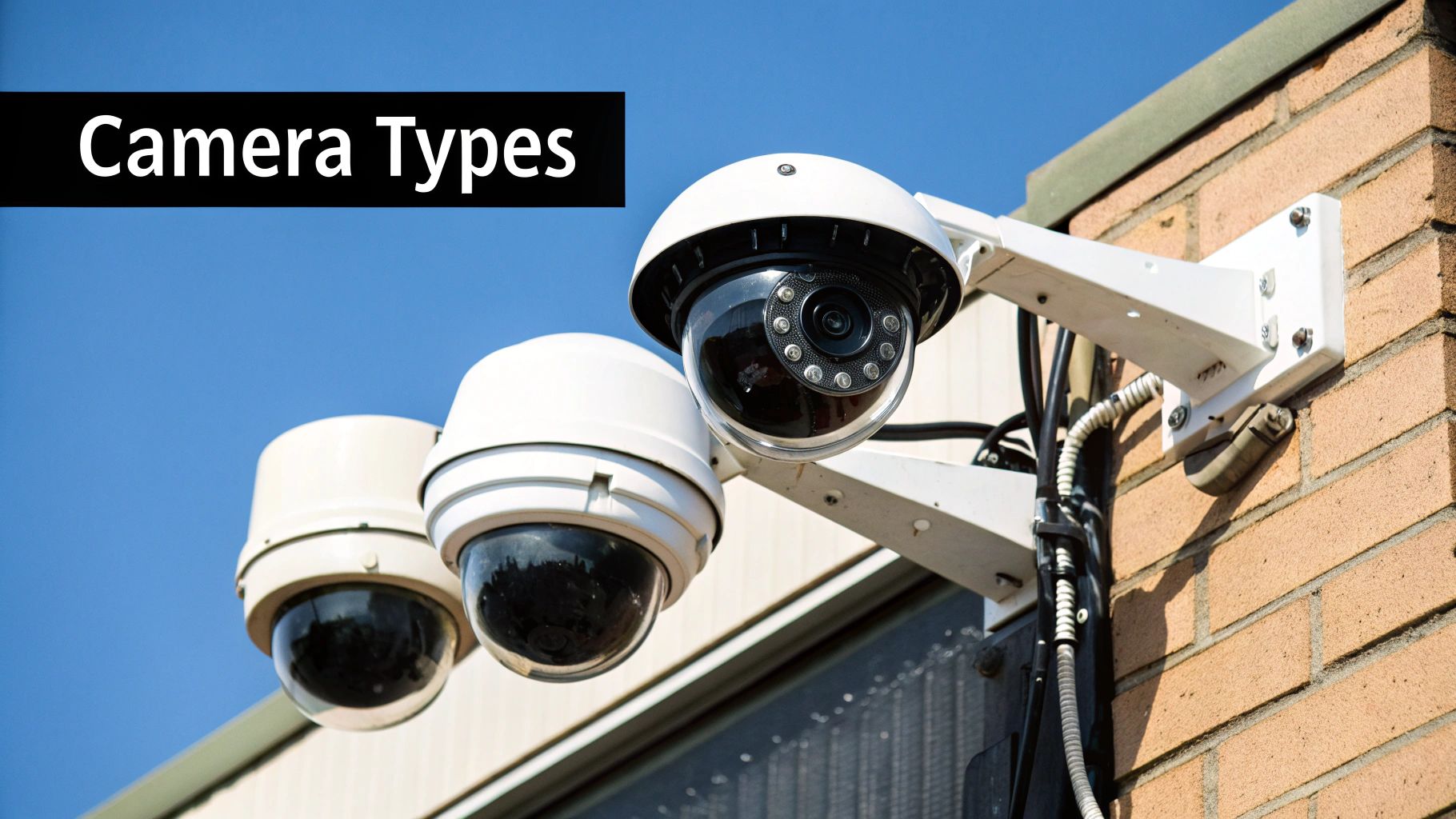
It’s helpful to think of a modern security camera less like a passive observer and more like an active team member. It’s the digital guard who never sleeps, never blinks, and never gets distracted. For businesses, event organizers, and property managers, this technology provides a constant, reliable presence that protects assets and people around the clock.
The biggest game-changer has been the shift from old-school analog to modern IP (Internet Protocol) cameras. Think of it like upgrading from a fuzzy tube television to a 4K smart TV. While both show a picture, the smart TV delivers stunning clarity and connects to the internet, opening up a world of possibilities. IP cameras do the same for security, giving you crisp images and powerful network-based features.
The Rise of Intelligent Surveillance
But it's not just about clearer pictures. Today’s top-tier systems are powered by artificial intelligence, which turns a simple camera into a smart analytical tool. An AI-powered camera can tell the difference between a person, a car, and a stray cat wandering by.
This intelligence is what makes them so effective. It dramatically cuts down on the false alarms that plagued older motion-detection systems, which would constantly go off because of wind, rain, or falling leaves. Imagine getting an alert only when a vehicle enters a restricted zone after hours, instead of every time a car drives past on the street. That's the real-world value of AI in surveillance.
Modern security is about proactive prevention, not just reactive review. Intelligent cameras give you the data to anticipate threats and improve how you operate, turning a security cost into a true business asset.
Quick Comparison of Security Camera Systems
Before diving deeper, it helps to understand the fundamental differences between camera technologies. Each is built for a specific job, and matching the right tool to your needs is the first step toward an effective security plan.
This table provides a high-level look at the core strengths of the main camera types and where they work best.
Technology Type | Core Strength | Ideal Application |
|---|---|---|
Analog CCTV | Low cost and simple wiring | Legacy systems or non-critical, small-scale monitoring. |
Digital IP Cameras | High resolution and network features | The standard for all new business and commercial installations. |
AI-Powered Cameras | Smart analytics and object detection | High-traffic areas requiring alerts for specific events. |
Wireless Cameras | Installation flexibility | Temporary setups or locations where cabling is impossible. |
Getting a handle on these basics makes it much easier to decide which advanced features—like 4K resolution or license plate recognition—are truly right for your situation.
Decoding the Types of Security Cameras
Choosing the right security camera can feel like walking into a massive workshop filled with specialized tools. You wouldn't use a sledgehammer for a finishing nail, right? The same logic applies here. Different cameras are built for very specific jobs, and picking the right one is the first step toward building a security system that actually works.
This decision is more critical than ever. The global CCTV camera market was valued at around USD 51.04 billion and is projected to skyrocket to USD 234.11 billion by 2034. That growth, detailed in reports from outlets like Precedence Research, shows a massive global demand for better security.
Let's break down the main types of cameras you'll run into. We'll look at what makes each one tick, where it truly excels, and how it fits into the bigger picture of keeping your property safe.
4K Security Cameras: The Detail Specialist
Think of a 4K security camera as the forensic investigator on your team. Its entire purpose is to capture footage with such incredible clarity that no detail gets missed. A standard camera might show you that a car was there, but a 4K camera can help you read its license plate from across the parking lot.
This ultra-high resolution—about four times sharper than standard 1080p HD—is essential when you absolutely need to identify what you’re seeing.
Retail Shops: Catching crystal-clear video of transactions to fight chargebacks or pinpoint employee theft.
Parking Lots & Gates: Recording license plates with total precision, even when the lighting isn't great.
Public Venues: Giving law enforcement high-quality, usable evidence if an incident occurs.
The real payoff is undeniable proof. When you need to zoom in on a recording without it dissolving into a blurry, pixelated mess, a 4K camera is the only way to go.
360° PTZ Cameras: The Vigilant Watchtower
Now, imagine you’re trying to cover a huge open space—a sprawling construction site, a festival ground, or a massive warehouse. A single, fixed camera would leave you with huge blind spots. This is where the 360° PTZ (Pan-Tilt-Zoom) camera comes in. It’s like having a guard posted in a watchtower, able to scan a vast area from one spot.
A security operator can remotely control a PTZ camera to:
Pan: Move side-to-side to follow a person or vehicle.
Tilt: Look up and down to get the perfect angle.
Zoom: Magnify objects far away for a much closer look.
Many modern PTZ cameras even have "auto-tracking," where the camera automatically detects motion, locks onto the subject, and follows it without anyone touching the controls. This turns it into an active monitoring powerhouse, letting security personnel respond to events as they unfold.
A fixed camera sees what happens in front of it. A PTZ camera follows the action wherever it goes, providing dynamic coverage that adapts to evolving security needs.
From deterrence to active monitoring, all professional cameras bring a core set of benefits to the table, as this graphic shows.
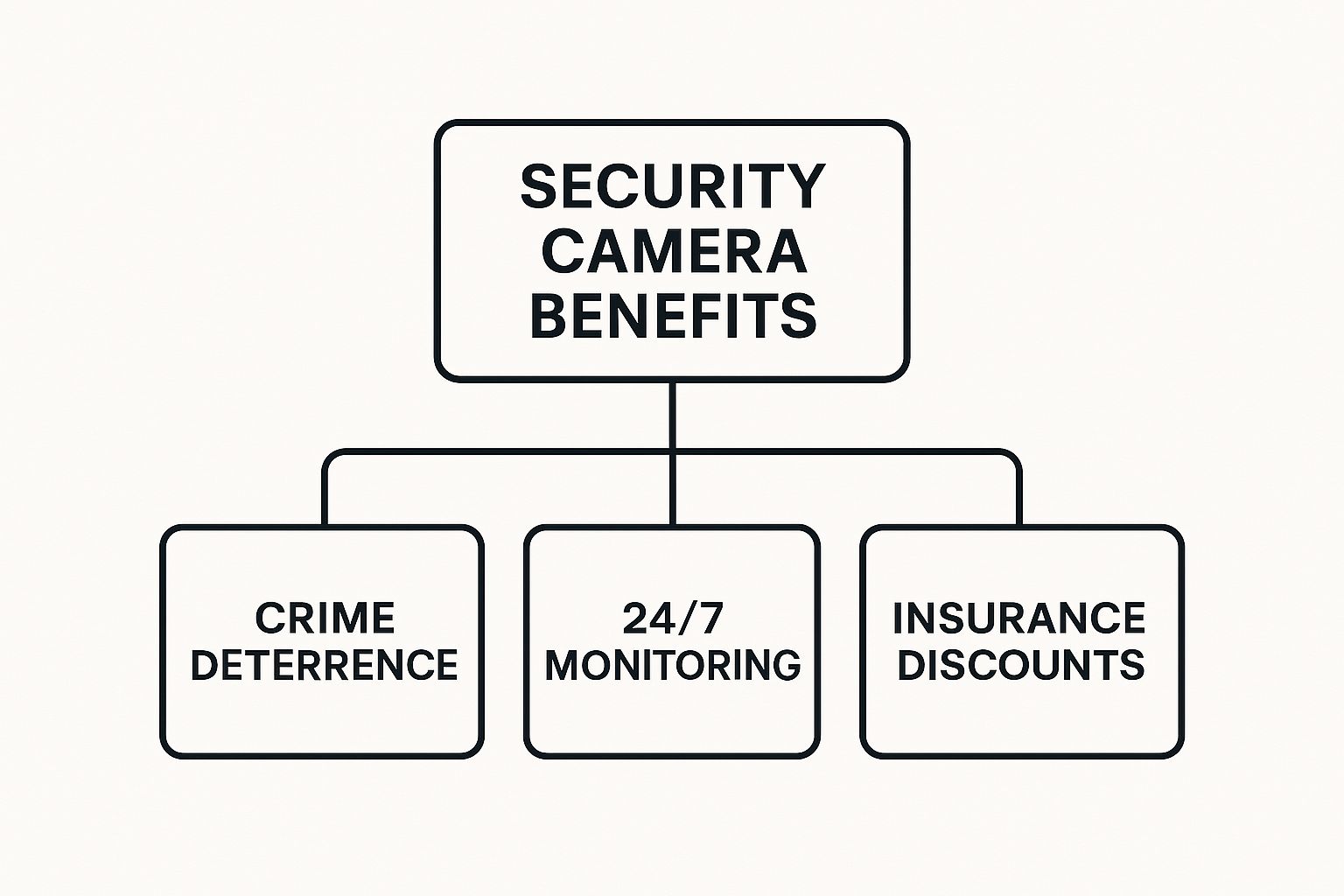
As you can see, the value starts with deterrence and monitoring but extends to real financial advantages, like helping to lower insurance premiums.
LPR Cameras: The Specialist Gatekeeper
While a 4K camera can capture a license plate, a License Plate Recognition (LPR) camera is a true specialist engineered for just that job. It’s the expert gatekeeper for your property. An LPR camera doesn't just see a plate; its specialized optics and onboard software read the characters, convert them into digital text, and log them into a database.
This technology automates how you track and control vehicle access with incredible accuracy. Its uses are very specific and powerful:
Corporate Campuses: Automatically raising the gate for employee vehicles.
Paid Parking Garages: Logging entry and exit times to calculate parking fees seamlessly.
Gated Communities: Managing "allow" and "deny" lists for residents and visitors.
LPR systems go way beyond simple video recording. They create useful data, letting you search your logs for a specific vehicle, get an alert when an unauthorized car shows up, and keep a perfect record of every vehicle that comes and goes.
Solar-Powered Trailers: The Mobile Security Outpost
But what if your security needs aren't permanent? A construction site, an outdoor festival, or a temporary equipment yard all need serious surveillance but don't have the power or network cables for a traditional setup. This is the perfect mission for a solar-powered security trailer.
These are basically self-sufficient security outposts on wheels that you can place almost anywhere. A typical unit includes:
A trailer base for easy transport.
Solar panels and batteries for off-grid power.
An extendable mast holding multiple cameras (often a mix of PTZ and 4K).
A cellular modem for live remote viewing and alerts.
Think of them as pop-up security towers. In just a few hours, you can have a high-tech surveillance system watching over a remote site, complete with deterrents like flashing lights and audible alarms. This flexibility makes them a go-to solution for securing assets in changing environments where a fixed camera system just isn't an option.
The Features That Power Modern Surveillance
Knowing the different types of security cameras is a great start, but it's the features inside them that really make or break your security setup. It’s a lot like understanding car models. You know a sports car is different from a pickup truck, but it's what’s under the hood—the engine, the suspension—that dictates what each vehicle can actually do.
The same principle applies here. The specific technology packed into a camera determines its real-world performance, especially when the going gets tough. Let’s dive into the key features that elevate a camera from a simple recording device to a genuinely powerful security tool.
Seeing Clearly When The Lights Go Out
A camera's most basic job is to see in the dark. It’s a simple fact that most security incidents happen at night, so this isn't just a "nice-to-have" feature; it's essential. For years, the go-to solution has been Infrared (IR) Night Vision. This technology floods an area with infrared light, which is invisible to our eyes but perfectly visible to the camera's sensor.
IR gets the job done by producing a clear black-and-white image. It's effective for spotting movement and general activity, but it has its limits. The lack of color can make it tough to identify crucial details, like the color of a getaway car or a suspect's jacket—information that can be critical for an investigation.
That’s where the next generation of nighttime surveillance comes in: Color Night Vision. By using incredibly sensitive sensors and sometimes a bit of supplemental, low-level light, these cameras can capture full-color video in conditions that are nearly pitch black. This is a massive leap forward, providing the kind of detail that turns a blurry figure into an identifiable subject.
Conquering Challenging Light Conditions
Ever tried taking a picture of someone standing in front of a bright window? They usually turn into a dark silhouette because your camera can't handle the extreme contrast between the bright background and the darker foreground. Security cameras face this exact problem all the time, especially when they're pointed at entrances, lobbies, or loading docks.
The fix for this is a feature called Wide Dynamic Range (WDR). Think of WDR as the camera's ability to process a scene the way our own eyes do—it balances the brightest and darkest areas simultaneously. To do this, it captures multiple images at different exposure levels and then merges them into a single, perfectly balanced picture.
With WDR, you can clearly see the person walking through a sun-drenched doorway and all the details in the darker room behind them. For any camera aimed at an area with tricky, high-contrast lighting, this feature is an absolute must.
The Brains Behind the Operation: AI and Video Analytics
This is where things get really interesting. Artificial Intelligence (AI) and video analytics are the "brains" that transform a camera system from a passive observer into a smart, responsive security partner. Instead of just recording hours of footage, these cameras analyze what they're seeing in real-time.
The growth here is staggering, particularly as smart business and home systems become more connected. The smart home security camera market alone, valued at USD 9.98 billion, is projected to explode to USD 30.10 billion by 2030, a jump largely fueled by AI's ability to detect real threats. You can see the full breakdown in Grand View Research's market analysis.
This on-board intelligence gives cameras some powerful new skills:
Object Classification: The camera knows the difference between a person, a car, and an animal. This is a game-changer for cutting down on false alarms. No more getting a notification every time a cat wanders across your property—the system only alerts you when a person enters a restricted zone.
Facial Recognition: In high-security environments, these systems can check faces against an approved list to grant access, flag persons of interest, or simply log who comes and goes.
Behavioral Analytics: The smartest systems can even spot unusual behavior. This could be someone loitering in one spot for too long (dwell detection) or a crowd suddenly scattering (panic detection), giving you a heads-up that trouble might be brewing.
By filtering out all the noise and focusing only on events that actually matter, AI gives you actionable intelligence, not just an overwhelming mountain of footage to sift through.
Real-World Security Camera Applications
Knowing the tech specs of a camera is one thing. But seeing how all those features come together to solve real problems? That’s where the value truly clicks into place. A security system isn't something you just buy off the shelf. It’s a solution you design to plug specific security holes, and the right mix of cameras and features makes all the difference.
Let's step away from the theory and look at how to build surveillance strategies for some common, challenging scenarios. Thinking about security this way helps you see exactly how a well-planned system can protect assets, smooth out operations, and give you some much-needed peace of mind.
Securing the Sprawling Construction Site
Let's be honest: a construction site is a security nightmare. It’s a huge, constantly changing landscape packed with expensive equipment and materials. To make matters worse, they’re often in remote areas without the power or internet you’d need for a traditional camera system.
This is the perfect job for solar-powered security trailers. These are completely self-contained units. They get their power from the sun and use cellular networks to stream live video, so you can drop one anywhere on a job site and move it as the project grows.
A smart construction site setup would probably mix a few key technologies:
PTZ Cameras: An operator, watching remotely, can use a Pan-Tilt-Zoom camera on the trailer’s mast to scan the entire perimeter, follow a suspicious person, or zoom right in on a piece of heavy machinery left out overnight.
Thermal Cameras: These are your best friend for after-hours monitoring. Thermal cameras see heat, not light, making it simple to spot a trespasser hiding in the shadows or behind a stack of drywall, even in pitch-black conditions.
AI-Powered Alerts: The system’s brain uses AI to tell the difference between a person and a raccoon. This means the monitoring team only gets an alert when a human being enters a restricted area after closing time.
By putting all these pieces on a mobile trailer, you’ve essentially created a powerful, pop-up security outpost. It deters theft and gives you instant alerts if someone breaches the site, protecting millions in assets without running a single permanent cable.
Preventing Loss in a Retail Environment
Retail security is a totally different ballgame. Here, the goal is to be effective but discreet. You need to stop shoplifters and internal theft without making honest customers feel like they’re being watched. This is all about crystal-clear footage and targeted camera placement.
A good retail system zeroes in on high-risk areas with specialized cameras:
4K Dome Cameras: Placed discreetly over cash registers and at the front door, these cameras deliver incredibly sharp video. That high resolution is non-negotiable when you need to clearly identify a face or read the bills being exchanged during a transaction. It's your best evidence for investigating theft or settling disputes.
Wide-Angle Cameras: A single fisheye or wide-angle camera can often cover an entire sales floor in a small shop. This cuts down on the number of cameras you need and, more importantly, gets rid of the blind spots where someone might try to conceal merchandise.
This kind of setup isn't just for catching thieves in the act. The video is also pure gold for debunking fraudulent "slip-and-fall" lawsuits or resolving customer complaints with hard, visual proof of what really happened.
Managing Vehicle Access for a Corporate Campus
For a large corporate campus or a gated community, the biggest headache is controlling the constant flow of cars. You have to separate employees from visitors and both from potential threats, all while keeping traffic moving. This is a job practically invented for License Plate Recognition (LPR) cameras.
Think of an LPR system as an automated gatekeeper. It doesn't just record video; it actively reads, identifies, and logs the license plate of every single car that pulls up.
Automated Entry: The system instantly cross-references the plate with a database of approved vehicles. If it's a match for an employee, the gate just opens—no fumbling for an access card.
Visitor Management: When a guest arrives, the system logs their plate and timestamps their entry, creating a simple, searchable record of who was on the property and when.
Security Alerts: If a car on a security "watchlist" tries to enter, the system can send an immediate notification to security, giving them a chance to respond before that vehicle ever gets past the gate.
This approach locks down your access control, makes life easier for employees, and builds an invaluable digital log of all vehicle movement. When you're trying to cover a large outdoor property like a campus, you might need to get creative with camera placement, and specialized gear like utility poles for CCTV installations can help you position cameras exactly where they need to be.
How to Choose Your Security Camera System
Now that you have a solid grasp of what modern security cameras can do, you're in a great position to pick the right one. But choosing a system isn't about chasing the latest tech fad. It's about strategically matching the right tools to your unique security challenges.
Think of this as a step-by-step framework to get you from an initial "what if?" to a final, confident decision. The real goal here is to build a system that not only protects your assets but also delivers a real return on your investment. Let's walk through what really matters.
Start with a Thorough Needs Assessment
Before you even glance at a single camera spec sheet, you need to be crystal clear on what you're trying to accomplish. Put on your detective hat and investigate your own property. What are your primary objectives?
Start by walking the grounds and identifying the high-risk zones. Where are you most vulnerable? Simply pinpointing these weak spots will tell you exactly where your surveillance efforts need to be concentrated.
Ask yourself these critical questions:
What’s the main goal? Are you trying to deter break-ins, monitor employee activity, stop shoplifters, or control who drives onto your property? Each goal points you toward a different kind of camera solution.
Where are your most valuable assets? Find the physical locations of your high-value equipment, cash registers, sensitive files, or key inventory. These are the spots that demand your best coverage.
What are the key entry and exit points? Lobbies, back doors, loading docks, and parking lot entrances are absolute must-haves for camera placement.
Finally, don't forget the environment itself. Will your cameras need to see in pitch-black conditions? Will they be exposed to brutal sun, rain, or snow? Answering these questions now will keep you from picking a camera that quits when you need it most.
A security camera system is only as good as the plan behind it. A thoughtful needs assessment is the foundation of a successful security strategy, ensuring every dollar you spend directly addresses a real risk.
The soaring demand for these systems speaks for itself. The global market for video surveillance cameras is on a clear upward trajectory, highlighting just how essential this technology has become. Starting from a global market revenue of USD 23.6 billion, the sector grew to USD 35 billion. Projections show this climb isn't slowing down, with forecasts hitting USD 44 billion, USD 54 billion, and USD 62.4 billion in the coming years. You can learn more about the video surveillance market's growth in the full report.
Plan Your Budget and Installation
With your security goals locked in, it’s time to talk money and setup. Your budget will obviously shape the scale and sophistication of your system, but it's crucial to view this as an investment in protecting your assets, not just another line-item expense.
When it comes to installation, you really have two paths: doing it yourself (DIY) or hiring a professional. While a DIY approach might save you some cash on a small, simple setup, it's rarely the right call for business or large-scale applications.
DIY Installation
Pros: Cheaper upfront cost and you have total control over the process.
Cons: It demands technical know-how, eats up your time, and you run the risk of a botched setup, creating dangerous blind spots or other security holes.
Professional Installation
Pros: You get an expert’s eye for optimal camera placement, correct wiring, and proper network configuration—plus ongoing support. It just works, right from day one.
Cons: The initial cost is higher.
Honestly, for any business, event, or critical infrastructure project, professional installation is the only way to go. The peace of mind that comes from knowing experts deployed your system correctly is worth every penny.
Plan for the Future
Your security needs aren't static. Your business might grow, a construction project will enter a new phase, or new threats might pop up. A good security system is scalable, which just means it can grow right along with you.
When you're selecting a system, ask about its capacity for expansion. Can you easily add more cameras down the line? Does the video recorder have empty ports for future growth? Thinking about this now saves you from the massive headache and expense of ripping out and replacing your entire system later. A little foresight ensures your initial investment keeps paying off for years.
Common Questions About Security Cameras
Even after you've got a handle on the technology, some practical questions always pop up right when you're ready to pull the trigger. We'll tackle the most common ones we hear from clients, giving you straight answers to help you make your final decision with confidence.
Getting these fundamentals right is more than just academic. It’s a real-world security issue. Recent reports found over 40,000 internet-connected cameras were wide open online, often because of simple setup mistakes. That makes understanding the basics more important than ever.
What’s the Real Difference Between IP and Analog Cameras?
This is one of the first and most important questions, as the answer really dictates your entire system's potential. The easiest way to think about it is like the difference between old broadcast television and modern streaming services.
Analog cameras are the old broadcast TV. They send a video signal over a coaxial cable to a recorder. The technology is dated, the image quality is lower, and you're stuck with whatever you get. It works, but it's severely limited.
IP (Internet Protocol) cameras are the Netflix of the security world. They are essentially mini-computers that capture crystal-clear digital video and send it over a standard computer network. This digital approach gives you far better image quality, the ability to easily add more cameras later, and opens the door to powerful features like AI-driven analytics. For any new business, event, or critical infrastructure project, IP cameras are the only way to go.
How Much Video Storage Do I Actually Need?
There’s no magic number here. The amount of storage you need is a direct result of your system's configuration and your own operational rules. It all comes down to a few key variables.
Number of Cameras: The more eyes you have, the more data you're recording.
Video Resolution: A 4K camera eats up much more space than a 1080p one. It’s a massive difference in file size.
Frame Rate (FPS): Recording at a smooth 30 frames per second will use double the storage of a choppier 15 FPS stream.
Retention Policy: This is a big one. How long do you need to keep your footage? A 30-day policy requires twice the hard drive space of a 15-day one.
For a small business with just a few cameras, a system with 1-2 terabytes (TB) of storage is a common starting point. But the best move is to use an online storage calculator or, even better, talk to your security provider. They can nail down a precise number based on your exact hardware and any legal requirements you have to follow.
Don't guess when it comes to storage. Running out of space could mean critical footage gets overwritten moments before you realize you need it. Always plan for a little more than you think you'll require.
Are Wireless Cameras a Good Idea for My Business?
Wireless cameras sound incredibly convenient, and for some very specific situations, they are. But for most professional business applications, they introduce some serious trade-offs. The term "wireless" can be misleading—it only applies to the video signal. The camera still needs power, which almost always means you're running a power cable to it anyway.
The bigger issue is reliability. These cameras depend entirely on your Wi-Fi network. If your Wi-Fi is congested, unstable, or just has a bad day, you could experience dropped footage, major lag, or a complete signal loss. For anything mission-critical—like watching a cash register or securing a high-value storage area—wired IP cameras are the only reliable choice. That hardwired connection is your guarantee of stable, high-quality performance. Save wireless cameras for temporary setups or spots where running a network cable is physically impossible.
What Are the Legal Rules for Using Security Cameras?
This is a big one, and you have to get it right. Laws can vary quite a bit depending on where you are, but the core legal concept nearly always boils down to the expectation of privacy.
In general, you are legally allowed to record video in public areas of your business where people wouldn't expect privacy. Think lobbies, sales floors, parking lots, and warehouses. However, putting cameras in places where people have a very high expectation of privacy—like restrooms, locker rooms, or fitting rooms—is illegal and a huge liability.
Recording audio is even trickier. Many places are "two-party consent" states, meaning you must get permission from every person in a conversation to legally record it. Because it's so complex and risky, the vast majority of commercial security cameras do not record audio. The best practice is simple: always post clear, visible signs stating that video surveillance is in use on the property. This acts as a deterrent and also covers your legal notification duties.
Ready to build a security system that works for you? PCI Audio-Video Security Solutions specializes in designing and installing custom security camera, access control, and alarm systems for businesses of all sizes. From mobile solar trailers for construction sites to high-definition cameras for your storefront, we provide the expertise to protect what matters most.
Discover your ideal security solution at PCI AVSS.
Comments