


A Guide to Security Cameras Video Surveillance
- Бонус за регистрацию онлайн казино
- Aug 8, 2025
- 17 min read
It's easy to feel like you're flying blind when you can't see every corner of your business. Thankfully, today's security camera and video surveillance systems are a world away from the grainy, passive recordings of the past. They've become an intelligent, proactive shield for your assets and a crucial investment for any modern company.
Why Modern Video surveillance Is a Must-Have for Businesses
Not long ago, security cameras were treated as a passive, begrudging expense—a tool you only looked at after something went wrong. That mindset is completely obsolete. Modern security camera and video surveillance is a dynamic asset, delivering both rock-solid protection and valuable insights that can actually drive business growth.
This is about so much more than just catching thieves. While loss prevention is still a huge benefit, today’s systems give businesses capabilities that once seemed like science fiction. They offer a constant, smart presence that protects your people, property, and profits 24/7.
It’s Not Just About Security Anymore
Thinking of surveillance as just a way to stop shoplifters is like thinking of your smartphone as just a phone. The possibilities have exploded. A modern system helps you do so much more:
Boost Employee Safety: You can keep a close eye on high-risk areas like lonely parking lots or busy warehouses, ensuring your team is safe and you can respond instantly to emergencies.
Sharpen Operational Efficiency: Imagine analyzing customer foot traffic in your store to perfect the layout, or watching a production line to spot and fix bottlenecks before they cause major delays.
Slash Liability Risks: Clear, indisputable video evidence is your best friend when it comes to resolving customer disputes, workplace accidents, or fraudulent slip-and-fall claims.
The real power of a modern video surveillance system lies in its ability to transform raw footage into actionable intelligence. It’s the difference between merely seeing what happened and truly understanding why it happened—and how to stop it from happening again.
It's no surprise that demand for these advanced systems is booming. The global CCTV camera market was recently valued at around USD 51.04 billion, but it's projected to climb to a staggering USD 234.11 billion by 2034. You can dig into the specifics of this trend in a report from Precedence Research.
This chart shows just how fast the global CCTV market is expected to grow.
That steep curve tells a powerful story. Businesses are no longer just buying cameras; they're investing in sophisticated surveillance as a strategic tool for smarter operations and sustainable growth.
Understanding Your Surveillance System's Core Components
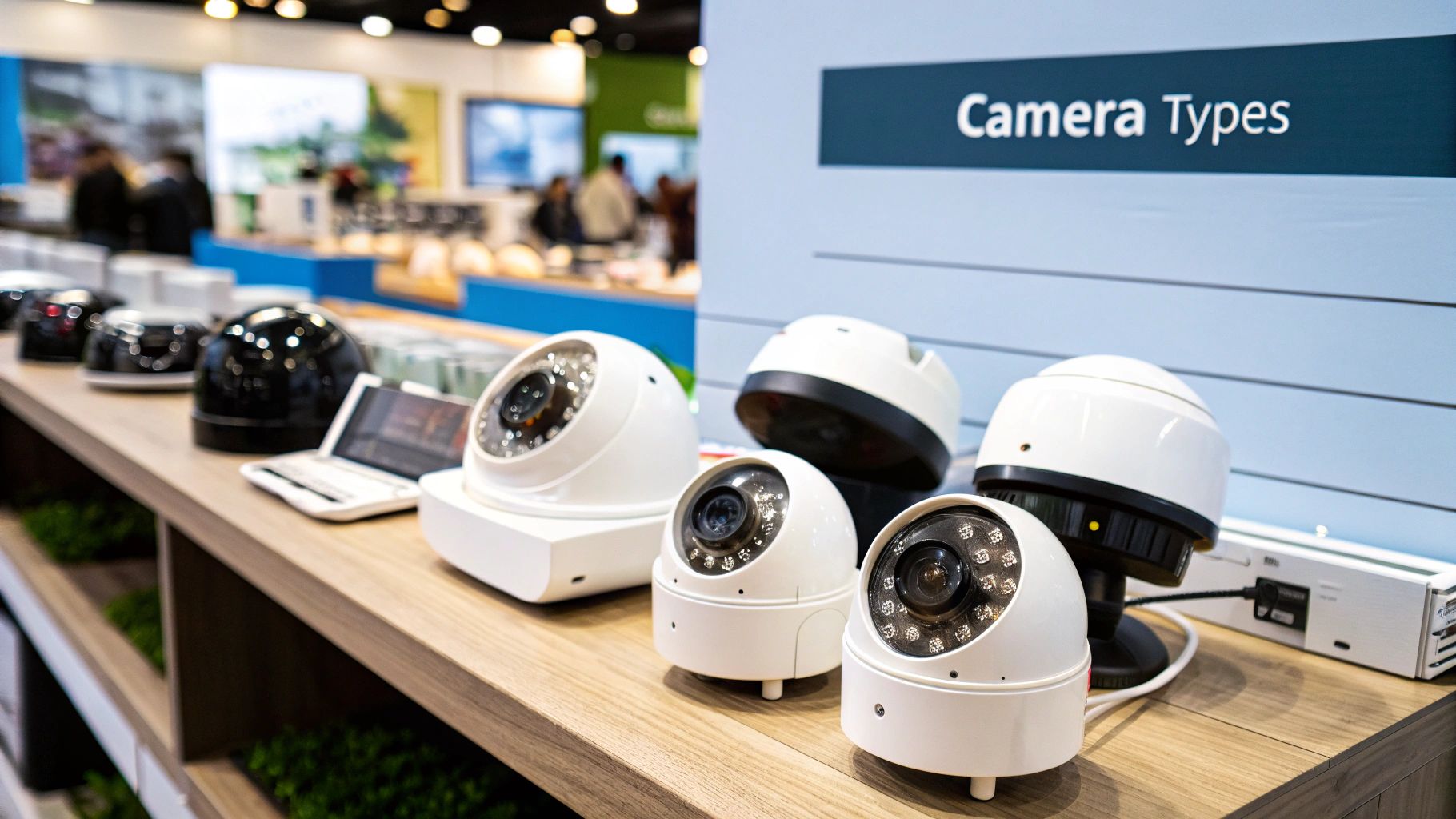
A proper security cameras video surveillance system is a lot more than just the cameras you see mounted on a wall. It’s really an interconnected ecosystem, with each part playing a crucial role. I find it helps to think of it like a human body's sensory network. The cameras are the ‘eyes,’ the recorder is the ‘brain,’ storage acts as the ‘memory,’ and the software is the ‘consciousness’ that lets you interact with it all.
Getting a handle on how these pieces fit together is the first real step toward making a smart investment. It allows you to cut through the confusing tech jargon and have a productive, confident conversation with any vendor or installer.
So, let's break down each of these essential components.
The Cameras: Your System's Eyes
The camera is the most obvious part of any setup. Its job is simple: capture raw video footage. Think of it as your frontline data collector. But here's the thing—not all cameras are built the same. They vary enormously in resolution (like standard 1080p vs. ultra-sharp 4K), shape and style (bullet vs. dome), and special features like night vision or weather resistance.
The right camera for you depends entirely on its mission. A camera watching a cash register inside a well-lit store has completely different needs than one monitoring a dark loading dock after hours. The trick is to match the camera's specific strengths to the environment it's meant to watch.
The Recorder: Your System's Brain
If cameras are the eyes, the recorder is the brain that makes sense of everything they see. This central device is usually a Network Video Recorder (NVR) for modern IP cameras or a Digital Video Recorder (DVR) for older analog systems. Its primary function is to pull in the video feeds from all connected cameras and get them ready for storage.
But a good recorder does much more than just process video. It's also where a lot of the system's intelligence lives. It's responsible for managing recording schedules, sending out motion detection alerts, and giving you a single place to tweak all your camera settings. A powerful recorder is the backbone of a responsive and reliable surveillance network.
Your recorder is the command center of your entire surveillance operation. A cheap or underpowered unit can create a bottleneck, limiting the performance of even the most advanced cameras.
The Storage: Your System's Memory
All that high-definition video has to be saved somewhere. Storage is your system’s long-term memory, holding onto footage so you can review it later. This storage can be physical hard drives located right inside the NVR or DVR, or it could be on a separate, secure server. More and more, businesses are also turning to cloud storage for better security and access from anywhere.
How much storage you'll need boils down to three key things:
Number of Cameras: It's simple—more cameras create more video data.
Video Resolution: High-quality footage, especially 4K, takes up a lot more space than 1080p.
Retention Period: How long you need to keep recordings (e.g., 30, 60, or 90 days) directly dictates your storage capacity.
The Software: Your System's Consciousness
Finally, the software is what ties everything together, giving you a window into your system. This is the user interface—whether it’s a program on your desktop, a web browser portal, or a mobile app—that you use to watch live video, search through old recordings, and manage alerts.
For day-to-day use, this is arguably the most important piece of the puzzle. Great software makes finding a specific event from weeks ago feel effortless, while clunky software can turn that same task into a frustrating nightmare. It's this integration of hardware and user-friendly software that has fueled the market's incredible growth, which jumped from $23.6 billion in 2019 to a projected $54 billion by 2026. You can dive deeper into these IP camera statistics and trends to see where the industry is headed.
How to Choose the Right Security Cameras for Your Needs
Picking the right equipment for your security cameras video surveillance system is a strategic decision. It goes way beyond just comparing spec sheets. The "best" camera isn't the one with the highest numbers; it's the one perfectly suited for the specific job you need it to do. It’s all about matching the right technology to your real-world security challenges.
Think of it like choosing the right tool from a toolbox. You wouldn't use a sledgehammer to hang a picture frame, right? In the same way, the camera that’s perfect for watching over a brightly lit retail checkout counter is completely wrong for securing a sprawling, dark warehouse perimeter.
This is why understanding the why behind your choice is so critical. A feature like 4K resolution isn't just a buzzword; it's the tool that lets you digitally zoom in on a recording and clearly read a license plate from 50 feet away. Powerful low-light performance isn't a gimmick; it’s what allows you to identify a person's face in a dimly lit parking garage, turning a shadowy blur into a verifiable subject.
Matching Camera Types to Business Scenarios
The first step in making a smart choice is to understand the main types of cameras on the market and what they’re built for. Each design has its own strengths, making it a natural fit for certain environments. A poorly chosen camera can leave you with frustrating blind spots or fail to capture the clear evidence you need when it matters most.
To get started, let's explore a few common business scenarios and the cameras that fit them best:
Retail and Office Interiors: Dome cameras are a go-to for indoor spaces. Their discreet, often-tinted enclosures make it tough for people to know exactly where the lens is pointed, which is a powerful deterrent in itself. They blend seamlessly into professional settings, perfect for monitoring points of sale, reception desks, and open offices without feeling intrusive.
Perimeters and Exteriors: When you need to watch over parking lots, building exteriors, or long fence lines, Bullet cameras are the workhorses. Their visible, imposing design sends a clear signal that the area is under surveillance. They are almost always built tough to handle bad weather and typically pack powerful infrared (IR) for excellent night vision over long distances.
Large Open Areas: For covering huge spaces like warehouses, big-box retail floors, or hallway intersections, PTZ (Pan-Tilt-Zoom) cameras offer incredible flexibility. A single PTZ can do the job of several fixed cameras. It gives an operator the power to pan across a wide scene, tilt up and down, and zoom in to get a closer look at anything that seems out of place, all in real-time.
Comprehensive Overviews: If you need a complete 360-degree view with zero blind spots, Fisheye or multi-sensor panoramic cameras are brilliant. Just one of these mounted in the middle of a room or at an intersection can see everything happening in every direction. They are ideal for total situational awareness in lobbies, retail showrooms, or open-plan work areas.
This infographic helps visualize those first critical decisions, guiding you from a general need to a specific camera type.
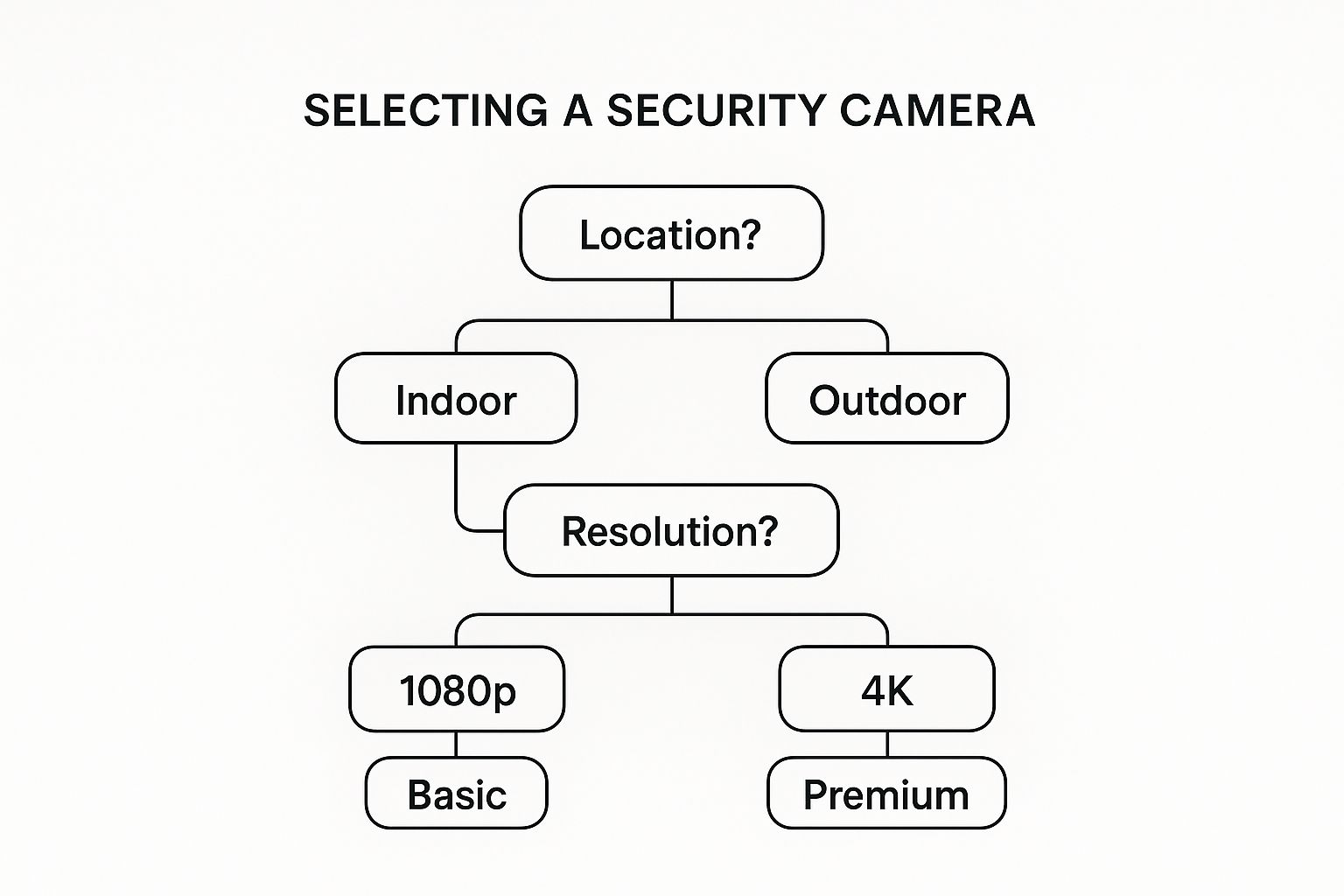
As the graphic shows, your selection process should always start with the fundamentals. Answering a few simple questions first will point you toward the right solution.
Security Camera Types and Ideal Business Applications
To make this even clearer, let's break down the most common camera types in a simple table. This will help you see, at a glance, which camera is the right fit for your specific business environment.
Camera Type | Key Features | Best For | Considerations |
|---|---|---|---|
Dome Camera | Discreet, low-profile design; often vandal-resistant. | Indoor use in offices, retail stores, restaurants, and banks. Great for general surveillance without being obtrusive. | The fixed lens has a set field of view. The dome cover can sometimes cause IR glare if not cleaned properly. |
Bullet Camera | Highly visible design; excellent for long-range viewing; typically weatherproof. | Outdoor applications like parking lots, building perimeters, and loading docks. Their presence is a strong deterrent. | More susceptible to tampering or being knocked out of position if installed within reach. Can be visually intrusive. |
PTZ Camera | Pan, tilt, and powerful optical zoom capabilities; can cover a very large area. | Actively monitored environments like large public venues, warehouses, and transport hubs where an operator needs to track movement. | Much more expensive than fixed cameras. They can only record what they are pointed at, so they can miss events elsewhere. |
Fisheye/Panoramic | Provides a 360° or 180° field of view from a single camera. | Complete situational awareness in open areas like lobbies, retail sales floors, and intersections. | The video often needs "de-warping" to look normal, and the fisheye effect can distort objects at the edges. |
Choosing the right camera form factor is the foundation of your system. Once you know whether you need a dome, bullet, or PTZ, you can then start digging into the more granular features that will define its performance.
A Deeper Look at Key Camera Features
After you’ve picked the right camera type, it's time to zoom in on the specific features that will make or break its performance. These technical specs are what directly influence the quality and usefulness of your video footage.
The ultimate goal of any security cameras video surveillance system is to provide clear, actionable evidence. The right mix of features ensures your footage isn't just a grainy, useless recording—it's a reliable source of truth.
Think about how these technical details deliver real-world benefits. High resolution gives you clarity, while strong low-light performance ensures you're not left in the dark.
Feature | What It Means for Your Business | Best Application |
|---|---|---|
Resolution (1080p vs. 4K) | Higher resolution means more pixels and, therefore, much greater detail. This allows for clear digital zooming on recorded video to identify faces, license plates, or other small but critical details. | 4K is essential for monitoring large areas where you need to zoom in on distant objects, like parking lots or long warehouse aisles. 1080p is often perfectly fine for smaller, contained indoor spaces. |
Field of View (FoV) | This is the angle that determines how wide of an area a single camera can see. A wide FoV (like 120°) captures more of a scene, while a narrow FoV provides more detail on a specific target. | Wide FoV is great for general monitoring of entire rooms or open spaces. A narrow FoV is better for zeroing in on critical points like a doorway, a cash register, or a specific piece of machinery. |
Low-Light Performance | Measured by a "lux" rating, this indicates how well a camera can see in near-darkness. This is supported by crucial tech like infrared (IR) illuminators or newer color night vision sensors. | Absolutely essential for any outdoor camera. It's also vital for indoor areas that are unlit after hours, such as hallways, server rooms, or storage areas. |
Weather & Vandal Resistance | Look for two key ratings. IP ratings (e.g., IP67) measure how well a camera is sealed against dust and water. IK ratings (e.g., IK10) measure its resistance to physical impacts and vandalism. | A must-have for any camera installed outdoors or in publicly accessible areas where it could be tampered with, hit, or sprayed with water. |
How AI Is Changing the Game in Video Surveillance
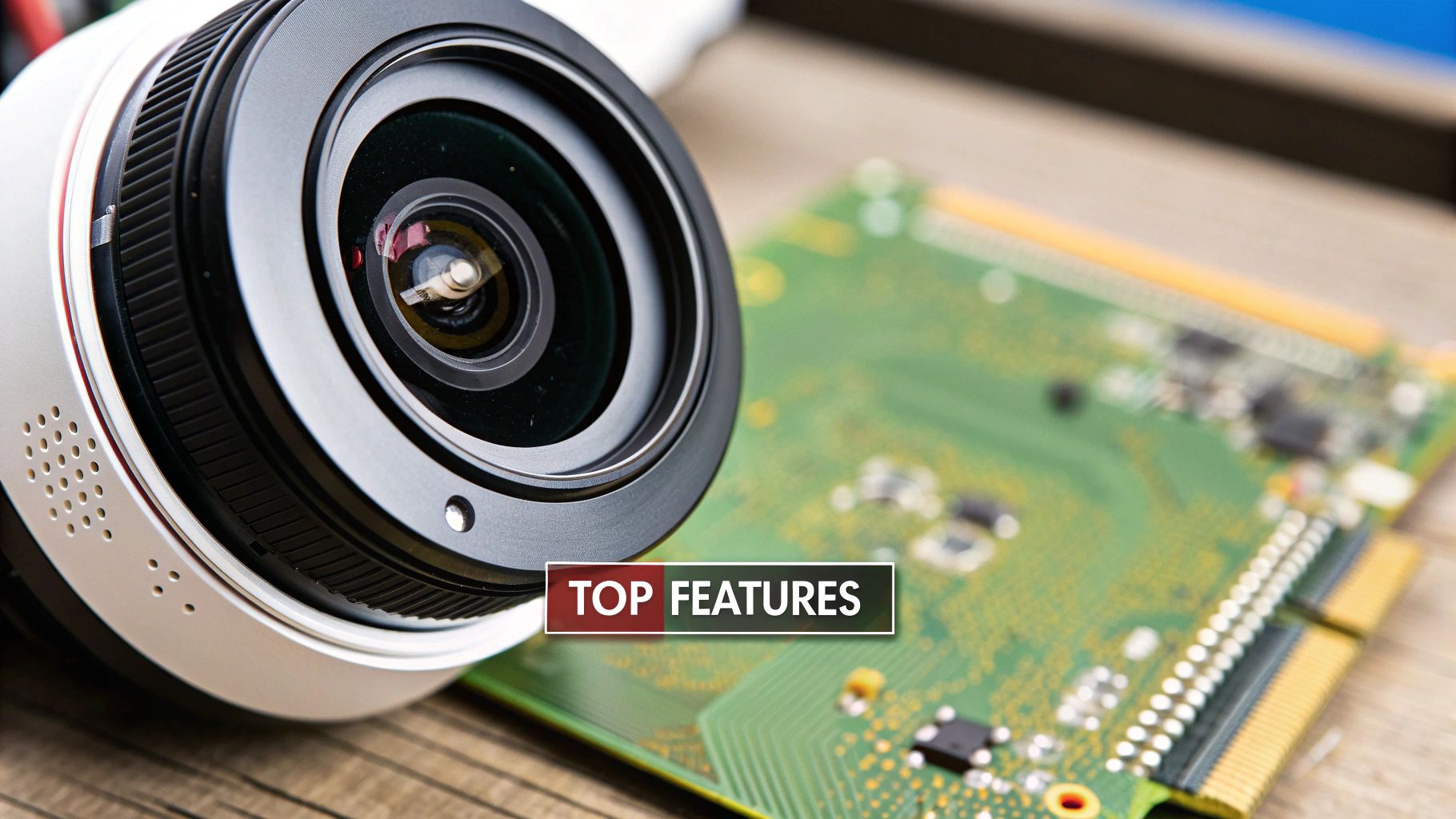
Standard security cameras are just passive eyes. They record what happens in front of them, but they don’t actually understand any of it. Adding artificial intelligence (AI) is like giving your surveillance system a brain. It elevates your cameras from simple recording devices into intelligent partners that can analyze situations and spot potential trouble.
Think of it this way: imagine a security guard who can watch every single camera feed at once, 24/7, without ever getting tired. Now imagine that guard can instantly tell the difference between a raccoon digging through the trash and a person trying to pick a lock. That’s what AI brings to security cameras video surveillance.
Instead of your team spending hours combing through footage after something happens, AI flags important events the moment they occur. This is a fundamental shift from being reactive to becoming proactive—moving from just documenting problems to actually preventing them.
From Dumb Motion Alerts to Smart Analysis
Older motion detection systems were a good first step, but they were notorious for false alarms. A stray cat, swaying trees, or even shifting shadows could trigger an alert. This leads to "alert fatigue," where so many notifications come in that your team starts tuning them out, potentially missing a real threat.
AI-powered video analytics are a world apart. They use sophisticated algorithms to interpret what they're seeing with impressive accuracy. It’s this ability to discern context that unlocks a new level of intelligent monitoring.
Key AI Capabilities
Here’s what these systems can actually do:
Object Detection and Classification: The AI can distinguish between people, vehicles, and animals. This cuts down on false alarms dramatically. You could, for instance, get an alert for a person in a restricted area after hours but completely ignore the local wildlife.
Facial Recognition: Modern systems can identify authorized staff to grant them access to secure areas, or they can flag the presence of a known person of interest. It's a great way to automate entry protocols and add another layer of security.
Behavioral Analytics: This is where AI gets really impressive. The system learns what "normal" activity looks like for a specific scene—say, your front entrance. It can then flag anything out of the ordinary, like a person loitering for too long or a car circling the parking lot, helping your team intervene before an incident happens.
AI fundamentally changes how you interact with your footage. It turns a massive, unstructured video stream into organized, searchable data. You can find "all blue sedans that entered the west lot between 10 AM and 11 AM" in seconds, rather than having someone watch an hour of video.
More Than Security: A Tool for Business Intelligence
The real value of AI in surveillance goes beyond just catching criminals. The same analytical power can be pointed inward to gather operational insights, turning what was once a pure security cost into an asset for the business.
A retailer, for example, can analyze foot traffic to see which displays are most popular and optimize the store layout. A manufacturer can monitor a production line to spot safety hazards or identify workflow bottlenecks. This dual-purpose capability is a huge reason for its growing adoption.
This trend is even hitting the residential market. The smart home security camera sector is expected to jump from USD 9.98 billion to USD 30.1 billion by 2030, a surge driven largely by AI features. You can find more on this growth in a report by Grand View Research.
Ultimately, AI-powered security cameras video surveillance systems deliver more than just peace of mind. They offer a tangible return on investment through better security, smarter operations, and a deeper understanding of your business.
Strategic Camera Placement for Your Business
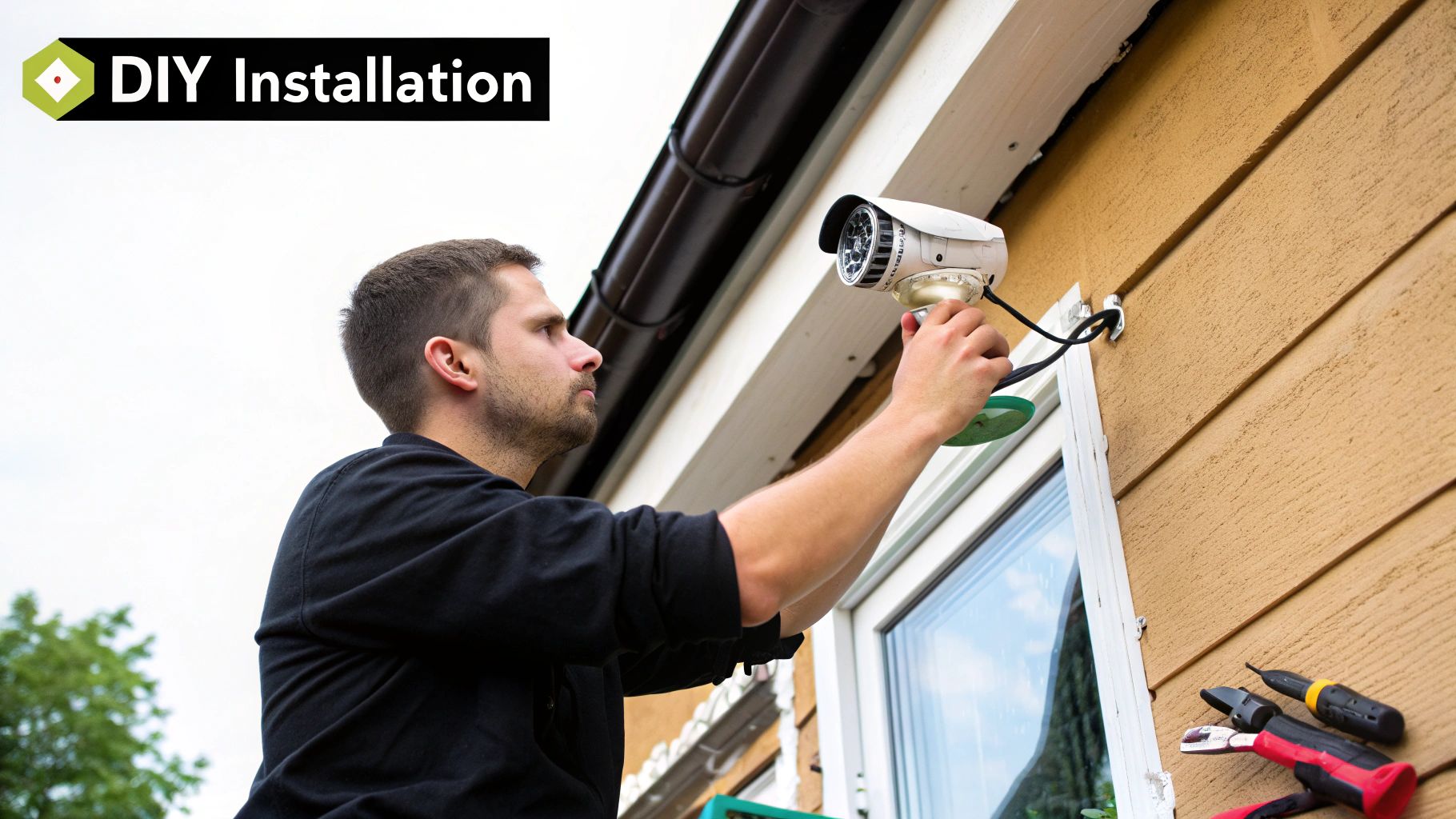
Buying top-of-the-line equipment for your security cameras video surveillance system is only half the job. Honestly, where you put those cameras is just as critical—and sometimes, even more so. The right placement is the difference between having a useless, obstructed view and capturing clear, actionable footage when an incident occurs.
Think of it like lighting a stage for a play. You wouldn't just blast a single spotlight at the center. You’d use a mix of lights from various angles to illuminate the whole scene and get rid of any harsh, concealing shadows. Camera placement works the same way; you need a thoughtful mix of camera types and viewpoints to build a complete security picture.
Let's move past the theory and get practical. Here are three real-world blueprints you can adapt for your own business.
Blueprint for a Retail Store
Retail spaces have a ton of high-stakes areas. The goal here is a mix of theft prevention, customer safety, and even gathering some useful data on shopper behavior.
Entrances and Exits: Mount a high-resolution dome camera just inside every main door. This placement is key for getting a clear, identifiable shot of every person's face as they walk in and out. A 4K camera is perfect for this, as the detail it captures is second to none.
Point-of-Sale (POS) Terminals: The cash register is ground zero for potential theft, fraud, and disputes. I always recommend placing a camera with a tight, narrow view directly over each POS station. It documents every transaction, protecting both your staff and your customers.
High-Value Merchandise Aisles: For aisles with expensive items like jewelry or electronics, wide-angle dome cameras on the ceiling give you great general oversight. To take it a step further, look into cameras with people-counting analytics. They can tell you which aisles get the most foot traffic, offering valuable insights for merchandising.
Blueprint for a Corporate Office
In an office, the security game is a bit more subtle. It's all about controlling access, protecting sensitive company data, and ensuring a safe environment for your team. The strategy here focuses on monitoring key choke points and restricted zones.
An office setting requires a different touch than retail. The goal is to secure the perimeter and sensitive areas without making employees feel like they're under a microscope. It’s a balancing act.
Here’s where to focus your attention:
Reception and Lobby: A wide-angle camera gives you a solid overview of everyone who comes and goes. This is often tied into an access control system, allowing you to visually confirm who is using a keycard or fob.
Server Rooms and File Storage: These rooms house your company's crown jewels—its data. It’s non-negotiable to have a camera monitoring the doorway to any server room or critical document area 24/7.
Stairwells and Emergency Exits: These spots are often forgotten, but they are crucial escape routes and potential blind spots. Placing simple, reliable dome cameras here ensures these low-traffic but high-importance areas aren't left unmonitored.
Blueprint for an Industrial Warehouse
Warehouses are a whole different beast. You're dealing with massive spaces, high-value inventory, and a constant flow of people, vehicles, and goods, both indoors and out. The strategy here is built around perimeter defense and tracking inventory flow.
1. Perimeter and Gates: Your first line of defense is your property line. Use weatherproof bullet cameras with excellent long-range night vision to monitor fence lines. At all vehicle entry and exit gates, I strongly suggest installing specialized License Plate Recognition (LPR) cameras to automatically create a digital log of every vehicle on site.
2. Loading Docks: This is a hub of activity and a major weak point for both theft and accidents. A multi-camera approach works best. Use one camera for a wide overview of the entire bay, and position a second camera just inside the trailer to get a clear view as goods are loaded and unloaded.
3. Warehouse Aisles: Those long, towering aisles can be tough to cover effectively. This is where 360-degree fisheye cameras mounted high on the ceiling truly shine, as a single camera can monitor multiple aisles at once. For specific sections with exceptionally high-value goods, a controllable PTZ camera lets a security operator zoom in on any activity that looks out of place.
Building Your Proactive Security Strategy
Think of modern security cameras less like a dusty old logbook for reviewing what went wrong, and more like a smart, proactive shield that helps you stop trouble before it starts. The real magic happens when you shift your mindset from simply recording incidents to actively preventing them.
This guide has laid out the essential building blocks. Now, it's about turning that knowledge into a real-world plan that makes your business safer and smarter. When you see surveillance as a strategic investment instead of just another expense, you're on the right track to protecting your people, property, and bottom line.
From Blueprint to Reality
Putting your security strategy into action isn't as complicated as it sounds. It really boils down to a few practical steps.
First, walk your property. I mean, really look at it. Where are the weak spots? What are the busiest areas? This initial assessment is the foundation for everything else. Once you've mapped out these critical zones, you can choose the right tools for the job—maybe some tough bullet cameras for the parking lot and a few subtle dome cameras for inside the main lobby.
The final piece of the puzzle is integrating features that make your system truly proactive, like AI-powered analytics. This is what turns a simple camera feed into a powerhouse, giving you smart alerts and the ability to find a specific event in seconds. You're no longer just collecting video; you're collecting actionable intelligence.
The goal is to create a security ecosystem where the technology does the heavy lifting. This frees up your team to focus on what they do best: responding to genuine threats and making the business run smoother. A well-designed system is like having a team of hyper-vigilant guards on duty 24/7.
As you build this proactive strategy, it's also critical to think about the bigger picture of data security compliance to ensure all the sensitive information your cameras collect is properly protected. This makes your security posture strong from every angle. You're not just installing cameras; you're building a safer future for your business, and now you have the tools to do it right.
Frequently Asked Questions
When you're considering a security cameras video surveillance system, you're bound to have questions. It's a big investment, after all, and you need to get the practical details right to feel confident in your decision. We've pulled together some of the most common things business owners ask us, with the goal of giving you clear, straightforward answers.
Let's dig into the specifics that will help you move forward with your security planning.
How Much Video Storage Do I Really Need?
This is probably the most frequent—and important—question we get. There isn't a single magic number here. The right amount of storage really depends on a few key variables all working together. Think of it like packing for a trip: what you need depends on how many people are going, for how long, and what you'll be doing.
Number of Cameras: It's simple math—more cameras mean more video footage to store.
Resolution: A 4K camera captures beautiful, crisp video, but those files are massive compared to standard 1080p footage. Higher resolution demands more storage.
Frame Rate (FPS): Recording at a buttery-smooth 30 frames per second looks great, but it uses double the space of a more standard 15 FPS.
Retention Period: This is the big one. Your required storage balloons depending on whether you need to keep footage for 30, 60, or 90 days due to industry regulations or internal policies.
The good news is that most modern systems are smart enough to record only when they detect motion. This slashes storage needs compared to recording 24/7. A professional installer can run the numbers for you and calculate the exact storage your specific setup will require.
Can I Use My Existing Wi-Fi Network?
Technically, yes, you could run your cameras over your current business Wi-Fi. But in the world of professional security cameras video surveillance, it's a really bad idea. It all comes down to two things: reliability and performance.
Your existing Wi-Fi is probably already juggling laptops, guest smartphones, point-of-sale terminals, and more. Piling on several high-definition video streams is a recipe for a sluggish network, impacting everything from your surveillance feed to your day-to-day operations.
A dedicated, wired connection for your cameras ensures you get a stable, interference-free video feed that isn't fighting for bandwidth. This is non-negotiable for consistent recording and preventing signal dropouts right when you need the footage most.
For a system you can truly count on, hardwired Ethernet connections are the professional standard. They deliver consistent power and a rock-solid data connection that wireless just can't match.
What Is the Difference Between a DVR and an NVR?
This one comes up all the time and really gets to the core of how these systems work. It's actually pretty simple when you break it down.
An NVR (Network Video Recorder) works with modern IP (digital) cameras. In this setup, the cameras themselves are little computers. They capture, process, and encode the video right on the device before sending it over the network to the NVR for storage.
A DVR (Digital Video Recorder) is the older technology, designed for analog cameras. Here, the cameras are simple "eyes" that send a raw, analog signal down a coaxial cable to the DVR. The DVR does all the heavy lifting of converting that signal to a digital format and storing it.
Here’s a good way to think about it: with an NVR, the cameras are smart and do the processing themselves. With a DVR, the cameras are "dumb," and the recorder is the "brain" of the operation. NVR systems offer far more flexibility, much higher resolutions, and smoother integration with modern tools like AI analytics.
Ready to build a security strategy that protects your business from every angle? The experts at PCI Audio-Video Security Solutions design and install advanced camera, alarm, and access control systems for commercial and industrial clients. Learn more about our custom solutions at https://www.pciavss.com.
Comments