


Battery Backup for Surveillance Cameras Guide
- Бонус за регистрацию онлайн казино
- Aug 19, 2025
- 10 min read
A power outage shouldn't mean your security goes dark with it. The right battery backup for surveillance cameras is what keeps your system online when the grid goes down, whether it's from a bad storm or a burglar cutting the power line. Even a few minutes of downtime is a huge security blind spot you can’t afford.
Why Your Security System Needs a Power Backup
Think about it: your surveillance system is completely useless the moment it loses power. We all know the grid isn't perfect. Storms, car accidents involving utility poles, or even routine maintenance can leave your property unmonitored at the worst possible times. Even those quick power flickers can be enough to force your entire system to reboot, leaving you with several minutes of unrecorded footage.
Then there's the more deliberate threat. A smart intruder knows to look for the main power supply. Cutting it is often their first move because they assume—often correctly—that the security system will go down too. Suddenly, that expensive, high-tech camera setup is just a decoration, and they have free access to your property.
Bridging the Power Gap
Fortunately, you have a couple of solid options to keep the video feed rolling no matter what. By investing in a backup, you're turning your security system from a passive recorder into an active shield that works even when the lights are out.
Here are the two main approaches I see people take:
Individual Cameras with Built-in Batteries: This is a great decentralized option. Each camera has its own little power source, which makes for a super simple and flexible installation, especially if you're running a wireless setup.
Centralized Uninterruptible Power Supply (UPS): A UPS is basically a big, central battery for your whole system. It doesn’t just power the cameras; it keeps your recorder (the NVR or DVR) and your internet router running, too. This is key, because without the recorder and router, your cameras can't save footage or send alerts.
The goal here is simple: redundancy. A backup power source isn't just some fancy add-on; it's a core security feature that ensures your system is actually there for you when you need it most.
It's also worth remembering that a complete security strategy involves more than just cameras. When you start understanding physical access control systems, for example, you realize they also depend on a steady power source to keep doors locked and alarms active. Choosing the right backup means making sure every piece of your security puzzle stays functional.
Figuring Out Your Security System's Power Needs
Before you can even think about buying a battery backup for your surveillance cameras, you first need to know exactly how much power your system is drinking. I’ve seen people skip this step, and it’s a classic mistake—kind of like buying a generator without knowing what you need to plug into it. You either end up with a unit that can't handle the load or you've wasted money on something that's complete overkill.
So, let's do a quick audit. The first thing is to make a list of every single piece of equipment that needs to stay powered on when the lights go out. It's almost never just the cameras. For most setups, you're also looking at the Network Video Recorder (NVR) or Digital Video Recorder (DVR) which is the brains of the operation, plus your internet router and modem. Without those, your remote access and mobile alerts are useless.
Tallying Up the Watts
Alright, now it's time to find the power consumption for each device on your list. This is measured in watts (W). Just check the power adapter or the technical manual for each component—the number is almost always printed right there.
Let’s walk through a pretty standard setup I see all the time in homes and small businesses:
Four 4K IP Cameras: A camera like this, especially with infrared for night vision, usually pulls between 5 and 8 watts. We'll call it an average of 7W per camera.
One 8-Channel NVR: Think of the recorder as a mini-computer. It’s going to need about 20 to 30 watts to do its job.
One Internet Router/Modem: Don't forget this! It's the critical link to the outside world and typically uses around 10 to 15 watts.
With those numbers, the math is simple. For our example system:(4 Cameras x 7W) + 30W (NVR) + 15W (Router) = 73 Watts
This 73W number is your total power load. It's the amount of electricity a battery backup has to provide at all times to keep your system fully operational. It's no surprise that self-sufficient power solutions are a hot topic right now. The market for battery-powered security cameras is already valued at roughly $5 billion and is expected to climb fast. If you're interested in the market trends, you can dig into the data on its projected 15% compound annual growth rate.
Key Takeaway: Your total power load is the most important number in this whole process. Get it right. Write it down and keep it handy when you start shopping for backup units, because every decision from here on out will be based on that figure.
Choosing the Right Backup Power Solution
Once you've figured out how much power your security system actually needs, it's time for the fun part: picking the hardware. When it comes to a battery backup for surveillance cameras, you're really looking at two main paths. You can either use individual cameras that have their own batteries built-in, or you can protect the whole shebang with a central Uninterruptible Power Supply (UPS).
Which way you go really depends on your setup. Going with individual battery-powered cameras is simple and flexible, especially if you have wireless cameras scattered around a property. But if you want a truly robust solution, a central UPS is the way to go. It doesn't just keep the cameras on; it powers your recorder (NVR/DVR) and your internet router too. That means you get uninterrupted recording and remote access, even when the lights are out. The market for these units is massive—it was valued at $29.22 billion and continues to grow, which tells you just how critical this piece of gear has become. You can get a better sense of the expanding BBU market here.
Getting to Know UPS Specs
If you’re leaning toward a UPS, you’ll run into a few technical terms on the box. Don't skim over them. Understanding what they mean is the difference between protecting your gear and potentially damaging it.
First up, you'll see ratings for Volt-Amps (VA) and Watts. Think of the VA rating as the absolute maximum power the UPS can handle for a split second. The Watt rating, however, is the real-world, continuous power it can deliver to your devices. This is the number you need to focus on.
Pro Tip: Always choose a UPS with a Watt rating that's at least 20-25% higher than the total wattage of your security system. This buffer prevents overloading and gives you a little wiggle room if you add another camera down the road.
The second, and arguably more important, detail is the waveform type. This is all about the quality of the electricity the UPS sends to your devices when it kicks in.
Simulated Sine Wave: These are the more common, budget-friendly models. They produce a choppy, stepped approximation of the clean power you get from a wall outlet. It's good enough for a lamp or a simple computer, but it can make sensitive electronics like NVRs hum, buzz, or even fail over time.
Pure Sine Wave: This is the good stuff. A pure sine wave UPS creates a smooth, clean electrical current that’s identical to utility power. For any serious surveillance system, this is the highly recommended choice. It ensures your NVR, hard drives, and other sensitive components run stable and last longer.
This image gives a great snapshot of what to expect from a typical battery backup in a real-world scenario.
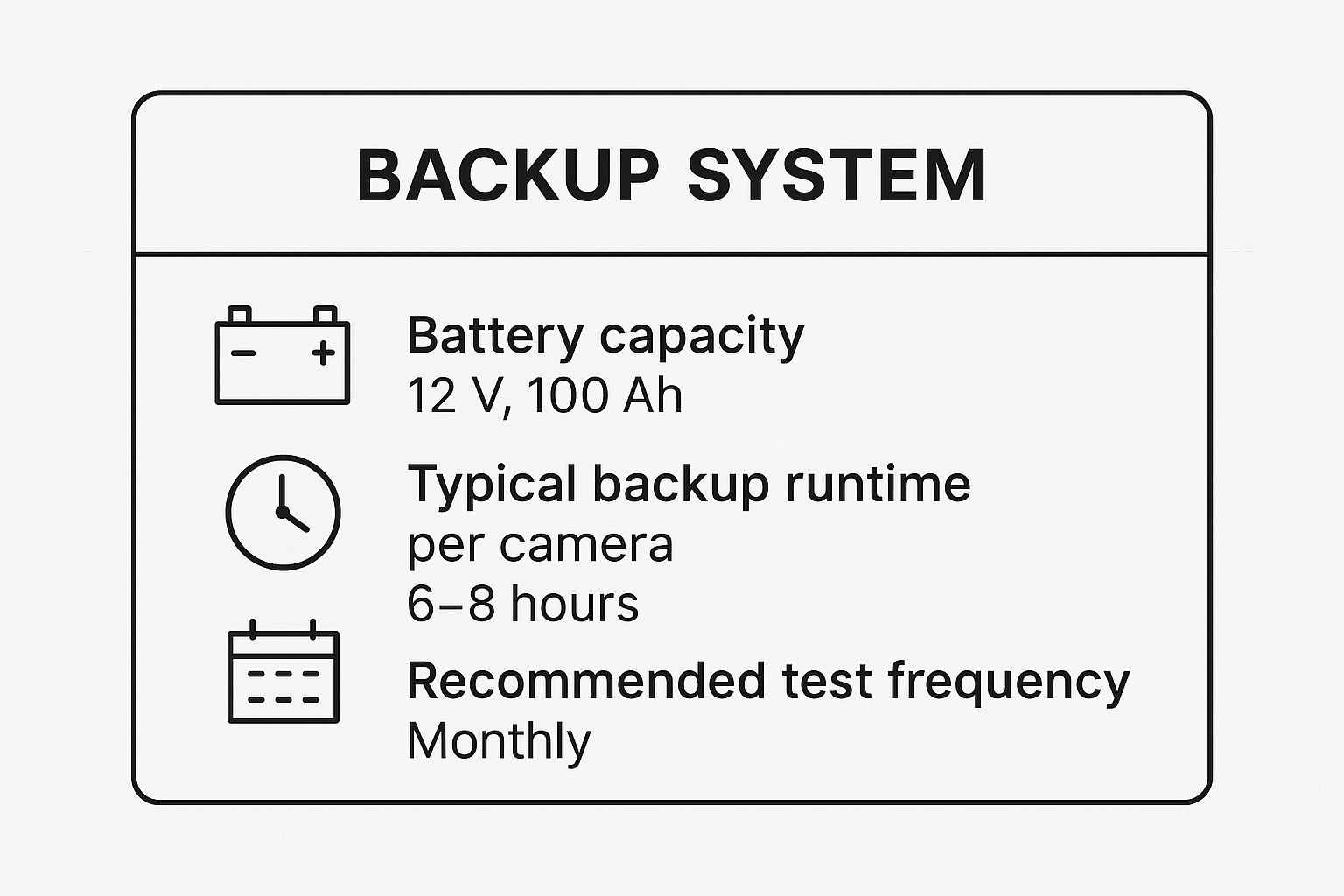
As you can see, even a standard battery can buy you a decent amount of time. The key takeaway, though, is that you have to test it regularly to know it'll be there when you need it.
UPS vs. Battery-Powered Cameras: A Quick Comparison
Still on the fence? Let's put these two approaches side-by-side to make the decision a little easier.
Feature | Centralized UPS Backup | Individual Battery-Powered Cameras |
|---|---|---|
System Coverage | Protects cameras, recorder, and router | Only protects individual cameras |
Installation | Single point of installation and setup | Requires charging/installing each camera |
Maintenance | One battery to monitor and replace | Multiple batteries to manage and replace |
Reliability | High; ensures entire system stays online | Varies; a dead battery means a blind spot |
When you look at it this way, the choice becomes clearer. For anyone serious about their security, a centralized UPS is almost always the superior option. It creates a single, reliable power source that eliminates weak links in your surveillance chain—from the camera on the eave to the recorder in the closet. This unified approach is the only way to guarantee every single component keeps working together when the power goes out.
Getting Your UPS Set Up for Uninterrupted Security
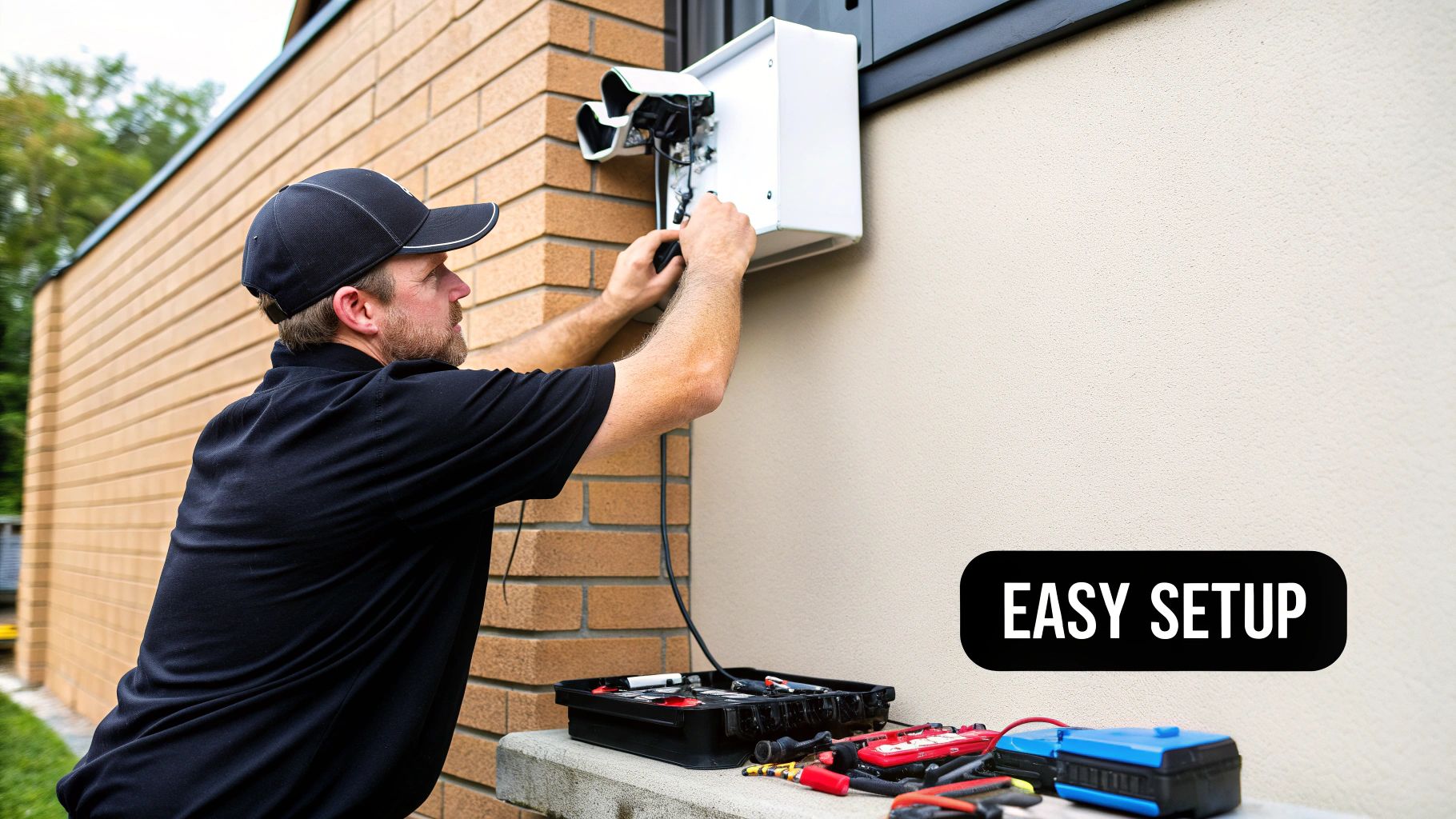
So, you've got your UPS. Setting it up correctly is the difference between a system that works when you need it most and one that lets you down. It's about more than just finding a spare socket; it’s about creating a reliable power safety net.
First things first, find a good spot for your new Uninterruptible Power Supply (UPS). Don't just cram it into a tight cabinet where it can't breathe. These units generate a surprising amount of heat, especially when charging. A cool, dry location with plenty of airflow will keep it happy and extend its lifespan.
Plugging in Your Essential Equipment
With the UPS in its new home, go ahead and power down your entire security system. That means shutting down the NVR or DVR, all the cameras, and your internet modem and router. Unplug everything from the wall.
Now, take a look at the back of the UPS unit. This is where a lot of people go wrong. You'll typically see two different types of outlets:
Battery + Surge Protection: These are the most important outlets. This is where your critical hardware—the NVR/DVR, modem, and router—absolutely must be plugged in. They get battery power the second the lights go out.
Surge Protection Only: These outlets are just for protection against power spikes. If you plug your recorder in here, it will shut off immediately during an outage, making the UPS pointless for that device.
Double-check that every piece of your core security setup is plugged into a "Battery + Surge" outlet.
Pro Tip: Don't turn anything back on just yet. Most new UPS units need a solid initial charge right out of the box, usually at least 8 hours. If you skip this and the power goes out an hour later, your runtime will be a fraction of what you expect.
Performing the Final Check
Once the UPS is fully charged and everything is connected to the right outlets, it's time for the moment of truth. Power on your NVR/DVR and let the entire system boot up.
To make sure it all works as planned, simulate a power outage by simply unplugging the UPS from the wall.
Did your cameras and recorder stay on without a hiccup? Perfect. You've successfully installed your backup. Plug the UPS back into the wall, and now you can have some real peace of mind knowing your surveillance system is protected.
Keeping Your Backup Power Ready for Action
Putting a battery backup on your surveillance system is a great move, but it's not something you can just set up and then completely forget about. Think of your Uninterruptible Power Supply (UPS) like the battery in your car—it needs a little attention to make sure it's ready to go when you need it most. A simple maintenance routine is all it takes to guarantee it'll be there for you during a power outage.
The single most important check you can do is a quick runtime test. I recommend doing this once a month. Just unplug the UPS from the wall socket and watch your camera system. Let it run on battery power for a few minutes. If everything stays on and records smoothly, you're golden. This little test gives you peace of mind that it will actually work when the lights go out for real.
How to Spot a Failing Battery
UPS batteries aren't immortal. On average, you'll get a solid 3 to 5 years out of one, but things like high temperatures or frequent power cuts can shorten that lifespan. The key is to replace it before it fails.
Keep an eye (and ear) out for these tell-tale signs:
The Annoying Beep: If your UPS starts chirping or sounding an alarm constantly, even when the power is on, it's screaming for a new battery.
Shorter Runtimes: Remember those monthly tests? If you notice the backup power is lasting for a shorter and shorter time, the battery's capacity is on its way out.
Failed Self-Checks: Most modern UPS units have a self-test button. Press it. If it signals a failure, don't wait—order a replacement right away.
A dead battery in your UPS is no different than having no backup at all. Swapping it out proactively before it hits the 5-year mark is the best way to keep your security net from collapsing when you least expect it.
Here’s a pro tip: new camera systems with AI-driven threat detection can actually help you squeeze more life out of your battery during an outage. By only recording when there's a genuine event instead of constant motion, they use less power. This kind of smart surveillance is becoming a game-changer in high-security environments, a trend you can read more about in this market evolution report on PR Newswire.
Tying Up Loose Ends: Your Security Camera Backup Questions Answered
Even after you've done your research, a few questions about battery backups for security cameras tend to pop up. It's smart to get these sorted out before you buy, just to be sure you're getting exactly what you need. Let’s walk through the most common things people ask.
How Long Will a UPS Really Last?
This is the big one, and the honest answer is: it depends. The runtime is a direct result of how much power your gear pulls versus the size of the battery you give it.
Think of it like this: a fairly standard 4-camera NVR setup hooked up to a small 600VA UPS might give you 20-40 minutes of recording time when the power goes out. That’s enough to cover a quick flicker or brownout. If you step up to a more robust 1500VA unit, you could be looking at several hours of protection. The only way to know for sure is to do the math on your system's power consumption first.
Does the Type of UPS Matter?
For sensitive electronics like your NVR, router, and modem, yes, it definitely matters. Your best bet for long-term reliability is a "pure sine wave" UPS.
Cheaper models often use what’s called a "simulated sine wave," which isn't as clean of a power signal. While they might work in a pinch, they can sometimes cause your equipment's power supplies to buzz or wear out faster over time. Spending a little extra on a pure sine wave unit is cheap insurance for your expensive security gear.
A quick but crucial tip: Don't forget to plug your internet router and modem into the UPS, too. If they go down, your cameras can't send footage to the cloud or let you view them remotely, defeating a huge part of their purpose.
At PCI Audio-Video Security Solutions, we don’t just install cameras; we build complete, resilient surveillance systems that include the right backup power to keep you protected, no matter what. You can see some of our advanced security solutions on our website.
Comments