


Best Security Cameras for Small Businesses Revealed
- Бонус за регистрацию онлайн казино
- Sep 17, 2025
- 17 min read
If you're running a small business, the best security camera setup you can get is almost always a Power over Ethernet (PoE) system paired with a Network Video Recorder (NVR). It’s a workhorse combination that gives you rock-solid reliability, easy scalability, and total control over your footage. Plus, you get to skip the headaches of spotty Wi-Fi and avoid those never-ending monthly cloud storage fees. Think of it as a smart, one-time investment that pays for itself.
Why the Right Security Camera Is a Business Asset
Picking a security camera system is a bigger deal than just trying to stop shoplifters. It’s a real investment in the health, safety, and smooth operation of your business. The right system becomes a silent partner, working 24/7 to protect your property, your team, and your customers.
These aren't just simple recording devices anymore. Modern cameras give you powerful data that can change how you run your business, offering real-world benefits that directly impact your bottom line. It's about getting peace of mind so you can focus on what really matters: growing your company.
More Than Just a Theft Deterrent
Loss prevention is obviously a huge part of it, but a good camera system does so much more. The "best" camera isn't a specific model; it's the right tool for your unique space. A warehouse needs tough cameras with great night vision to guard the perimeter, while a small retail shop might do better with subtle dome cameras that track customer flow without making people feel watched.
The goal is to shift from just reacting to problems—like catching a thief after they’ve already left—to proactively managing your business. A well-designed system delivers returns in a few key ways:
Keeping Your Team Safe: Cameras in parking lots, entrances, and back rooms make for a much safer workplace, especially for employees who are opening up early or locking up late.
Lowering Your Liability: When a workplace accident happens or someone fakes a slip-and-fall, clear video footage is your best defense. It can save you a fortune in legal fees and insurance claims.
Understanding Your Operations: In a retail setting, you can analyze footage to see where customers go, which displays grab their attention, and how you can tweak your layout to improve their experience.
Managing from Anywhere: Need to check in while you're away? Modern systems let you view live feeds from your phone or computer, so you always know things are running as they should be.
It's a proven fact: a study found that businesses with visible security cameras can see crime drop by as much as 50%. This shows that the value starts with deterrence, stopping incidents before they ever start.
A Framework for Your Decision
This guide is built to give you a clear, practical way to choose the right system. We’ll walk through the essential features, explain how AI analytics can help, and map out what a successful installation looks like. By looking past the upfront cost, you'll find a system that’s a true business asset.
Our aim is to help you pick more than just a camera. We want to help you find a complete security solution that protects what you’ve built and helps your business thrive. Let's dive into the core features that define the best security cameras for small businesses.
Understanding the Nuts and Bolts of Business Surveillance
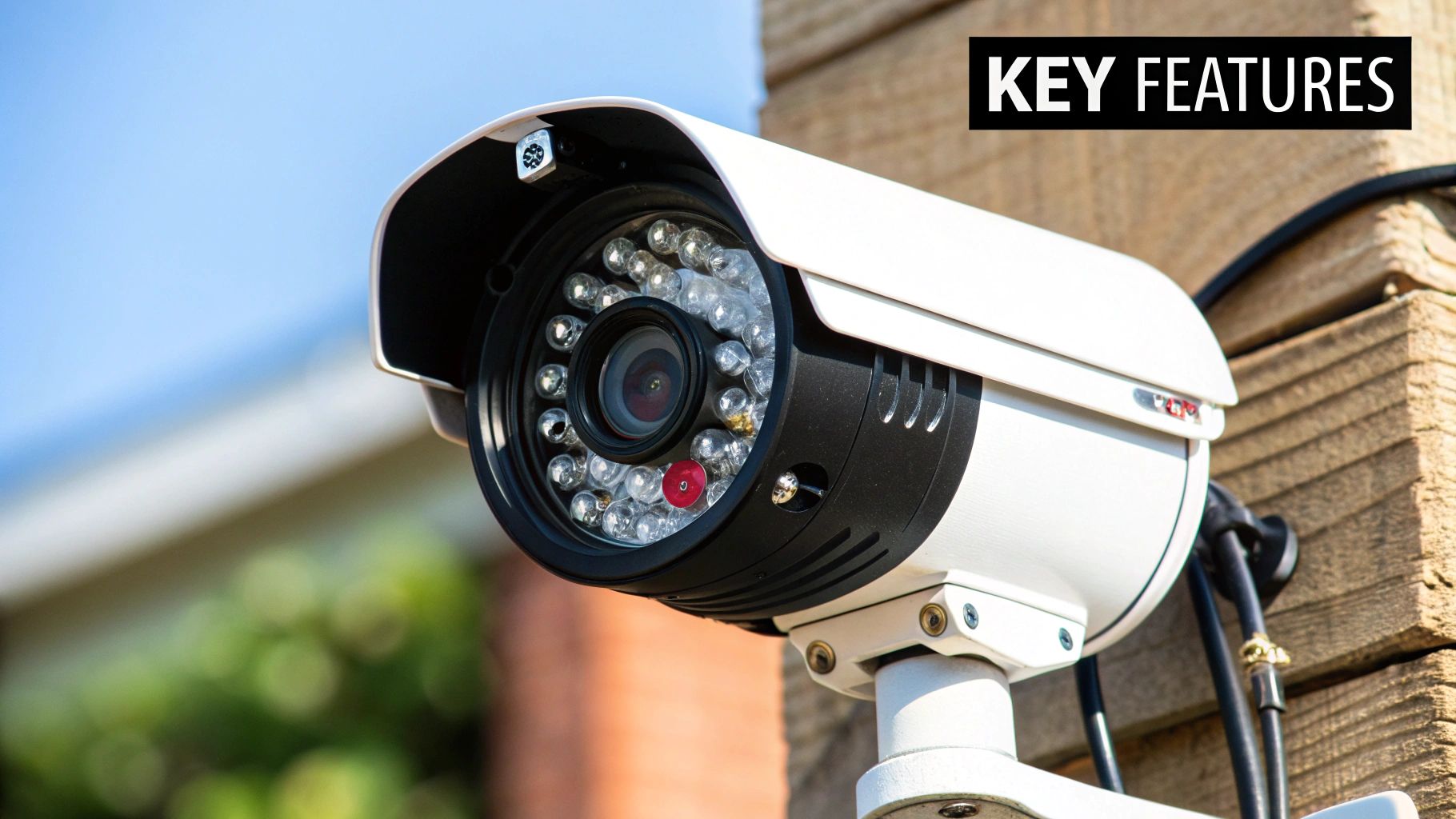
Before you start comparing specific camera models, let’s get a handle on the technical jargon. Knowing what these specs actually mean for your business is the key to picking the right gear. Investing in the right features from the get-go ensures your system solves your security problems instead of just creating new ones.
The need for solid surveillance isn't just in your head; it's a massive, growing market. Valued at roughly USD 32.76 billion in 2024, the global market is expected to balloon to USD 84.03 billion by 2035. This surge is all about businesses like yours needing to stop theft, keep people safe, and get a better handle on day-to-day operations.
Decoding Video Resolution and Clarity
Resolution is all about detail. While it's tempting to think bigger numbers are always better, the real trick is matching the resolution to the job you need it to do. It’s the difference between seeing a blurry shape and getting a crystal-clear image you can actually use.
1080p (Full HD): Think of this as your reliable baseline. It's perfect for general monitoring inside an office or a small shop. You can see what’s going on clearly enough without needing to count the stitches on someone's shirt.
2K (QHD): This is a noticeable jump in quality. 2K is ideal for covering larger spaces like parking lots or big retail floors. The extra pixels mean you can digitally zoom in on the footage without it turning into a pixelated mess, which is a lifesaver when you need to identify a face or a license plate from a distance.
4K (Ultra HD): With four times the pixels of 1080p, 4K is the top tier for detail. You’ll want this for your most critical zones—think cash registers, doorways, or any area where getting a positive ID is non-negotiable.
Here's the trade-off: 4K video looks amazing, but it eats up a ton of storage and bandwidth. A smart strategy I often recommend is to mix and match. Use 4K cameras for your high-stakes areas and 2K or 1080p cameras for broader, less critical overviews.
Maximizing Coverage with Field of View
Field of View (FoV) tells you how wide a scene a camera can capture, measured in degrees. A wider FoV is great because you can cover a big area with fewer cameras. The downside? It can sometimes create a "fisheye" distortion around the edges.
On the other hand, a narrow FoV is perfect for zeroing in on specific spots like a single doorway or a narrow hallway. So for an open-plan office or a warehouse, a camera with a wide FoV of 120 degrees or more makes sense. For that critical spot over the checkout counter, a tighter 90-degree FoV gives you a more focused and detailed shot.
Night Vision for Around-The-Clock Surveillance
Your security needs don't clock out at 5 PM. Modern night vision technology is what keeps your business protected 24/7, and you generally have two types to choose from.
Infrared (IR) Night Vision:This is the classic black-and-white night vision you've probably seen. It uses invisible IR light to illuminate the scene, giving you a surprisingly clear picture even when it's pitch black. It’s the most common and dependable option out there.
Color Night Vision:Some newer cameras can see in color at night. They use incredibly sensitive image sensors, often paired with a small, subtle spotlight, to capture footage in full color in low-light conditions. This can be a game-changer, providing crucial details like the color of a car or a person's jacket.
Choosing Your Storage Solution
The cameras are only half the equation. How you store your video footage is just as critical—it impacts your security, how easily you can access clips, and what you’ll pay over time.
Local Storage (SD Cards): The camera saves video right onto a small SD card inside it. It's simple and has no monthly fees, but storage is very limited. Plus, if a thief steals the camera, they take the evidence with them.
NVR/DVR Systems: A Network Video Recorder (NVR) or Digital Video Recorder (DVR) is a box that sits on-site and records from all your cameras to large hard drives. It gives you massive storage capacity (weeks or months) and you own the hardware, so there are no recurring cloud fees.
Cloud Storage: Your footage is automatically uploaded and stored on a secure, remote server. This is fantastic for off-site backup and lets you access your video from anywhere. The catch is that it usually comes with a monthly subscription fee, often per camera.
Finally, remember that setting up cameras isn't just about the hardware. Businesses need to be aware of the data privacy implications to stay compliant and maintain trust with employees and customers.
Choosing the Right Security Cameras for Your Business
Finding the best security camera for your small business isn't about picking the most expensive or feature-packed model. The camera that’s perfect for a quiet office will be completely wrong for a bustling warehouse. The real secret is matching the camera's capabilities directly to your daily operations and the physical layout of your space.
This approach means you're not just buying hardware; you're investing in a solution to a specific problem. Whether you need to watch over high-value inventory, keep your team safe, or just see who’s at the front door, the right camera makes all the difference.
Let's break down which cameras work best for different types of business environments. The chart below gives you a quick visual on the core trade-offs between wired and wireless systems, highlighting how your choice affects everything from cost to performance.
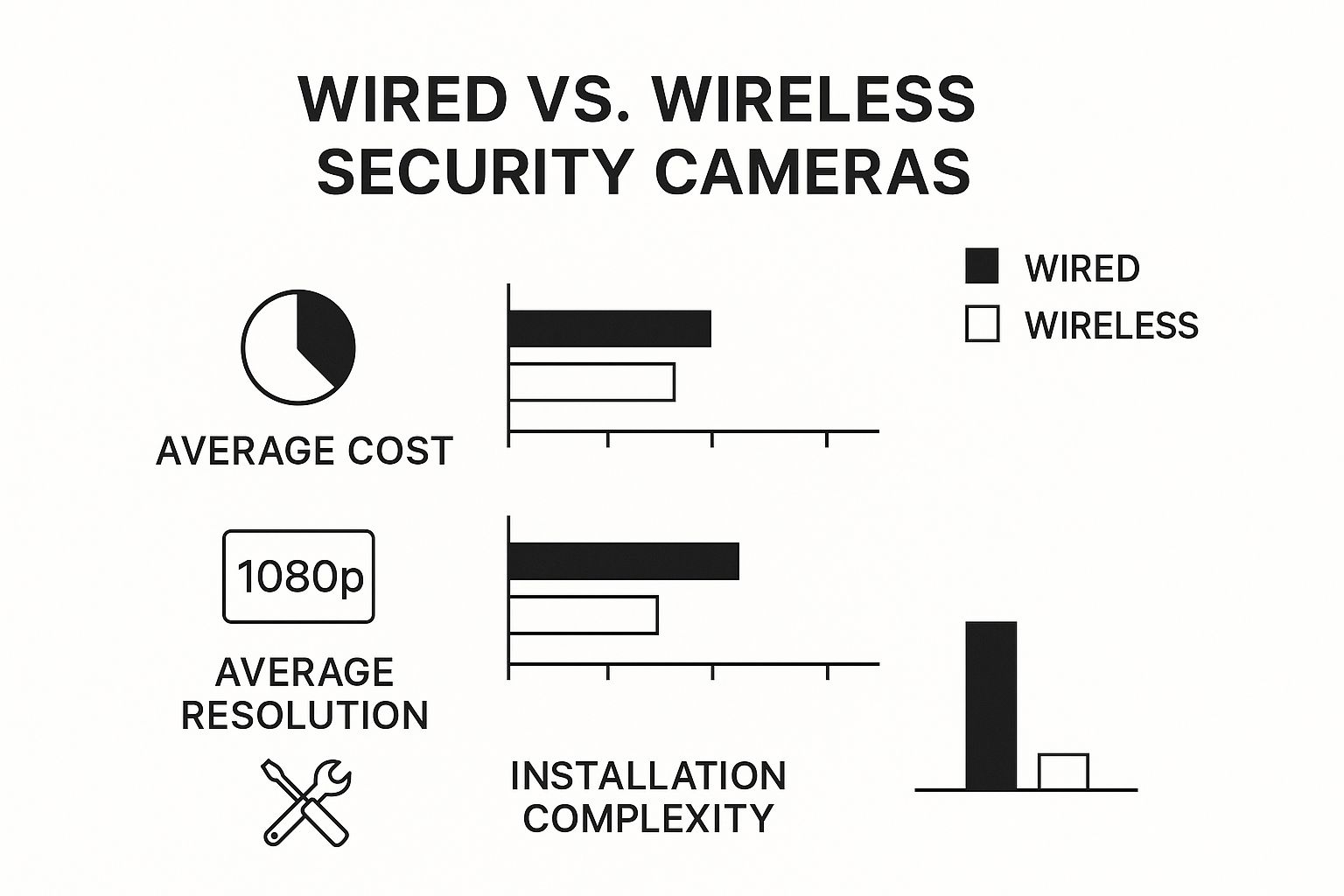
As you can see, wired systems generally give you better video quality for a lower per-camera cost, but you can't ignore the more involved installation they require.
Finding the perfect fit often comes down to a side-by-side look at the details. Here's a table comparing some of the top contenders across the features that matter most to a small business owner.
Feature Comparison of Leading Small Business Security Cameras
Camera Model | Ideal Business Type | Resolution & FoV | Key AI Features | Storage Options | Estimated Cost per Camera |
|---|---|---|---|---|---|
4K PoE Dome | Retail, Office, Cafe | 4K (8MP), 110° | Person/Vehicle Detection, Tripwire | Local NVR, Cloud Backup | $120 - $250 |
5MP PoE Bullet | Warehouse, Outdoor | 5MP, 90° | Motion Zones, IR Night Vision | Local NVR, FTP | $90 - $200 |
4K PTZ | Large Properties, Parking Lots | 4K (8MP), 360° Pan | Auto-Tracking, Preset Patrols | Local NVR | $450 - $1,000+ |
2K Wi-Fi | Small Office, Low-Traffic Areas | 2K (4MP), 130° | Smart Alerts, Two-Way Audio | Cloud Subscription, SD Card | $80 - $180 |
This comparison gives you a starting point. Now, let’s dig into the specific scenarios where each type of camera truly proves its worth.
Ideal for Retail Stores and Cafes
In a retail shop or a busy cafe, your security system wears two hats: it needs to prevent theft while also giving you insights into how your business runs. The goal is to find cameras that are discreet enough not to make customers uncomfortable but powerful enough to capture crisp details at the cash wrap, stock room door, and main entrance.
This is where dome cameras really come into their own. Their low-profile design lets them blend right into the ceiling, offering wide coverage without being an eyesore. A huge plus is that their tinted covers make it tough for anyone to see exactly where the lens is pointed, which is a surprisingly effective deterrent on its own.
Think about it: a boutique could place a 4K dome camera right over the point-of-sale terminal. If a dispute over a transaction ever comes up, you have crystal-clear video evidence. Meanwhile, another dome with a wider lens can watch the main floor, helping you analyze customer foot traffic and spot bottlenecks.
A non-negotiable feature for any storefront is Wide Dynamic Range (WDR). This tech is a lifesaver for balancing out tricky lighting. It prevents the bright sunlight from an open door from turning an incoming person into a silhouette, ensuring you get a clear, identifiable image every time.
When you’re shopping, zero in on models with at least 2K resolution and a wide field of view. This combination minimizes blind spots and ensures your footage is actually useful when you need to review it.
Built for Offices and Co-working Spaces
Office security is a balancing act. You need to protect expensive assets like laptops, servers, and private documents, but you also have to respect employee privacy. The focus should be on monitoring common areas and access points, not making people feel like they’re being watched at their desks.
Once again, PoE dome cameras are a great fit here. They work perfectly in reception areas, hallways, and server rooms. Because they run on a single Ethernet cable for both power and data, the installation is clean and professional—no ugly power adapters required. A camera at the main entrance, for instance, can use AI to log who enters and exits after hours, providing a clear visual record.
But offices often have unique layouts that call for smarter solutions.
Corridor Mode: Some cameras have a clever feature that rotates the video sensor 90 degrees. This gives you a vertical 9:16 video stream that's perfect for monitoring a long, narrow hallway without wasting pixels filming the walls.
Audio Capabilities: A camera with two-way audio in a reception area can be surprisingly handy. It allows you to speak with visitors remotely, adding an extra layer of access control before you even buzz them in.
For a truly secure office, integrate your cameras with your access control system. This allows you to link video footage to keycard swipes, giving you undeniable proof of who entered a secure area and when.
Best for Warehouses and Outdoor Perimeters
Warehouses, loading docks, and parking lots are the final boss of video surveillance. These spaces demand tough, rugged cameras that can handle bad weather, see in complete darkness, and cover huge areas with absolute clarity.
For these jobs, bullet cameras and PTZ (Pan-Tilt-Zoom) cameras are the undisputed heavyweights. Bullet cameras are highly visible, which screams "you're being recorded" to any potential intruder. Plus, their weatherproof housings (look for an IP66 rating or higher) are built to shrug off rain, dust, and freezing temperatures.
A warehouse manager could line the building's exterior with bullet cameras that have powerful infrared night vision to keep an eye on things long after the last shift has gone home.
But for covering large properties, the PTZ camera is the real MVP. A single PTZ unit can do the job of several fixed cameras. Imagine being able to sit at your desk and remotely pan across an entire parking lot, tilt up to check the roof, and then zoom in to read a license plate from hundreds of feet away.
Modern PTZ cameras often come with auto-tracking, an AI feature that will automatically lock onto and follow a person or vehicle that enters a predefined area. It's like having a virtual security guard on patrol 24/7, ensuring you never miss a critical moment.
A Smart, Budget-Friendly System
If you're just starting out or working with a tight budget, the idea of a full-blown security system can feel intimidating. The good news? You don't have to break the bank to get reliable protection. In fact, a basic PoE system is often the most cost-effective choice in the long run.
A solid starter package would look something like this:
A 4-Channel NVR: This is the brain of your system. It provides ports for up to four cameras and usually includes a hard drive for storing your footage.
Two to Four PoE Cameras: You can start with a couple of 1080p or 2K dome or bullet cameras to cover your most important spots—think front door and cash register.
The Right Cables: Simple Ethernet cables handle both power and data, so you don't need to hire an electrician to install outlets near every camera.
The best part? This kind of setup has no mandatory monthly fees. All your video is stored locally on your NVR, which is a huge cost-saver compared to cloud-based systems that lock you into expensive subscriptions. As your business grows, you can easily upgrade to an NVR with more channels and add more cameras. It’s a smart investment that can scale with you.
How AI Analytics Are Changing the Game for Business Security
Standard security cameras are fine for recording what happens, but they're fundamentally reactive. You usually find yourself sifting through footage after something has already gone wrong. Artificial intelligence completely flips that script. It transforms your cameras from simple recorders into smart, active partners that can spot and flag potential trouble in real time.
With AI analytics, cameras don't just see pixels—they understand context. They can tell the difference between a cat wandering by and a person trying to jimmy a lock. This intelligence is the real key to unlocking a higher level of security, and it can save you an enormous amount of time while delivering insights that help your whole business run better. Honestly, the best security cameras for small businesses today are the ones with these brains built-in.
Ditching the Noise: How Intelligent Detection Works
If you've ever used an older motion-detection system, you know the frustration of constant false alarms. A tree branch swaying, headlights from a passing car, a bird landing on the lens—anything could set it off. Before long, you just start ignoring the notifications, which completely defeats the purpose.
AI-powered cameras put an end to that chaos. Instead of freaking out over any random movement, they use sophisticated algorithms to identify specific objects. This means you can finally tell your system what you actually care about.
Person Detection: Want an alert only when a human is detected in the stockroom after hours? Done. The camera will ignore all other motion, like a falling box or a rodent.
Vehicle Detection: You can set rules to get a notification only when a truck pulls up to the loading dock outside of delivery hours, ignoring cars in the main parking lot.
This targeted approach means that when your phone buzzes, it's almost certainly for something that needs your attention. It's just a smarter, more efficient way to keep an eye on things.
By filtering out irrelevant motion, AI analytics can slash false alarms by up to 90%. This lets you and your team focus on genuine security events instead of getting buried in pointless alerts.
From Simple Surveillance to Proactive Security
Beyond just telling a person from a car, modern AI can recognize patterns and behaviors. This is where your security system starts paying for itself in ways you might not expect, offering both preventative security and hard data about your business operations. It’s a huge leap from what a camera system used to be.
The industry is moving fast on this. From 2025 to 2029, the global security camera market is expected to grow by another USD 3.85 billion, and that growth is almost entirely fueled by these kinds of video analytics. For small businesses, this trend means powerful, automated security tools are more accessible than ever. You can learn more about how AI is shaping the security market.
What AI Looks Like in the Real World
So, how do these smart features actually help on a day-to-day basis? Let's break down a few common examples.
Loitering DetectionImagine someone hanging around your back door late at night. An AI camera can be set to recognize when a person stays in a specific area for too long—say, more than two minutes. It then sends you an immediate alert, letting you check the live feed and potentially scare off a would-be burglar before they even try to break in.
Retail Heat MappingFor a shop owner, AI can generate a visual "heat map" of your store. This shows you exactly where customers spend the most time, highlighting hot-ticket displays and dead zones they tend to ignore. You can use that data to rearrange your layout, optimize product placement, and ultimately boost sales.
Line-Crossing Alerts (Digital Tripwires)You can draw a virtual line on the camera’s view—across a doorway, a gate, or a restricted hallway. The system will send an instant alert anytime a person or vehicle crosses that line during specific hours. It’s perfect for monitoring sensitive areas or just getting a heads-up the moment a delivery truck arrives.
These advanced analytics turn a passive security camera into an active source of business intelligence, delivering a return on investment that goes far beyond simple theft prevention.
Where to Place Your Cameras for Maximum Impact
Let's be blunt: even the most expensive 4K security camera is useless if it's pointed at a wall. The real value comes from strategic placement. This is what turns a box of gadgets into a powerful surveillance system that actually protects your business.
Start by walking through your space with a critical eye. Think like a thief, but also think about liability. Where are your blind spots? Where could a slip-and-fall happen? Pinpointing these critical areas is the first step to building a layout that gives you clear, actionable footage when it matters most.
Mapping Out Your High-Priority Zones
Before you even think about picking up a drill, grab a floor plan (or just sketch one out) and mark your key coverage zones. While every business has its quirks, there are a few non-negotiable spots that demand a watchful eye.
Here's where to focus your attention first:
All Entrances and Exits: This is your top priority. You need a clear shot of every person coming in or going out. High-resolution cameras are a must here to capture faces clearly.
Point-of-Sale (POS) Systems: Mount a camera with a direct, unobstructed view of each register. This is your best defense against transaction disputes, "sweethearting," and cash handling issues.
Stockrooms and Inventory Storage: Internal theft is a bigger problem than most owners realize. A camera watching over your valuable inventory is one of the most effective deterrents you can have.
Parking Lots and Building Exteriors: Don't forget the outside. Weatherproof outdoor cameras are essential for monitoring parking areas, alleys, and loading docks—prime targets for vandalism and break-ins.
This kind of proactive planning is becoming standard practice. The smart security camera market, which covers a lot of small business needs, was valued at USD 9.98 billion in 2024. This growth is all about the demand for smarter, real-time monitoring that can tell the difference between a real threat and a cat wandering by. If you want to dive deeper, you can read more about these market trends in smart security.
Getting the Angles and Lighting Just Right
Placement is a game of inches and angles. The trick is to get the widest possible view without creating new blind spots. A classic technique is to mount cameras high up in a corner, angled downwards. This gives you a great birds-eye perspective and keeps the camera itself out of easy reach.
Lighting is just as important. If your camera is aimed straight at a bright window or a powerful overhead light, the footage will be blown out and completely useless. To avoid this, look for cameras with Wide Dynamic Range (WDR). This tech is a lifesaver, as it balances the super-bright and super-dark spots in the same shot, giving you a crystal-clear image no matter the conditions.
A Quick Word on Privacy: Never place cameras where people have a reasonable expectation of privacy, like restrooms, changing rooms, or employee break areas. It's not just a bad look—it can get you into serious legal hot water. Be upfront with your staff about where cameras are located.
The Big Question: DIY or Hire a Pro?
Finally, you need to decide who’s actually going to install the system. Going the DIY route can definitely save you some cash, especially if you're working with a more straightforward PoE or Wi-Fi system. If you're tech-savvy and don't mind running a few cables, it's a perfectly good option for a smaller space.
On the other hand, bringing in a professional installer has some serious perks, especially for larger or more complex businesses. These pros live and breathe this stuff. They know exactly how to optimize camera angles, hide wires for a clean finish, and make sure every component is working together perfectly. For a bigger property or a business with unique security needs, investing in a team like PCI Audio-Video Security Solutions ensures your system is dialed in and working at 100% from day one.
Your Top Questions About Business Security, Answered
Picking the right security cameras is about more than just hardware. It's about figuring out the technical, legal, and day-to-day practicalities. To help you wrap things up, I've put together answers to some of the most common questions I hear from business owners.
Think of this as the final check-in to make sure you've covered all your bases before you invest. We'll clear up any lingering confusion about internet usage, data privacy, and storage so you can move forward with confidence.
Will Security Cameras Hog My Internet Bandwidth?
That's a great question and a totally valid concern. If your business relies on a solid internet connection for things like your POS system or customer Wi-Fi, the last thing you want is a bunch of cameras slowing everything to a crawl. Constant HD streaming to the cloud can absolutely strain your network.
This is exactly where an on-site NVR system shines. Because the cameras record directly to a local hard drive, they use zero of your internet bandwidth for all that day-to-day recording. The only time your internet gets involved is when you actively decide to pull up a live feed or review old footage from your phone or computer.
If you do opt for cloud-based cameras, you can still manage their data appetite:
Set them up to record only when they detect motion.
Knock the resolution down a notch for less critical areas.
If the system allows, schedule video uploads to happen during your off-hours.
What Are the Legal Rules for Recording Audio?
This is where you need to be extremely careful. Video surveillance laws are one thing, but audio recording is a whole different ballgame. Federal wiretapping laws, along with many state-level regulations, often require "two-party consent." In plain English, that means you need permission from everyone in a conversation before you can legally record it.
Because the laws are so strict, my advice is almost always the same: turn off the audio. Recording audio, especially in common areas or where customers might be, opens your business up to some serious legal risks. You should always talk to a legal professional to get the final word on your local and state laws.
If you have a very specific, legally sound reason for recording audio—say, in a dedicated interview room—you absolutely must have clear, visible signs letting people know. For the vast majority of small businesses, the potential legal headache just isn't worth it.
How Much Video Storage Do I Really Need?
Figuring out storage comes down to three things: how many cameras you have, what resolution they’re recording in, and how many days of footage you want to hang onto. Keep in mind that higher-resolution video, especially 4K, eats up a lot more hard drive space than standard 1080p.
Here’s a simple chart to give you a solid starting point:
Number of 4K Cameras | Desired Storage Duration | Recommended NVR Size |
|---|---|---|
4-6 Cameras | 1-2 Weeks | 2-4 TB |
8-10 Cameras | 2-3 Weeks | 6-8 TB |
12-16 Cameras | 3-4 Weeks | 10-16 TB |
Most businesses find that keeping 14 to 30 days of continuous footage gives them more than enough time to catch an incident and save the evidence. The best part about NVRs is that they handle this automatically. Once the drive is full, it just records over the oldest footage, so you never have to think about it. It’s a true set-it-and-forget-it system.
Ready to implement a security solution that's built for your business's unique needs? The experts at PCI Audio-Video Security Solutions can design and install a professional-grade system that provides clarity, reliability, and total peace of mind. Contact us today for a personalized consultation.
Comments