


Finding the Best 4K Security Cameras for Your Home
- Бонус за регистрацию онлайн казино
- Aug 30, 2025
- 16 min read
The best 4K security cameras aren't just a luxury item anymore; they've quickly become the new gold standard for serious, reliable surveillance. The top models deliver stunningly clear video, smarter alerts, and solid storage solutions, making them a smart investment for anyone serious about protecting their property.
Why 4K Clarity Is a Game-Changer for Security
Remember the jump from an old, fuzzy tube television to a modern high-definition screen? Faces went from blurry blobs to recognizable features, and details in the background suddenly popped. That’s the exact leap we're talking about with security cameras, and it’s why moving to 4K is so much more than a simple upgrade.
Older, lower-resolution cameras have a bad habit of failing you when it matters most. Sure, they might record an incident, but the footage is often so pixelated it's practically useless. Trying to make out a face or read a license plate from that grainy video is a lesson in futility—zoom in, and the image just dissolves into a blocky mess. This is where 4K resolution completely changes the game.
The Power of More Pixels
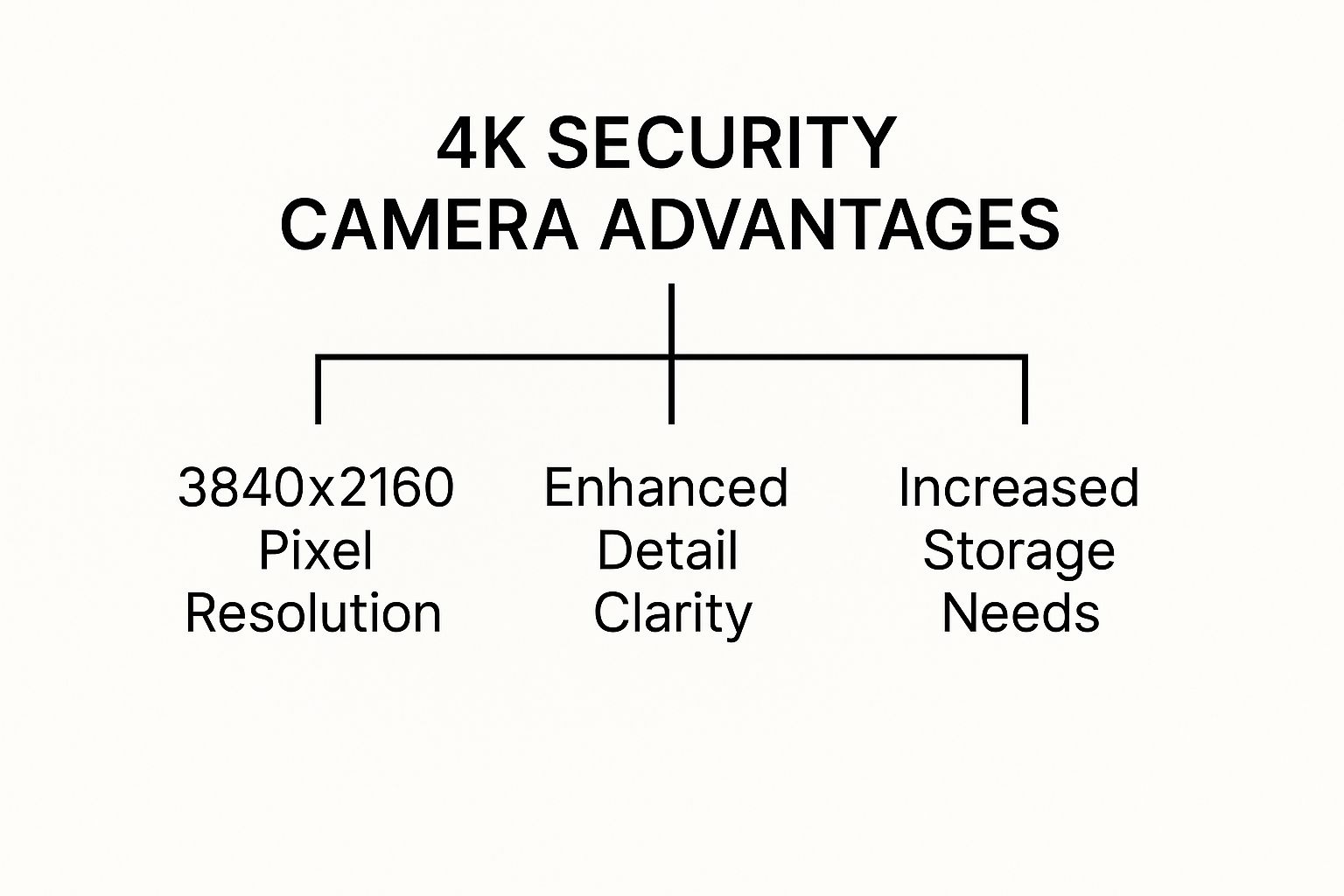
A 4K security camera records video at a resolution of 3840 x 2160 pixels. That’s a fancy way of saying it captures four times the detail of a standard 1080p camera. This huge jump in pixel density is the secret to its incredible clarity. It lets you digitally zoom in on your recordings without the picture turning into an abstract painting, preserving the critical details you need for positive identification.
The whole point of a security camera is to capture evidence you can actually use. With 4K, you go from knowing that something happened to seeing exactly what happened and who was involved.
This massive improvement in quality is fueling a major shift across the security industry. The global surveillance camera market was valued at an impressive $43.65 billion in 2024, and while high-definition cameras still make up the biggest piece of the pie, it's the ultra-high-definition (UHD) systems—like the best 4K security cameras—that are growing the fastest. Why? Because they deliver far better image quality and can often cover wider areas with fewer cameras. You can explore the full research about these market trends to see where the industry is heading.
Comparing Surveillance Resolutions At a Glance
To really understand the difference, it helps to see the numbers side-by-side. This table breaks down how 4K stacks up against older, more common resolutions.
Resolution | Pixel Count (Approx.) | Common Use Case | Key Advantage |
|---|---|---|---|
Standard Definition (SD) | 350,000 (0.3 MP) | Older CCTV, analog systems | Basic monitoring, low cost |
HD (720p) | 920,000 (0.9 MP) | Entry-level home cameras | Better than SD, still lacks detail |
Full HD (1080p) | 2.1 Million (2 MP) | Standard for modern home security | Good general-purpose clarity |
4K (UHD) | 8.3 Million (8 MP) | High-end residential, commercial | Superior detail for zoom & identification |
As you can see, the leap from 1080p's 2 million pixels to 4K's 8 million is enormous. It’s the difference between a general overview and having forensic-level detail at your fingertips.
What This Means for You in the Real World
The benefits of this crystal-clear resolution directly impact how you manage your security day-to-day. With a 4K system, you get:
Positive Identification: Clearly capture faces, logos on clothing, and vehicle details, even from a distance.
Wider Coverage: A single 4K camera can watch over a large space, like a parking lot or an entire backyard, which might mean you need fewer cameras overall.
Evidence That Works: Provide law enforcement with high-quality video that can actually be used to build a case and lead to an arrest.
At the end of the day, choosing a 4K camera is an investment in certainty. It means that when you pull up your footage, you'll have the clear, undeniable information you need to protect what’s yours and get some real peace of mind.
What Really Makes a 4K Camera Great? A Look Beyond the Pixels
Sure, 4K resolution is the headline feature, but it's just the starting point. Think of it like a car engine. Two cars might have the same size engine, but their real-world performance depends on the transmission, suspension, and tires. It's the same with cameras—the supporting features are what separate a truly high-performance security system from a basic one.
To pick the right camera, you have to look past the 4K label on the box and understand the components that actually create a great image.
The camera's image sensor is its eye. A bigger, better sensor gathers more light, which translates directly into a cleaner, more detailed picture. This is where the magic happens. A cheap camera can claim 4K, but if it’s built with a tiny, low-grade sensor, the footage will look grainy and washed out, especially when the lights are low.
This infographic shows you exactly why more pixels matter and how that clarity impacts your security.
Frame Rate: The Key to Smooth, Usable Video
Ever seen security footage that’s choppy and hard to follow? That's a low Frame Rate in action. A video is just a series of still images, or frames, shown in quick succession. The number of frames displayed per second (FPS) determines how smooth the motion looks.
For reference, TV shows and movies are typically shot at 24 or 30 FPS, which our eyes perceive as natural, fluid motion. To save on storage space, many budget security cameras cut this down to 15 FPS or even less. That might be fine for watching an empty room, but it’s a huge liability when you need to capture a fast-moving person or vehicle.
A camera recording at 15 FPS is literally throwing away half the visual information compared to one at 30 FPS. This could be the difference between getting a clear image of a suspect's face and ending up with a useless, blurry mess.
For any area with regular movement—a busy entrance, a retail floor, a parking lot—you need a higher frame rate. It ensures you capture the entire event without critical details getting lost between frames. We find that 20-30 FPS is the sweet spot for most security needs, delivering smooth video without creating unmanageable file sizes.
Matching the Field of View to Your Environment
A camera's Field of View (FoV) is simply how wide of an angle it can see, measured in degrees. Getting this right is crucial, because the wrong FoV can leave you with frustrating blind spots or footage where important details are too small to make out.
Think of it this way: a wide FoV is like your peripheral vision. You can see a lot at once, but things aren't as focused.
Wide FoV (120° or more): This is your go-to for covering large, open spaces. Think backyards, parking lots, or warehouses. One camera can do the job of two.
Narrow FoV (90° or less): This is for zeroing in on a specific spot. It’s perfect for watching a doorway, a cash register, or a narrow hallway, giving you a much more detailed, zoomed-in perspective.
Before you buy anything, stand where you plan to mount the camera. Look at what you need to see. This simple gut-check will help you choose a lens that’s perfectly suited for the job.
Seeing Clearly When the Lights Go Out
Your security needs don't end at sunset, so your camera can't either. For years, the standard for night vision has been infrared (IR). It works by flooding an area with IR light—invisible to us, but perfectly visible to the camera—which produces that classic black-and-white nighttime video.
IR gets the job done, but a newer technology is completely changing the game: color night vision. These cameras use incredibly sensitive image sensors, and sometimes a small, subtle white light, to capture footage in full, vivid color even in near-total darkness.
The difference is night and day. With color, you can identify the color of a car, a piece of clothing, or a backpack—details that are completely lost in a black-and-white IR image. For professionals like us at [PCI Audio-Video Security Solutions](https://www.pcisecurity.com/), deploying systems where every detail matters, color night vision provides a powerful layer of information that makes surveillance effective 24/7.
Choosing Your Connectivity and Storage Solution
A 4K security camera is an incredible tool, but it's only one piece of the puzzle. Capturing millions of pixels is just the start—you also need a solid plan for powering the camera, sending that massive video stream somewhere, and storing it safely. Think of it like a high-performance race car. It doesn't matter how powerful the engine is if you don't have good fuel and a smooth track to run on.
For your camera system, this all comes down to two big decisions: how you connect your cameras and where you store the footage. Getting these right will make or break the reliability, cost, and usability of your entire setup.
Wired vs. Wireless: The Great Connectivity Debate
The first fork in the road is deciding between a wired or wireless system. There’s no single "best" choice here. The right answer really depends on your property, your budget, and whether you value rock-solid reliability over the convenience of a quick setup.
Wired (Power over Ethernet - PoE)
There's a reason the pros almost always go with a wired setup using Power over Ethernet (PoE). It’s the gold standard. With PoE, a single Ethernet cable handles both power and the data connection, creating an incredibly stable and secure link directly to your camera.
Rock-Solid Reliability: Your camera isn't at the mercy of a spotty or congested Wi-Fi signal. A direct, hardwired connection is immune to wireless interference, ensuring you don't miss a critical moment because your network decided to drop out.
Tighter Security: Wired connections are just plain harder to mess with. They can't be easily disrupted by signal jammers, which adds a serious layer of security.
Simplified Power: You don't need an electrician to install a power outlet at every single camera location. The Ethernet cable does it all.
The main downside? The installation. Running all those Ethernet cables through walls, attics, and ceilings can be a real project, especially in a finished building.
Wireless (Wi-Fi)
Wireless 4K security cameras offer amazing flexibility. Since they just need a power source and a decent Wi-Fi signal, you can put them almost anywhere. This has made them a huge hit for home security.
The market for wireless home security cameras was valued at around $9.8 billion in 2024 and is expected to grow by over 13.6% each year for the next decade. That boom is happening because they're so easy to install and pair perfectly with cloud services for remote monitoring. You can dig into more data on the growth of IP camera technology to see how consumer demand is shaping the industry.
But that convenience comes with a few strings attached. Wireless cameras live and die by your Wi-Fi network's strength. A weak signal, too many devices clogging up your network, or even interference from a neighbor’s router can make your video feed lag, stutter, or drop out completely.
Finding a Home for Your High-Definition Footage
Okay, so your cameras are connected. Now, where does all that crystal-clear 4K video go? The massive file sizes mean you need a serious storage plan. You’re essentially looking at two paths: local storage that you manage yourself, or cloud storage handled by a third-party service.
Choosing your storage is a balancing act between security, accessibility, and cost. Local storage gives you physical control with no monthly fees, while the cloud offers remote access and an off-site backup.
Local Storage Options
Keeping your footage on-site means you're in complete control.
Network Video Recorder (NVR): This is the heart of any professional-grade wired system. An NVR is a dedicated box with a massive hard drive built specifically to record and manage video from multiple cameras, 24/7. It's secure, ultra-reliable, and a one-time purchase.
MicroSD Cards: Many Wi-Fi cameras come with a microSD card slot, letting them save footage right on the device. It's a simple, cheap solution, but it’s also vulnerable. If a thief steals the camera, they take your recordings with it. Plus, the storage capacity is limited.
Cloud Storage Solutions
With a cloud plan, your video is automatically sent over the internet to a secure, remote server. This is the go-to for most consumer wireless cameras. The biggest benefit is peace of mind—your footage is safe even if your camera is stolen or your NVR gets destroyed. You can also pull up your recordings from anywhere in the world. The catch is the recurring subscription fee, which can add up, especially with multiple cameras.
The Secret to Managing Massive 4K Files
All this talk of huge files might sound a little scary, but modern cameras have a trick up their sleeve: H.265 video compression.
Also known as High-Efficiency Video Coding (HEVC), it's a brilliant standard that shrinks video files by up to 50% compared to the older H.264 standard—all without any noticeable loss in quality. This is a game-changer. It means your 4K footage takes up half the storage space and uses half the internet bandwidth, making high-resolution security practical for everyone.
How AI Is Making Security Cameras Smarter
The best 4K security cameras today are about more than just a crystal-clear picture. They deliver smart insights that help you react faster and more effectively to what’s happening on your property. This massive leap forward is all thanks to Artificial Intelligence (AI), which basically acts like a digital brain inside the camera, teaching it to understand what it sees.
Think of it as the difference between a simple recording device and a vigilant security partner.
Older motion-detection systems were a real headache. They were notorious for sending you an endless stream of alerts for every passing car, swaying tree branch, or wandering raccoon. All that noise made it incredibly easy to miss a real threat. AI changes the game by learning to tell the difference between important events and all that background chatter, ensuring the alerts you get actually matter.
Filtering Out the Noise with Smart Detection
At the heart of this intelligence is smart object detection. Modern AI algorithms are trained on millions of images, which allows them to recognize specific objects with incredible accuracy. This lets the camera analyze any motion and instantly classify it. So, instead of a vague "motion detected" alert, you get a specific notification that says a person or vehicle has been spotted.
This targeted approach makes your security monitoring so much more efficient. For businesses like the ones we serve at [PCI Audio-Video Security Solutions](https://www.pcisecurity.com/), it means no more wasted hours sifting through irrelevant footage and a much quicker response when a genuine event occurs.
AI-powered analytics transform your security system from a passive observer into an active guard. It proactively identifies threats, filters out false alarms, and gives you the specific information you need to take action.
Key AI Features You Need to Know
While the specifics can vary between camera models, a few core features have become essential for any high-quality 4K security system. These are the analytics that truly make your camera "smart."
Person Detection: This is the big one. It ensures you're only alerted when a human being enters a specific area, ignoring all other motion.
Vehicle Detection: Perfect for monitoring driveways, parking lots, and loading docks. This feature alerts you to cars and trucks while filtering out pedestrians.
Package Detection: A popular feature for homes and businesses, this notifies you when a delivery arrives and can even send an alert if the package is moved.
Loitering Detection: For commercial properties, this is a game-changer. It automatically flags individuals who linger in an area for too long, helping to deter crime before it happens.
Beyond security, artificial intelligence is reshaping all sorts of technology. As just one example, you can explore AI's transformative impact on development platforms to see how it's influencing other industries.
Putting It All Together in the Real World
Let's say you manage a construction site. With old-school motion detection, you'd be flooded with hundreds of false alerts overnight from passing headlights or animals. It would be nearly impossible to spot a real intruder in that sea of notifications.
Now, imagine that same site monitored by an AI-powered 4K camera. The system completely ignores the routine traffic but sends you an instant, high-priority alert the moment a person climbs the fence after hours. The 4K resolution gives you a clear image for identification, and the AI is what made sure you saw it in the first place.
This intelligent filtering also makes finding specific events a breeze. Instead of scrubbing through hours of video, you can just search for "person" or "vehicle" within a certain time window. It’s an incredible time-saver that makes your entire security operation more effective.
How to Select the Right 4K Camera for Your Needs
Choosing the right 4K security camera isn’t just about ticking boxes on a feature list. It's about finding the perfect match for your specific environment and what you’re trying to protect. A setup that’s ideal for a quiet suburban home would be completely out of its depth on a sprawling construction site.
This guide will help you connect the dots between the tech specs and real-world results. By thinking through your needs upfront, you can invest in a system that provides genuine security and peace of mind, not just a box of expensive hardware.
Tailoring Your System to Your Environment
First things first: what kind of property are you securing? The priorities for a homeowner are worlds apart from those of a business owner, and your camera choice should reflect that.
For Residential Homes: You’re likely focused on key entry points—the front door, backyard, and driveway. Features like person and package detection become incredibly valuable, as does a simple mobile app for checking in remotely.
For Small Businesses: A retail shop or office needs to keep an eye on customer areas, cash registers, and stockrooms. Cameras with a wider field of view are great for covering broad spaces, while a higher frame rate is crucial for capturing fluid motion in busy areas.
For Large Commercial Properties: Warehouses, construction sites, and massive parking lots require seriously rugged cameras. Long-range night vision, loitering detection, and weatherproof housings aren't just nice to have; they're non-negotiable.
This push for smarter, more specialized security is why the market is booming. The global 4K surveillance camera market, currently valued at around $2 billion, is expected to more than double to $4.6 billion by 2033. The demand for crystal-clear video evidence is driving growth everywhere.
Feature Checklist for Different Security Needs
Not sure which features to prioritize? This checklist breaks down what's most important for different security scenarios, helping you focus on what truly matters for your property.
Feature | Ideal for Home Use | Ideal for Small Business | Critical for Commercial Sites |
|---|---|---|---|
Wide Dynamic Range (WDR) | ✅ | ✅ | ✅ |
Person/Vehicle Detection | ✅ | ✅ | ✅ |
Long-Range Night Vision | 👍 | ✅ | ✅ |
IP66+ Weatherproofing | ✅ | ✅ | ✅ |
High Frame Rate (30fps+) | 👍 | ✅ | ✅ |
Loitering/Intrusion AI | 👍 | ✅ | |
User-Friendly Mobile App | ✅ | ✅ | 👍 |
✅ = Essential, 👍 = Recommended
As you can see, some features like WDR are universally critical, while others become more important as the scale and complexity of the site increase. Use this as a starting point to build your list of must-haves.
Key Features for Challenging Conditions
Not all camera placements are easy. Some spots throw tricky lighting or harsh weather at your equipment, which can render a basic camera useless. Let's look at the features designed to solve these exact problems.
One of the most important is Wide Dynamic Range (WDR). Ever tried to take a picture of someone standing in a doorway on a bright day? You either get a washed-out, overexposed background or a dark, shadowy silhouette in the foreground.
WDR fixes this. It works like your own eyes, taking multiple shots at different exposure levels and blending them into a single, balanced image. This way, you can clearly see details in both the blinding sun and the deep shadows at the same time.
A camera without WDR is easily blinded by challenging light. For any entryway, window, or area with mixed lighting, WDR isn't a luxury—it's an absolute necessity for capturing usable evidence.
Another dealbreaker for outdoor cameras is weather resistance, measured by an IP (Ingress Protection) rating. This two-digit number tells you exactly how sealed the camera is. For any camera exposed to the elements, you should look for a rating of at least IP66 to ensure it can handle rain, dust, and snow without failing.
Your Pre-Purchase Checklist
Before you click "buy," run through this quick checklist. Answering these questions will bring your needs into sharp focus and steer you toward the perfect system.
What’s my primary goal? Are you trying to deter thieves, identify faces, or just keep a general eye on things? This defines how much detail you really need.
What's my total budget? Don't forget to factor in the cost of storage (like an NVR or a cloud plan), cabling, and professional installation if you're not doing it yourself.
How many cameras do I actually need? Walk your property and map out the key vantage points and blind spots. A clear plan here will prevent you from overspending or leaving critical areas uncovered. For more guidance, reviewing some of the best 4K security camera options can provide valuable comparisons.
Will I install this myself or hire a pro? Wired PoE systems deliver the most reliable performance but often require a professional. Wireless cameras are much easier to set up yourself but live and die by the strength of your Wi-Fi signal.
Got Questions About 4K Security Cameras? We've Got Answers.
Diving into the world of high-definition security can bring up a few last-minute questions. It's only natural. Making sure you have the right information is the final step before you can feel truly confident in your choice. Let's tackle some of the most common things people ask when considering a 4K system.
Don't 4K Cameras Hog a Ton of Bandwidth and Storage?
That's a great question, and the short answer is yes, they do require more resources. A 4K video stream has four times the data of a 1080p stream, so the files are naturally much bigger. This definitely has an impact on both your internet connection and how much footage you can store.
But here’s the good news: modern 4K cameras have a trick up their sleeve. They use a highly efficient video compression technology called H.265 (also known as HEVC). It’s incredibly smart about how it shrinks video files, often cutting their size by up to 50% compared to the older H.264 standard, all without any noticeable loss in quality.
Think of H.265 compression like a smart vacuum-seal bag for your video. It expertly removes all the unnecessary air—or redundant data—making the package much smaller and easier to manage while keeping everything important perfectly intact.
This compression is what makes 4K practical for everyday use. For cloud storage, you’ll still want a solid upload speed (plan on about 4-8 Mbps per camera for a smooth feed). For local storage on an NVR, H.265 effectively doubles your hard drive capacity, letting you keep twice the footage.
Are Wireless 4K Cameras as Good as Wired Ones?
When it comes to rock-solid reliability, nothing beats a wired Power over Ethernet (PoE) camera. There's a reason the pros swear by them. A single ethernet cable delivers both power and a stable data connection, making the camera completely immune to Wi-Fi dead zones, interference, or your network getting bogged down.
Wireless 4K cameras, of course, offer incredible flexibility. You can put them just about anywhere you have a power outlet, without the hassle of drilling holes and pulling cable through your walls. Their performance, however, is completely at the mercy of your Wi-Fi signal.
Here’s a simple way to think about it:
Go with Wired PoE for: High-stakes areas. Think front doors, cash registers, or any spot far from your router where the Wi-Fi might be flaky.
Choose Wireless for: Convenience. It’s perfect for places where running a wire is a major headache, like a detached garage, a temporary setup, or inside a rental home.
For any system where you absolutely can't afford a dropped signal, wired is always the way to go.
Is a 4K Camera Really Worth the Extra Money?
For the vast majority of people looking for serious security, the answer is a resounding yes. That extra cost isn't just for a prettier picture; it's for usable evidence. A 1080p camera will show you that something happened, but a 4K camera will show you exactly what happened and who was involved.
The real magic of 4K is in the power of digital zoom. With a massive 8-megapixel image, you can zoom deep into a recording to see the details that matter—a clear face, a license plate number, or a logo on a shirt. With a lower-resolution camera, those same details would just dissolve into a pixelated mess.
If all you need is a general sense of what’s going on in a space, a 2K camera might do the trick. But if being able to positively identify people and objects is a top priority for protecting your home or business, the incredible clarity of a 4K security camera isn’t just a feature, it's a necessity.
Ready to secure your property with the unmatched clarity and intelligence of a modern surveillance system? At PCI Audio-Video Security Solutions, we design and install custom security solutions that deliver the performance and reliability you need. Explore our advanced security systems today.
Comments