


Mastering Modern Security System Design
- Бонус за регистрацию онлайн казино
- Jul 14, 2025
- 13 min read
A good security system isn't just a collection of cameras and sensors. It's a carefully planned network where every piece works together to protect a property. Before you even think about installation, you need a solid design that analyzes weak spots, sets clear security goals, and picks the right tech to create a powerful, reliable system.
Building Your Security Blueprint
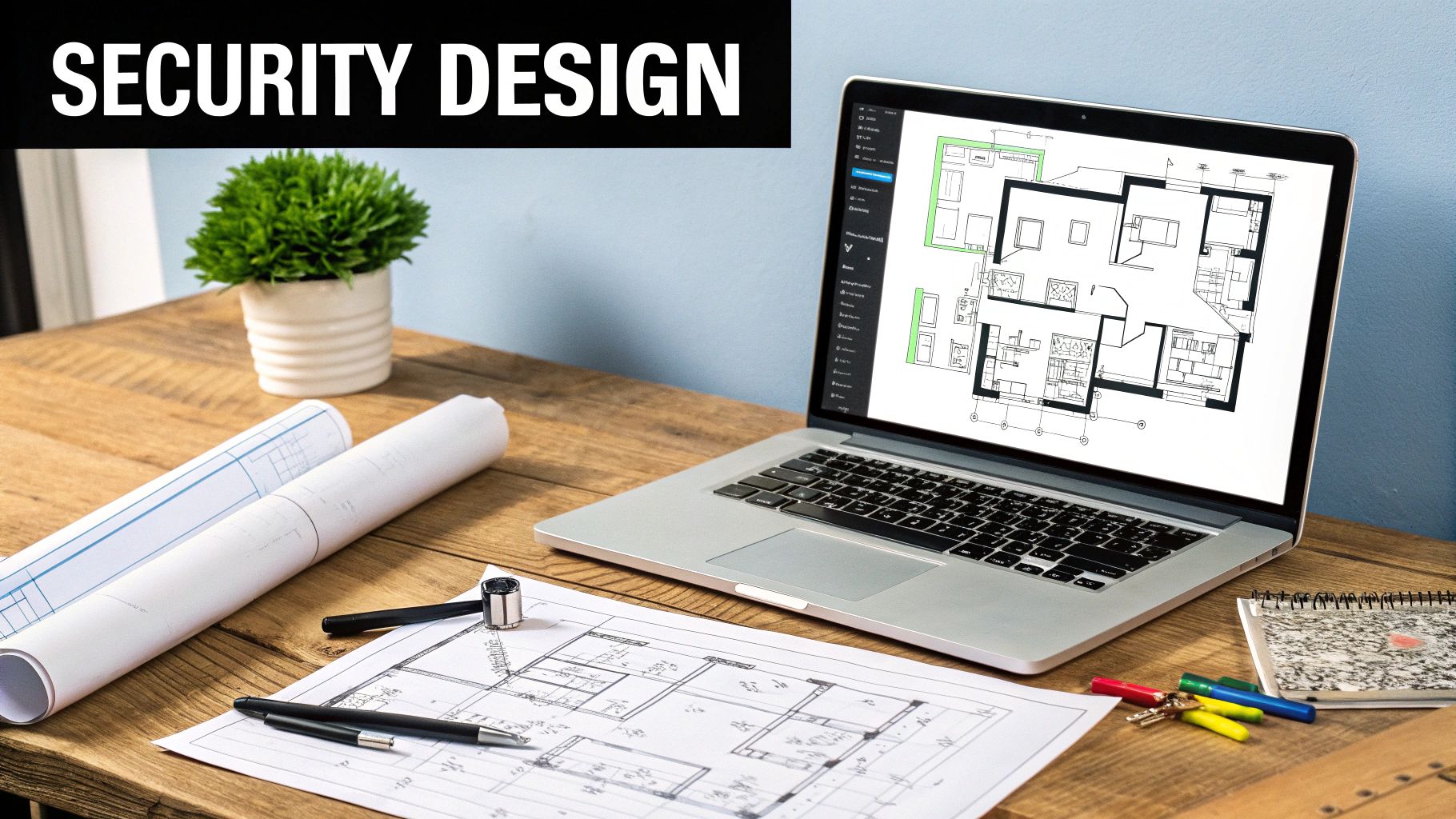
Long before a single wire is pulled or a camera is mounted, a successful security system starts with a detailed plan. I'm not talking about a simple shopping list of equipment. I'm talking about a strategic blueprint, one that’s built on a thorough site survey and a realistic risk assessment. This is the absolute foundation for any effective security system design.
The best way to start is to put yourself in the shoes of a potential intruder. Walk your property—whether it’s a busy office building, a sprawling construction site, or a private home—and look for every possible weak point. Go beyond the obvious doors and windows.
I've seen clients miss these all the time:
Poorly lit alleyways or back corners of a parking lot.
Unguarded secondary entrances, like loading docks or service doors.
Ground-floor windows obscured by overgrown bushes or trees.
Unsecured access points to sensitive areas like server rooms or utility closets.
Define Your Core Security Objectives
Once you've mapped out your vulnerabilities, you need to get crystal clear on what you actually want the system to do. A vague goal like "making the place more secure" is useless. Your objectives have to be specific and measurable because they're going to dictate every decision you make from here on out.
For example, are you trying to stop vandals from tagging your storefront? Then you'll want highly visible cameras that act as a strong deterrent. Is your main concern monitoring a cash-handling station? You'll need high-resolution cameras placed perfectly to capture faces and actions clearly. For a high-tech data center, the priority flips to sophisticated access control tied directly into video verification.
A truly effective security system does more than just record what happens. It’s designed to proactively deter threats, detect them the moment they occur, and deliver the clear evidence you need to respond decisively. This clarity of purpose is the cornerstone of your entire security blueprint.
Translating Goals into System Requirements
With your objectives defined, you can start translating them into real-world system requirements. This is where the plan becomes an actionable blueprint. At this stage, it's crucial to adopt a forward-thinking mindset by incorporating Secure by Design cybersecurity practices. This isn't just an IT buzzword; it means building security into the system from the ground up, not trying to bolt it on as an afterthought.
To help with this process, here's a table breaking down how different security goals map to specific system components.
Matching Security Goals to System Components
This table breaks down common security objectives and the types of technology that best address them, helping you align your design with its true purpose.
Security Objective | Primary System Focus | Example Components |
|---|---|---|
Deterrence | Highly visible presence | Bullet cameras, dome cameras at entrances, warning signage |
Identification | High-resolution video | 4K cameras, PTZ (Pan-Tilt-Zoom) cameras, varifocal lenses |
Detection | Immediate alerts & monitoring | Motion sensors, door/window contacts, thermal cameras, analytics |
Access Control | Restricting entry | Key card readers, biometric scanners, electronic locks, intercoms |
Evidence Gathering | Clear, reliable recording | NVR/DVR with ample storage, cloud backup, high-res footage |
Thinking through these connections ensures your investment is targeted and effective.
This structured approach is becoming the industry standard. The global commercial security system market, valued at around USD 222.86 billion in 2025, is expected to surge to USD 381.66 billion by 2030. This massive growth highlights just how seriously businesses are taking the protection of their assets. Your blueprint ensures your investment is smart, creating a system that is both powerful and built to last.
Placing Cameras and Sensors Like a Pro
Anyone can stick a camera on a wall. But the difference between a real security system and a box of expensive gadgets is strategic placement. This is where experience comes in. It's about more than just getting a view; it's about anticipating threats and creating layers of defense that work together.
The whole process starts by walking the property—either physically or with a detailed blueprint—and pinpointing your critical coverage zones. These are the absolute, non-negotiable spots you have to keep an eye on.
What are they? They usually fall into a few key categories:
Every way in and out: This means front doors, back doors, service entrances, and loading docks. Don't forget those easily accessible second-story windows or fire escapes.
Your "crown jewels": Think server rooms, the safe, areas with sensitive documents, or where you store high-value inventory.
Natural chokepoints: These are the hallways, stairwells, and main corridors an intruder would almost certainly have to pass through to get anywhere meaningful.
Once you’ve mapped these out, you can start picking the right tool for the job. This is exactly where most off-the-shelf systems fail—they treat all cameras and sensors as if they're interchangeable.
Matching Cameras to the Mission
Choosing a camera isn't about finding the "best" one; it's about finding the best one for a specific task and location. A bustling retail entrance has completely different security needs than a deserted warehouse after midnight.
For example, a bullet camera is your go-to for deterrence. It’s highly visible, and its mere presence at a building entrance or along a fence line is often enough to make a potential thief think twice. On the other hand, a dome camera is much more discreet and often built to be vandal-resistant. This makes it perfect for interior spaces like office lobbies or stockrooms where you need coverage without making people feel constantly watched.
What about a big, open space like a parking lot or an active construction site? Here, a single Pan-Tilt-Zoom (PTZ) camera can replace multiple fixed cameras. You can program it to run automated "guard tours," or a live operator can take control, zooming in to get a clear look at a face or a license plate from hundreds of feet away.
The Art of Sensor Placement
Sensors are the unsung heroes of any good security design. They’re your early warning system, tripping an alarm long before a person might spot something on a monitor. Placing them correctly is an art form focused on one thing: catching real threats while avoiding false alarms.
I’ve seen it a hundred times: motion detectors pointed right at an HVAC vent or a window that gets blasted with afternoon sun. The constant temperature shifts from the heater kicking on or clouds passing by will drive you crazy with false alarms. Avoid this rookie mistake.
Your most reliable first alert will always be door and window contacts. Put one on every single ground-floor opening. On upper floors, focus on windows that could be reached from a lower roof, a sturdy tree, or a fire escape. To add another layer of protection, especially for large panes of glass, a glass break sensor will detect the specific sound frequency of shattering glass.
This is the kind of methodical thinking that goes into a professional site plan. You’re moving from broad threats to specific system requirements.
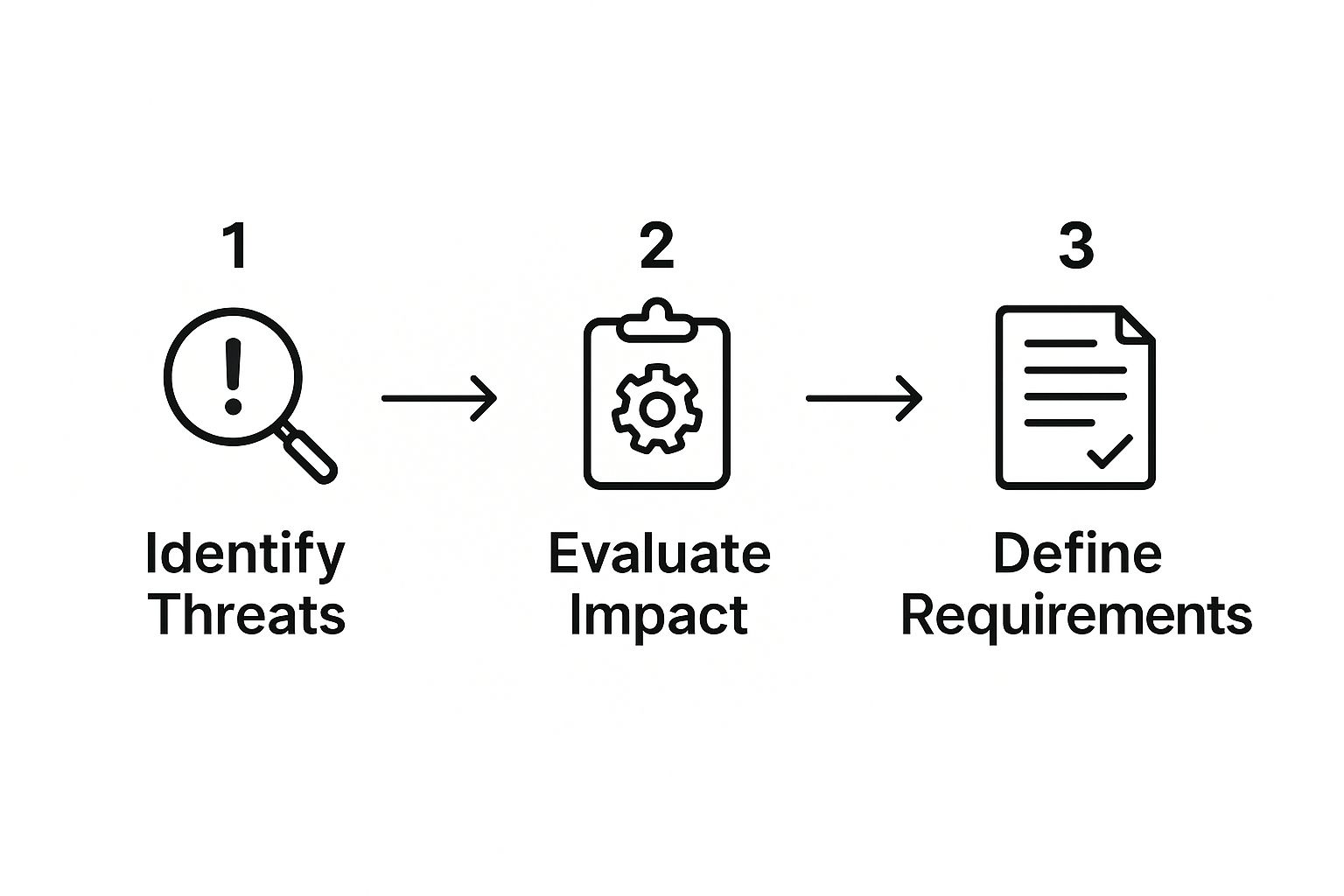
When you follow this logical flow, every piece of equipment has a clear purpose. You're not just installing hardware; you're building an efficient, layered defense designed to protect what matters most.
Laying a Rock-Solid Network and Power Foundation
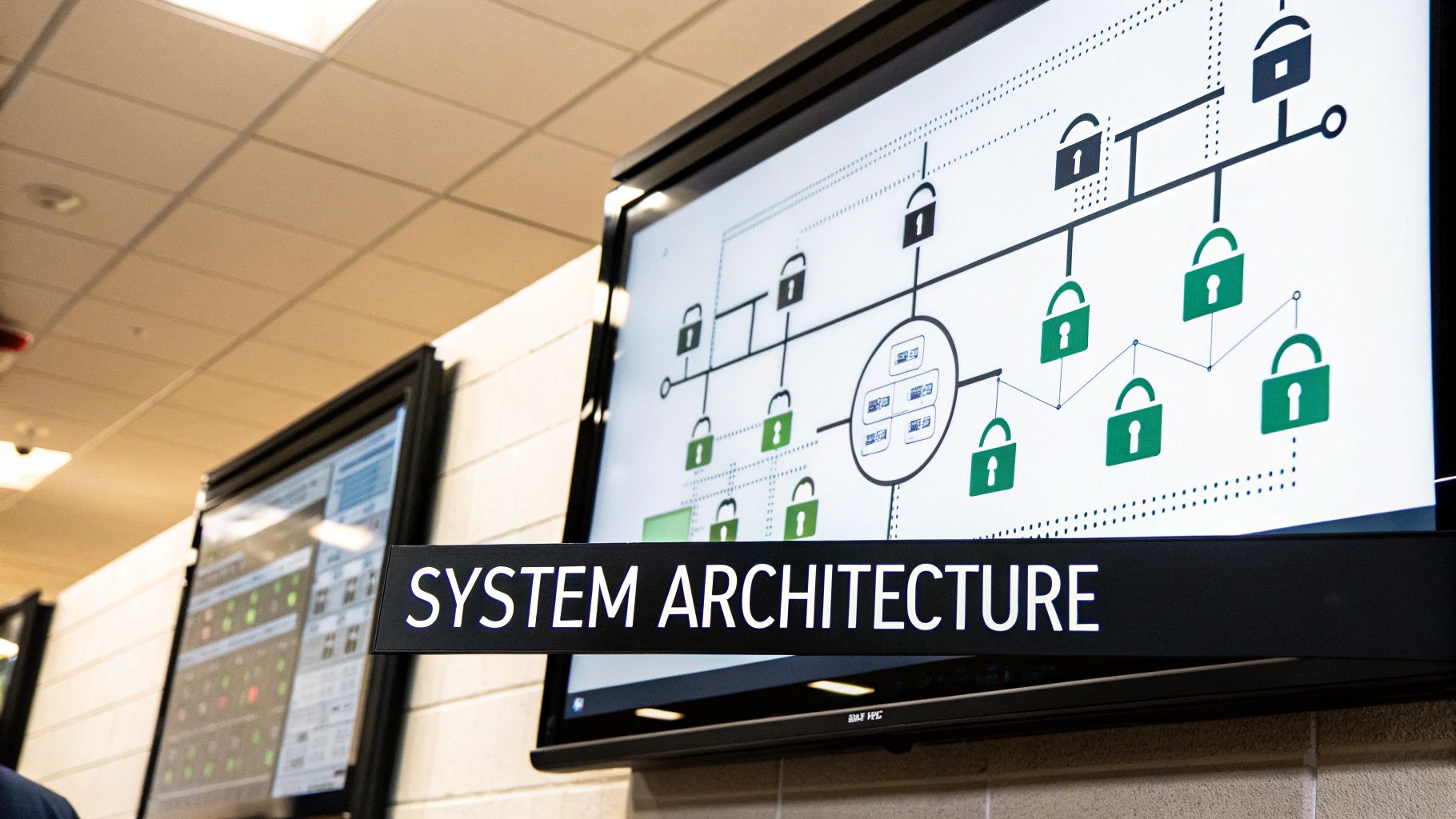
It's easy to get excited about high-tech cameras and smart sensors, but they’re just expensive paperweights if their connection to the network or power grid fails. The cabling and power infrastructure is the unsung hero of any reliable security system design. It’s the backbone that ensures your system is actually online and recording when you need it most.
Your first big decision is whether to go wired or wireless. While wireless setups offer some flexibility in placement, wired systems using Ethernet cables are almost always the superior choice for reliability and security. They just don't suffer from the same signal interference or intentional jamming attempts that can knock a wireless camera offline.
For any serious, permanent installation, a wired approach is the professional standard. To truly protect your investment, you'll want to run those cables properly. Using conduit is a must to protect them from physical damage, weather, or tampering. This detailed electrical conduit installation guide is a great resource for getting it right.
Calculating Your Bandwidth Needs
One of the most common mistakes I see is underestimating how much network bandwidth modern cameras really need. High-definition video streams are incredibly data-hungry, and a handful of 4K cameras can easily swamp a typical office network if you haven't planned for it.
To get ahead of this, you need to do a little math. It's a straightforward calculation:
(Bitrate per camera) x (Number of cameras) = Total Bandwidth Needed
You can find a camera’s bitrate (usually in Mbps) on its technical spec sheet; it changes based on resolution and frame rate. For instance, a single 4K camera might need an 8 Mbps upload speed for a clear, smooth stream. If you have ten of those, you're looking at 80 Mbps of dedicated bandwidth. This simple calculation will tell you if your current internet can handle the load or if you need to set up a separate network just for your security gear.
Power outages are not a matter of if, but when. A security system that goes dark during a power failure is fundamentally flawed. Your design must include a robust power backup strategy to maintain operational continuity no matter what.
Ensuring Uninterrupted Power
A solid power backup plan needs layers. Your first line of defense should always be an Uninterruptible Power Supply (UPS). Think of a UPS as a big, smart battery that your most critical components—your recorder (NVR/DVR), network switch, and modem—are plugged into.
The moment the power flickers or cuts out, the UPS provides instant, clean power, preventing your system from shutting down and rebooting. This is crucial for riding out the brief outages that make up over 90% of all power disturbances.
For businesses that absolutely cannot afford any downtime—especially those in high-risk locations or protecting critical assets—the next step is to tie the security system into the building’s backup generator. This ensures that even if the power is out for hours or days, your cameras will keep rolling and your property remains secure.
Tying It All Together: Access Control Integration
A security system that only records video is missing half the picture. Truly effective security is about taking control of your environment, and that's where integrating your access control system comes in. A standalone camera setup is reactive—it shows you what happened. A unified system is proactive—it helps stop incidents before they start.
The goal is to get your cameras and your doors talking to each other. This means moving past simple locks and keys and embracing technologies like key cards, fobs, or even biometrics. These don't just lock a door; they create a detailed log of who tried to go where, and when.
When you link these two worlds, your entire security approach shifts. You stop just reviewing footage after a break-in and start building a system that actively manages entry points and flags trouble the second it happens.
Building Automated Security Triggers
This is where the real magic happens. By connecting access control events to your video management system (VMS), you can create powerful, automated "if-this-then-that" rules.
Let’s take a real-world example I see all the time: a sensitive server room.
Someone presents a valid key card. The door unlocks, and the system logs the entry. Simple enough.
But what if an unauthorized card is swiped? The door, of course, stays locked.
Here's the integrated part: that single denied access attempt instantly triggers a command. The closest PTZ camera can be programmed to immediately swing towards the door, start recording in high-definition, and push a mobile alert with a video clip straight to the security team’s phones.
This isn't some futuristic fantasy; it’s a standard feature in modern security design. The system doesn't need a person to spot the problem. It identifies the threat on its own and instantly starts gathering the evidence you need.
By linking access events directly to video, your system doesn't just watch—it reacts. This immediate, automated verification is what separates a basic setup from a truly intelligent security solution.
The Growing Role of Biometrics
The technology making this possible is more accessible than ever. We're seeing a huge uptick in biometric systems—facial recognition, fingerprint scanners, and even voice recognition—especially in sectors like banking, healthcare, and high-value retail. You can discover more about the growing security market and see how these trends are taking hold.
These tools provide much stronger proof of identity, which tightens both security and day-to-day operations.
Imagine a high-security lab that requires two-factor authentication: a key card and a fingerprint scan. If an employee swipes a valid card but the fingerprint doesn't match, the system can instantly treat it as a serious breach. It could automatically lock down the entire wing and send an alert with live video from multiple cameras to the head of security. That's a powerful, proactive defense that neutralizes a threat in seconds, not hours.
Choosing Your VMS and Storage Wisely
Think of your Video Management System (VMS) as the command center for your entire surveillance network. The storage you pair with it? That's the archive. How you choose these two components will absolutely define your experience, impacting everything from daily operations to whether you have usable footage after an incident. This is a foundational part of your security system design.
Your first fork in the road is deciding where this system will physically live. The traditional route is an on-premise VMS, meaning you house all the hardware—like an NVR or a dedicated server—right there on your property. This path gives you complete ownership and control over your data, with no monthly service fees. The flip side is that all maintenance, software updates, and cybersecurity fall squarely on your shoulders.
On-Premise vs. Cloud-Based VSaaS
The other option, which has become incredibly popular, is the Video Surveillance as a Service (VSaaS) model. With VSaaS, your video is sent directly to the cloud for storage and management. The big win here is flexibility. You can check in on your property from literally anywhere you have an internet connection, a game-changer for anyone managing multiple locations or who is frequently on the go.
The shift to hybrid work has only accelerated the adoption of cloud-based systems. Of course, this convenience comes with serious considerations around privacy regulations like GDPR. It’s a delicate dance between powerful surveillance and responsible data handling. You can read more about these home security market trends to get a fuller picture of the industry.
Here’s a quick breakdown to help you weigh the options:
On-Premise: You’ll have a higher initial hardware cost but avoid recurring fees. Your data never leaves your building, but you'll likely need to be on-site for any significant system management.
VSaaS (Cloud): The upfront cost is much lower, but you'll pay a subscription fee, often per camera. You get fantastic remote access and built-in off-site backup, but it requires trusting a third party with your sensitive footage.
Your video storage isn't just a hard drive; it's your evidence locker. Under-provisioning your storage is one of the most common and costly mistakes in security design, potentially leaving you with no footage when you need it most.
Calculating Your Storage Needs
So, how much storage do you actually need? Getting a solid estimate isn't guesswork. It's a calculation based on three key details from each camera: its resolution, its frame rate (fps), and how many days you're required to keep the footage (your data retention policy).
The basic math looks something like this:
(Bitrate per camera in Mbps ÷ 8) x 3600 seconds x 24 hours x (Number of retention days) ÷ 1,000,000 = Total Storage in TB per camera
Don't let the formula intimidate you. The web is full of free storage calculators from manufacturers that do all the work. Just input your camera settings and retention period.
Here’s a pro tip from the field: whatever that final number is, add a safety buffer of at least 20-25%. This gives you breathing room for unexpected motion events that take up more space and allows for future camera additions without having to immediately upgrade your storage.
Your Top Security Design Questions, Answered
Even with a solid plan in hand, moving from the drawing board to the real world can bring up some last-minute questions. It’s completely normal. I’ve seen it countless times—clients start to wonder if they've made the right choices or missed a critical detail. Let's walk through some of the most common questions I hear during this crucial phase.
What's the Single Biggest Mistake in Security System Design?
Hands down, the most common and expensive mistake is jumping straight to the hardware. People get excited about a sale or see a generic "security kit" online and buy it without first doing their homework. This is a classic case of putting the cart before the horse.
A proper site survey and risk assessment aren't just paperwork; they're the foundation of your entire system. Without them, you end up with major gaps. I've been called in to fix systems with gaping blind spots at main entrances, cameras mounted so high they only capture the tops of heads, and networks that buckle under the strain of video data. A successful design always starts with defining your goals—what are you trying to achieve? Deterring theft? Identifying faces? Once you know that, you can pick the right tools for the job.
How Do I Figure Out the Right Number of Cameras?
There's no magic formula here. The number of cameras you need is dictated entirely by your security objectives and the physical layout of your space. Forget about a specific number for a second and start thinking in terms of critical zones.
Grab a floor plan and start marking these areas:
Every single entry and exit point. Don't forget the less obvious ones, like back service doors, basement windows, or fire escapes.
Any spot where you keep high-value assets. This could be a server room, a safe, or the area around a cash register.
The main pathways or "choke points" that an intruder would almost certainly have to pass through.
Once you’ve got these zones mapped out, you can start placing cameras virtually. Think about each camera’s field of view and what its specific job is. It's always, always better to have a few strategically placed, high-quality cameras covering your most important areas than a dozen cheap ones that only give you a false sense of security.
A common misconception is that more cameras equals more security. In my experience, smart placement and overlapping fields of view in key areas deliver far better results than just blanketing a property with cameras.
Should I Go with a Wired or a Wireless Security System?
This is the classic debate, and the right answer really boils down to your building's construction, your budget, and how much you can afford to risk.
Wired systems, where IP cameras connect via Ethernet cables, are the undisputed champion for reliability and security. They aren't susceptible to the signal interference or jamming that can easily take a wireless camera offline. If you're building a new property or have a commercial space where you can run cables, wired is absolutely the way to go.
On the other hand, wireless systems offer incredible flexibility and are much easier to install. This makes them a great fit for existing homes, historic buildings, or even temporary sites where running new cables is either impossible or way too expensive. Often, the best solution is a hybrid approach—using solid wired connections for your most critical cameras and adding flexible wireless ones for secondary coverage.
Is Professional Monitoring Really That Important?
Professional monitoring adds a powerful, active layer of security by ensuring a 24/7 response to any alarm. If you rely on a self-monitored system, the responsibility is 100% on you. You have to catch the alert on your phone and then be in a position to call the police. That's a huge gamble if you're asleep, on a plane, or just in an area with bad cell service.
A monitoring service does more than just call for help. They verify alarms to cut down on false dispatches (which can lead to hefty fines in many cities) and can instantly coordinate with police, fire, or medical responders. For any business or high-risk residential property, it’s a non-negotiable investment. For some homes, self-monitoring can work, but you have to be honest with yourself about whether you can truly handle that level of personal vigilance.
At PCI Audio-Video Security Solutions, we live and breathe this stuff. We specialize in designing and installing systems that go beyond just answering these questions. Whether you're securing a business with a complex access control system or deploying a mobile surveillance trailer for a job site, our team has the real-world expertise to build a solution that truly fits. Find out what's possible with a custom design from PCI Audio-Video Security Solutions.
Comments