


Modern Security Video Surveillance Explained
- Бонус за регистрацию онлайн казино
- Aug 4, 2025
- 18 min read
Security video surveillance is about so much more than just hitting record. It's about taking an active role in protecting your people, your property, and your assets. Today's systems, with their incredibly sharp high-definition cameras and AI-powered software, are designed to stop incidents before they even start. We've moved far beyond the grainy, passive footage of yesterday.
From Watching to Protecting: How Surveillance Evolved
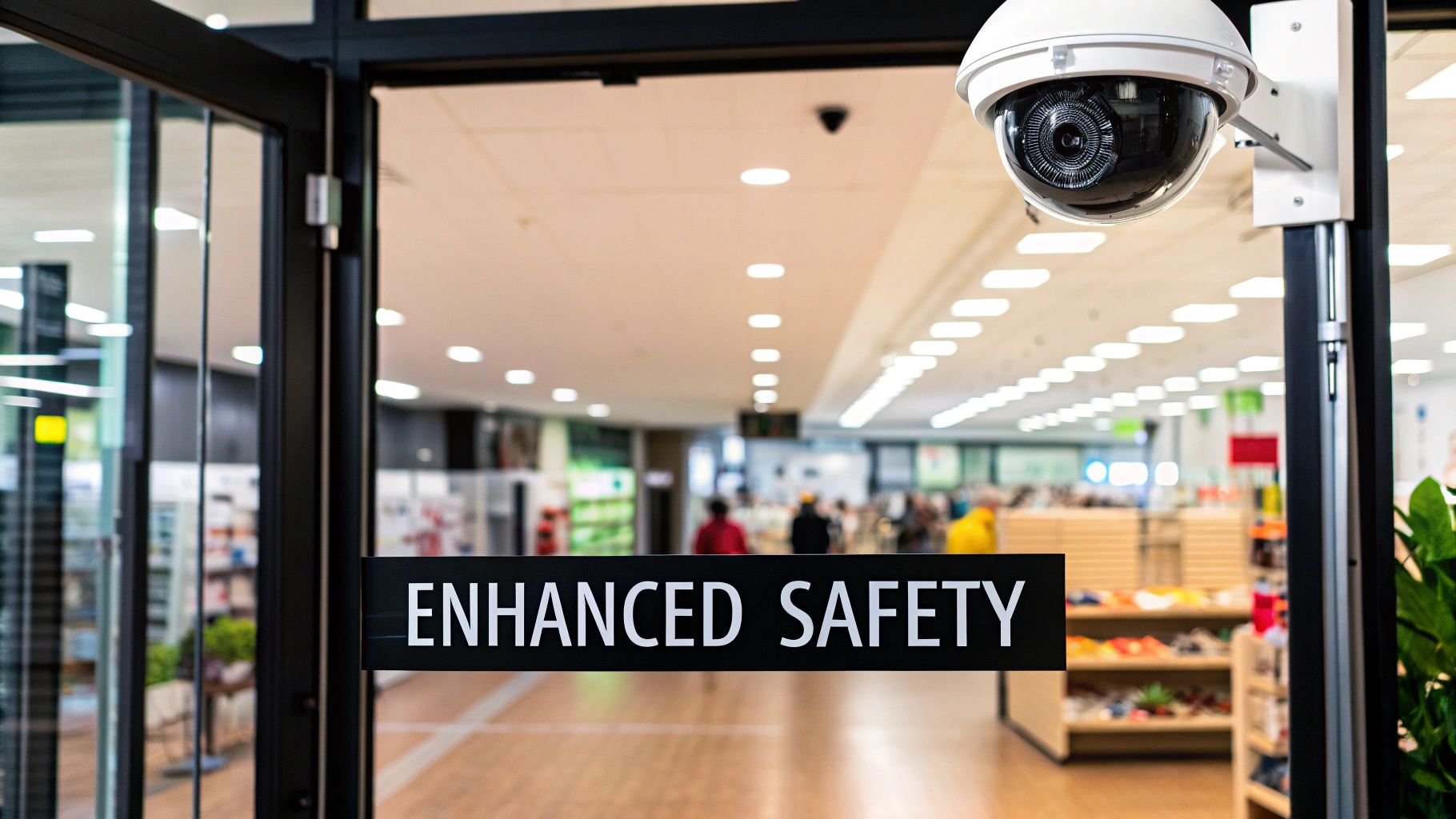
The whole idea of surveillance has changed. It's no longer about a dusty VCR in a back room recording to a tape. Modern security video surveillance is an intelligent, responsive shield built for the real-world demands of busy businesses, active construction sites, and massive public events.
Think of it this way: it’s the difference between a night watchman who only writes up a report after a break-in and one who spots a suspicious person lurking and prevents the crime from ever happening. This wasn't just a small step up; it was a total rethink of what security could be, pushed forward by practical needs and incredible leaps in technology.
The Leap from Passive to Proactive Security
The jump from old-school Closed-Circuit Television (CCTV) to today's intelligent systems is a story about a fundamental change in security philosophy. The old systems were purely reactive. They gave you footage to look at after someone had already smashed a window or vandalized your property. Helpful for an investigation, sure, but it did nothing to stop the damage in the first place.
The modern approach is all about proactive threat detection. Instead of just passively recording, today’s systems are built to analyze and actually understand what they're seeing. This shift is possible thanks to a couple of game-changing advancements:
High-Definition IP Cameras: These aren't your grandpa's fuzzy analog cameras. They are digital, capture crystal-clear video, and connect right to your network, giving you far better quality and flexibility.
AI-Driven Alerts: Artificial intelligence is the "brain" that finally matches the camera's "eyes." AI can tell the difference between a person, a car, and the neighborhood cat, which dramatically cuts down on false alarms from swaying branches or changing shadows.
By adding AI, a video surveillance system goes way beyond simple motion detection. It learns to spot patterns, identify unusual behavior like someone loitering after hours, and instantly send a meaningful alert to you or your security team.
Why This Evolution Matters for You
Getting a handle on this evolution is crucial because it completely changes how effectively you can secure your space. You can see this change reflected in the market itself; the global video surveillance market was valued at USD 36.68 billion and is projected to hit USD 72.13 billion by 2032, all fueled by these technological breakthroughs. That massive growth highlights a widespread need for smarter, more responsive security across the board.
At the end of the day, the goal of this evolved technology is simple: better protection. By understanding how to use these tools, you can keep your assets safe. For a real-world example, you can explore practical home burglary prevention strategies and see how modern security directly addresses common risks. Whether you're running a shop, managing a construction site, or organizing an event, recognizing this shift from passive watching to active protecting is the first step toward building a security plan that actually works.
Building Blocks of a Modern Surveillance System
A modern video surveillance system is a lot like a well-coordinated team. Each piece has a specific, crucial job to do, and they all have to work together. If you want to make a smart choice for your business, construction site, or event, you have to understand how these parts connect.
Think of it this way: you have the "eyes" that see everything, the "brain" that remembers it all, and the "nervous system" that links them together. Breaking it down like this takes the mystery out of the tech and helps you pick a system that actually fits your needs. Let's look at each building block one by one.
The Eyes of the System: Your Security Cameras
The most obvious part of any setup is the camera itself. This is where the visual information is first captured. But not all cameras are built the same, and the type you choose has a huge impact on the quality and power of your entire system. The first big decision is between analog and IP cameras.
Analog Cameras: These are the old-school workhorses of the security world. They capture video and send it down a coaxial cable to a recorder. While they might be cheaper upfront, they give you lower-resolution images and lack the advanced features common today.
IP (Internet Protocol) Cameras: These are fully digital cameras. They capture crisp, high-resolution video and process it right inside the camera body before sending it over a standard computer network. This means much better image quality, more flexibility, and access to smart features like AI analytics. For nearly any modern security goal, IP cameras are the way to go.
Beyond the basic technology, cameras come in different shapes and sizes, each suited for a specific task.
Bullet Cameras: These are highly visible and built to withstand the elements, making them perfect for monitoring outdoor areas like a construction site fence or a building's perimeter. Their very presence can act as a powerful deterrent.
Dome Cameras: More discreet and often vandal-resistant, domes are great for indoor spaces like retail stores, offices, or hotel lobbies where you want security that blends in and can take a knock.
PTZ (Pan-Tilt-Zoom) Cameras: These are your active watchers. An operator can remotely control them to scan a wide area, tilt up and down, and zoom in on specific activity. They’re ideal for monitoring large, dynamic spaces like event grounds or sprawling parking lots.
The Brain of the System: Recording and Storage
Once your cameras capture the footage, it needs a place to be recorded and stored. This is the job of the system's "brain," which is either a DVR or an NVR. Getting this choice right is fundamental to building an effective security video surveillance network.
Think of a Network Video Recorder (NVR) as a specialized computer built just for handling high-quality digital video from IP cameras. A Digital Video Recorder (DVR), on the other hand, is more like a modern, souped-up VCR, designed to process analog video signals.
This diagram helps show how all these components fit together to form a complete security operation.
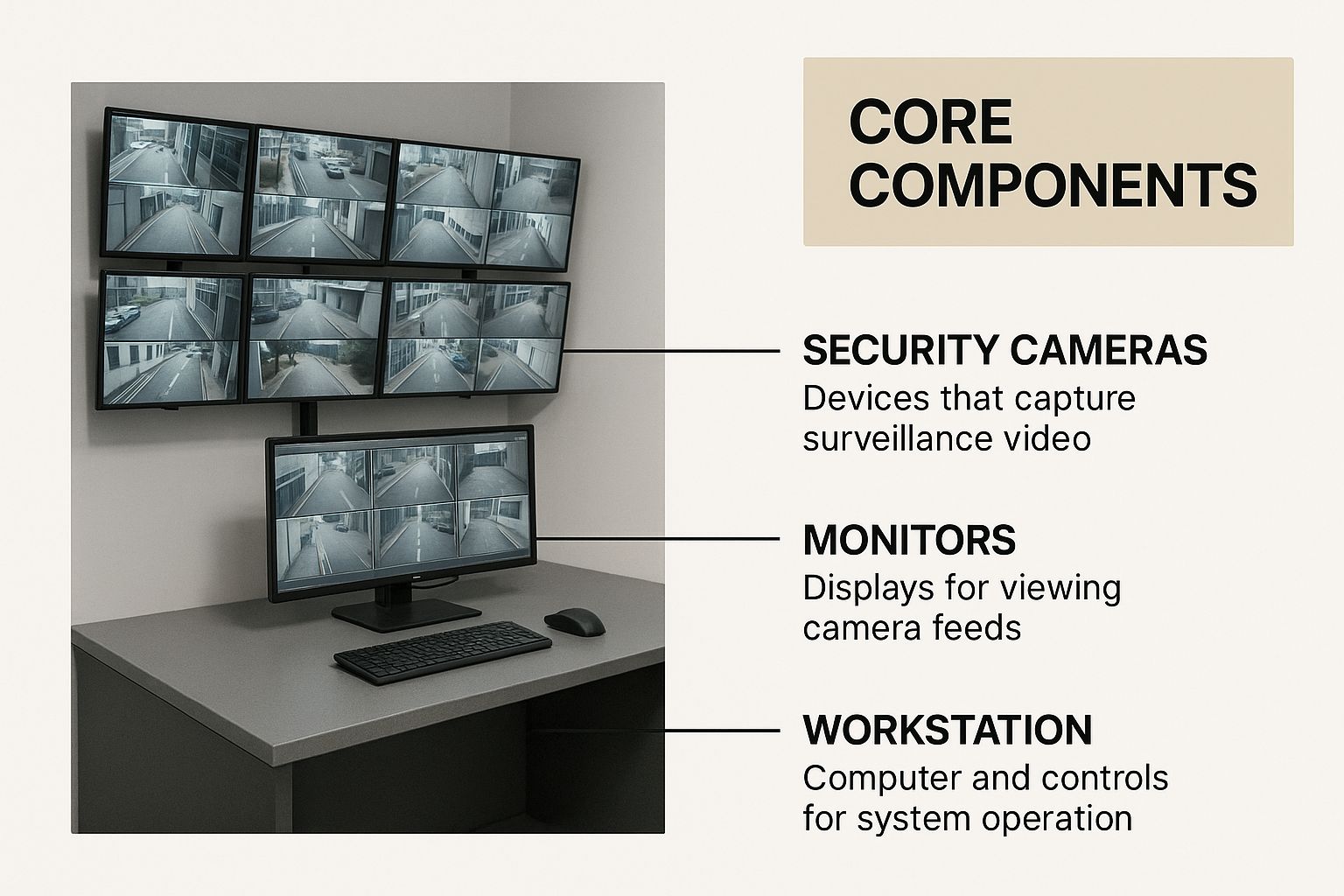
As you can see, the cameras, recorders, and monitoring stations all work as interconnected parts of a single, cohesive system.
NVR vs. DVR: A Critical Distinction
So, how do you choose between an NVR and a DVR? It really comes down to the type of cameras you’re using. NVRs are designed to work exclusively with IP cameras, while DVRs are the partners for traditional analog cameras. The right recorder technology is crucial for getting the most out of your cameras.
Here's a straightforward comparison to help you decide.
Comparing NVR and DVR Recording Systems
Feature | NVR (Network Video Recorder) | DVR (Digital Video Recorder) |
|---|---|---|
Camera Type | Connects to IP cameras over a network (like Ethernet). | Connects to analog cameras via coaxial cable. |
Video Quality | Supports high-resolution and 4K video for crystal-clear detail. | Limited to standard definition or lower-end HD. |
Flexibility | Highly scalable; cameras can be placed anywhere with network access. | Less flexible; cameras must be physically wired back to the DVR unit. |
Best For | New installations, businesses needing high detail, and smart features. | Upgrading existing analog systems or very budget-conscious setups. |
For any brand-new security video surveillance installation, an NVR-based system is the clear winner. It gives you a future-proof foundation that's ready for higher resolutions and the latest AI-powered analytics.
The Central Hub: Your Video Management Software
Finally, the Video Management Software (VMS) is the command center that pulls everything together. It's the program you use to watch live camera feeds, search through recorded video, manage system settings, and get alerts.
A good VMS is intuitive and powerful. It lets you find the exact moment an incident happened without having to waste hours scrolling through footage. It’s the final piece of the puzzle that turns a bunch of hardware into a truly effective security tool you can actually use.
Choosing the Right System for Your Business
Knowing the nuts and bolts of a security system is one thing. Actually translating that knowledge into a setup that works for your specific needs? That’s a whole different ballgame. There's no such thing as a "best" system that fits everyone; it's all about matching the right tech to your unique environment and what you’re trying to protect.
Whether you're watching over inventory in a shop, heavy machinery on a job site, or crowds at a festival, the core idea is the same. You have to pinpoint your biggest risks first, then pick the cameras, recorders, and software features that directly tackle those weak spots. Let's walk through how this plays out in a few common business scenarios.
Scenario 1: Retail Store Security
For a small or medium-sized retail shop, the worries are pretty consistent: preventing theft at the register, catching shoplifters in the aisles, and keeping employees safe. The goal here is to get crystal-clear footage of specific, high-stakes areas.
A smart security video surveillance system for a store is all about strategic placement and sharp image quality.
Camera Choice: High-resolution dome cameras—think 1080p or even 4K—are perfect for indoor spaces. They blend in, so they don't make shoppers feel uncomfortable, but their wide-angle view can cover an entire aisle. It's also non-negotiable to have a dedicated camera aimed squarely at each cash register to get a clear view of every transaction.
Recording Solution: A Network Video Recorder (NVR) is the way to go. It’s built to handle high-resolution IP cameras and makes it easy to check footage over your network. Aim for a system that can hold at least 30 days of recordings. This is a solid benchmark that gives you plenty of time to go back and review video if an issue pops up days or weeks later.
Key Features: A good Video Management System (VMS) with a powerful search function is a lifesaver. You need to be able to jump directly to footage based on a specific time or a motion alert without wasting hours scrubbing through video.
The real win for a retailer isn't just nabbing a thief after they've left. It's having undeniable video proof to settle disputes, spot organized theft rings, and even improve how you train staff on loss prevention.
Scenario 2: Construction Site Monitoring
Construction sites are a completely different beast. They're sprawling, open to the weather, and usually lack permanent power or internet. The top priorities are locking down the perimeter, stopping thieves from walking off with expensive equipment and materials, and keeping an eye out for safety issues or after-hours trespassers.
For this job, your system needs to be tough, self-sufficient, and able to watch over huge, open spaces.
Camera Choice: Rugged, weatherproof bullet cameras are great for lining the perimeter. They're built to last and their visible presence acts as a deterrent. To cover massive areas like material laydown yards, a single PTZ (Pan-Tilt-Zoom) camera can do the job of a half-dozen fixed ones. This lets your security team actively scan the site and zoom in on anything that looks out of place.
System Type: A mobile security trailer is often the perfect answer. These all-in-one units come with their own solar panels for power and use cellular networks to stream video, so you don't need any existing infrastructure. Better yet, you can just tow them to a new spot as the project evolves.
Key Features: This is where AI-powered alerts really shine. A feature like line-crossing detection can instantly notify you if a person or vehicle crosses your site's boundary after closing time. Likewise, loitering detection can flag someone hanging around a pile of copper or a brand-new excavator for too long.
Scenario 3: Temporary Event Security
Securing a music festival, a street fair, or a big corporate function demands a system that's flexible, scalable, and can be set up in a hurry. The focus here is on managing crowds, watching entrances and exits, spotting public safety threats, and giving your team a central command post to coordinate everything.
Your system has to handle thousands of people in a dense area and give your security team a live, real-time view of the entire scene.
Camera Choice: A mix-and-match approach works best. PTZ cameras mounted high up on poles give you that crucial bird's-eye view for monitoring crowd flow. Meanwhile, dome or bullet cameras can secure key chokepoints like ticket gates, vendor booths, and backstage areas.
System Type: Just like with construction sites, portable camera solutions are a must. They can be deployed quickly without running hundreds of feet of cable. All feeds should run back to a centralized VMS in a command trailer, letting the security director see the whole event on one set of screens.
Key Features: Real-time monitoring is everything. Giving multiple team members access to live feeds on their tablets or phones is a massive operational advantage. Advanced features like people counting can help you enforce capacity limits, and heat mapping can show you where dangerous crowd bottlenecks are forming before they become a crisis. This turns your security video surveillance from a simple recording device into a powerful tool for managing the event itself.
Of course. Here is the rewritten section, designed to sound natural and expert-driven.
How AI Makes Your Security Cameras Smarter
Let’s be honest: traditional security cameras are pretty passive. They record everything, which is great, but that leaves you with mountains of footage to sift through after something has already gone wrong. Modern surveillance flips this on its head, turning your camera from a simple recording device into an active, intelligent guard on duty 24/7. The secret sauce? Artificial intelligence (AI).
AI gives your security video surveillance system a brain. Instead of just seeing a jumble of pixels, it understands what it’s looking at. Imagine your system not just seeing movement, but knowing the difference between a person walking by, a car pulling into the lot, or a tree branch swaying in the breeze. That's the power of AI in action.
Moving Beyond Basic Motion Detection
For years, the best a security camera could do was send a basic motion alert. While a step up from nothing, it often created an endless stream of false alarms. Your phone would buzz every time a shadow shifted, a flag fluttered, or a cat wandered past. This "alert fatigue" is a real problem—it conditions you to ignore notifications, making it easy to miss the one that actually matters.
AI video analytics completely changes the game by adding context. You can now create incredibly specific rules that match your exact security needs.
Object Classification: This is the foundation of a smart camera. It can accurately identify what it sees, categorizing objects as a person, vehicle, animal, or even something specific like a backpack left behind.
Intelligent Motion Alerts: With object classification, you can tell your system to only alert you when it detects a person in a restricted area, while ignoring all other movement. This simple feature alone can cut down false alarms by over 90%.
Loitering Detection: Worried about suspicious behavior near your storefront? You can set up a rule that notifies you if someone hangs around in one spot for longer than, say, two minutes. It's a proactive way to get ahead of potential trouble.
Think of it like this: AI lets you tell your security system what to look for, so it only bothers you when something truly important happens. It’s the difference between hearing constant background noise and having a guard who only speaks up when there's a real threat.
The explosive growth in the security industry is fueled by these software advancements. As the hardware gets better and the AI gets smarter, systems can now detect threats and analyze behavior in real time, making them far more effective. If you want to dive deeper, you can find more insights about this market expansion from Grand View Research to see the trends pushing this technology forward. This shift makes your security investment work a lot harder for you.
Automating Monitoring and Gaining Insights
The benefits of AI don't stop at smarter alerts. It unlocks a new level of automated monitoring and data analysis that used to require a dedicated team watching screens around the clock. Your security video surveillance suddenly becomes a powerful operational tool, not just a way to catch thieves.
Here are just a few advanced applications:
Line-Crossing Alerts: You can literally draw a virtual "tripwire" across a doorway, a gate, or the edge of a restricted zone. The system will send an instant alert the moment a person or vehicle crosses that line—perfect for securing perimeters after hours.
People Counting: For retail stores or event venues, AI can automatically tally how many people enter and exit. This gives you priceless data for understanding customer traffic, planning staff schedules, and making sure you stay within capacity limits.
Heat Mapping: This feature creates a visual map showing you the hotspots on your property—the areas that get the most foot traffic. A retailer could use this to optimize their store layout, while an event organizer could spot potential crowd bottlenecks before they become a problem.
By handing these tedious monitoring tasks over to AI, you free up your team to focus on what they do best. Instead of being glued to a monitor, they can respond to verified incidents with speed and confidence. This evolution from passive recording to active analysis transforms your security system into a source of actionable intelligence that improves both safety and business operations.
On-Premise vs. Cloud Storage: Where Should Your Footage Live?
Once your cameras capture video, you've got a crucial decision to make: where does all that footage go? This isn't just a minor technical detail—it's one of the most important choices you'll make for your entire security video surveillance system. It impacts everything from your initial budget and ongoing costs to how you access video in a critical moment.
You really have two main options. The traditional path is on-premise storage, where you own and manage the recording hardware—usually an NVR—right there on your site. The other route is cloud storage, often called Video Surveillance as a Service (VSaaS), where your footage travels over the internet to be stored on secure servers managed by a provider.
The Case for On-Premise Storage
On-premise storage is the old-school, tried-and-true method. Think of it like owning a heavy-duty filing cabinet in your office. You buy the cabinet (the NVR) and the files (the hard drives), and you're in charge of keeping it all secure. The big draw here is the sense of control and a single, upfront cost.
You pay for the hardware once, and that's it—no mandatory monthly storage bills. This gives you complete physical ownership of your data. For businesses with strict data privacy rules or those in areas with spotty internet, keeping everything in-house is a huge plus. Your cameras will keep recording even if your internet goes down.
But that control comes with its own set of responsibilities.
Upfront Cost: You're on the hook for the full price of the NVR and hard drives, which can be a hefty initial investment.
Maintenance: If a hard drive fails or the system needs an update, that’s on you. You're also responsible for protecting the hardware from theft or damage.
Scalability: Need more storage? That means buying more physical drives or even a new NVR, which can be a pain.
Remote Access: Getting secure access to your footage from off-site is definitely possible, but it often involves some tricky network configuration.
The Rise of Cloud Storage
Cloud storage, or VSaaS, is more like renting a high-security, professionally managed storage unit for your video data. Instead of a big upfront purchase, you pay a predictable monthly or annual fee. This model has exploded in popularity because it offers incredible flexibility and is remarkably easy to use.
If you're new to the concept, it helps to get the basics down. To better understand what is cloud storage, this guide offers a great primer.
With cloud storage, the biggest advantages are accessibility and scalability. You can pull up your video feeds from a phone, tablet, or computer anywhere in the world. Need to add a few more cameras or keep footage for longer? You just upgrade your subscription plan.
This approach takes the headache of hardware management completely off your plate. The VSaaS provider handles all the server maintenance, data security protocols, and software updates for you. It's a trend that's reshaping the entire industry. As this video surveillance market growth from Security Today report shows, subscription-based services are a major force driving the market forward.
The trade-off, of course, is the recurring cost and the need for a solid internet connection to upload all that video data. The subscription fees are an ongoing operational expense.
Ultimately, there's no single "best" answer. The right choice depends entirely on your budget, your technical comfort level, and how you need to operate your business.
A Practical Implementation Checklist
Alright, you've decided a security system is the right move. Now what? Getting from that idea to a system that’s actually up and running requires a smart plan. It's less about just buying gear and more about a bit of project management to get it right the first time.
Think of this checklist as your game plan. It’s designed to help you ask the right questions and cover your bases, ensuring your new security video surveillance system gives you genuine peace of mind, not a new set of headaches.
Step 1: Define Your Security Objectives
Before you even think about a single camera, you need to be crystal clear on what you’re trying to accomplish. "Improve security" is way too vague. You have to get specific.
What are the real-world problems you need to solve?
Stop theft in that one corner of the warehouse with all the high-value tools?
Cut down on vandalism along the back fence line?
Keep an eye on employee safety near heavy machinery?
Get clear video evidence to fight back against fraudulent slip-and-fall claims?
Jot down your top three to five goals. Having these concrete objectives is crucial because they'll dictate every other decision you make, from camera types to software features. This clarity is what separates a useful security investment from a useless one.
Step 2: Conduct a Thorough Site Assessment
Once you know what you're protecting, you need to figure out where you need to protect it. The best way to do this? Walk the property yourself. Whether it's a small shop, a huge construction site, or a temporary event venue, you need to see it with your own eyes.
Try to think like someone who might cause trouble. Where are the blind spots? What are the easiest ways to get in? Pay special attention to the lighting—or lack thereof. Bad lighting can make even the best camera worthless. This walkthrough will help you map out every single spot that needs a camera, making sure you don't leave any glaring gaps in your coverage.
A common mistake is focusing only on the front door and main entrances. A proper site assessment almost always uncovers the less obvious weak points—the back alley, that one window on the second floor, or a poorly lit storage shed that’s just asking for trouble.
Step 3: Understand Your Legal and Privacy Obligations
Putting up a security video surveillance system isn't just a technical project; it's a legal one. Privacy laws can be a minefield and vary significantly depending on where you are. Simply put, ignorance of the law is no excuse.
As a general rule, you’re on safe ground recording in public-facing areas where people don't have a reasonable expectation of privacy. However, putting cameras in places like bathrooms, changing rooms, or employee break areas is a major no-go and almost always illegal. It’s also just good practice (and often legally required) to post signs that clearly state the area is under video surveillance. For businesses navigating the complexities of rolling out new tech, getting expert implementation support for AI solutions can be incredibly helpful for managing these kinds of operational details.
Step 4: Plan for Data Management and Select a Partner
Finally, you need a plan for the video footage itself. How long will you keep it? The industry standard is often around 30 days, but check if your insurance policy or specific industry regulations have different requirements. This decision directly affects how much you'll spend on storage, whether you go with a physical NVR on-site or a cloud service.
With your plan taking shape, the final piece of the puzzle is finding the right installation partner. Don't just pick the cheapest quote. Look for a company that has real, verifiable experience in your field. A great partner does more than just run wires; they’ll help you fine-tune your site plan, make sure you’re legally compliant, and offer support after the job is done. They are the ones who turn your checklist into a security system that actually works.
Frequently Asked Questions
Even after you've got the basics down, you're bound to have more specific questions pop up when you start planning a security video surveillance system. Let's walk through some of the most common ones I hear from clients to help clear things up for your business, job site, or event.
What Is the Main Difference Between an IP Camera and an Analog Camera?
Think of it like this: the biggest difference is where the "brains" of the operation are. An analog camera is essentially just an eyeball. It captures a raw video signal and sends it down a coaxial cable to a Digital Video Recorder (DVR). The DVR is the device that does all the heavy lifting—digitizing, compressing, and storing the footage.
An IP (Internet Protocol) camera, however, is a smart device all on its own. It captures, digitizes, and compresses the video right inside the camera itself before sending it over a standard computer network cable. This is why IP camera systems give you much sharper, higher-resolution video and open the door to advanced features like AI-powered analytics right on the camera.
How Much Video Storage Do I Need for My Security System?
That's a great question, but there's no single magic number. The right amount of storage is completely unique to your setup and what you need to accomplish.
It all boils down to a few key factors:
How many cameras are you running?
What resolution are they set to (e.g., 1080p, 4K)?
What frame rate are you recording?
How long do you need to keep your footage (your retention period)?
A small retail shop with four HD cameras set to record only on motion might get by with 1-2 Terabytes (TB) for a 30-day archive. The best way to know for sure is to use a storage calculator. A good security provider can run the numbers for you and give you a precise estimate.
Can I View My Security Camera Footage on My Phone?
Yes, absolutely. Remote viewing is a standard feature on virtually every modern security system out there, especially if you're using IP cameras or a cloud-based service (VSaaS). This is usually handled through a dedicated mobile app or a secure web browser.
This means you can check in on a live feed, search for a specific event from last night, and get motion alerts pushed directly to your phone, no matter where you are. For a busy manager or business owner, that kind of on-the-go access is more than just convenient—it's genuine peace of mind.
What Privacy Laws Do I Need to Consider for My Business?
Privacy is a huge deal, and you have to get it right. While laws can differ between states and even cities, there's one golden rule that applies everywhere: never install cameras where people have a reasonable expectation of privacy. Obvious examples include restrooms, changing rooms, and employee break areas.
It's also a universal best practice to put up clear, visible signs letting people know that video surveillance is in use. On the technical side, make sure your system is locked down with strong, unique passwords and proper network security to prevent anyone from snooping. When in doubt, it's always smart to talk with a legal professional to ensure you're fully compliant.
For a security system designed to protect your specific assets, from construction sites to retail stores, PCI Audio-Video Security Solutions delivers expert installation and state-of-the-art technology. Get a solution built for your needs.
Comments