


Top 10 Best Security Cameras for Small Business in 2024
- Бонус за регистрацию онлайн казино
- Jul 31, 2025
- 18 min read
Picking the right security camera for your small business isn't a one-size-fits-all deal. Think of it like hiring for different roles on your team. You’ll probably want versatile dome cameras for inside your retail shop, tough bullet cameras to watch over the parking lot, and flexible turret cameras to cover wide entryways. Each one has a specific job to do, and together, they form a security team that protects your assets.
Why Your Business Needs a Custom Security Strategy
Choosing a security camera isn't just about buying a piece of hardware; it's about building a security system that actually fits the layout and risks of your specific business. You wouldn't hire a single person to handle your marketing, accounting, and daily operations, right? The same logic applies here—you can't expect one camera model to effectively secure every nook and cranny of your property. The real goal is to build a system where every camera has a distinct purpose.
It's no surprise that more businesses are thinking this way. The video surveillance market has exploded, growing from USD 23.6 billion in 2019 to around USD 35 billion by 2022. This isn't just a fleeting trend; experts predict the market will hit a staggering USD 62.4 billion by 2027. If you're curious, you can explore more data on this industry growth to see just how seriously other businesses are taking their security.
Matching Cameras to Common Business Needs
Picture your business as a map. You have different zones, and each one needs a different kind of watchman. A retail shop has to keep an eye on the sales floor, the cash wrap, and the stockroom. An office, on the other hand, might be more concerned with who's coming through the front door, what's happening in the reception area, and keeping the server room secure.
To find the best fit, you have to match the camera's strengths to the job you need it to do. Let’s look at a few real-world examples:
Retail Storefronts: Discreet dome cameras are perfect here. Because the lens is covered, it’s hard for anyone to tell exactly where it’s pointing. This subtle feature can deter a would-be shoplifter without making your paying customers feel like they're in a fortress.
Warehouses and Loading Docks: This is where bullet cameras really shine. They're built to monitor specific outdoor zones, like loading bays or parking areas. Their obvious, imposing shape sends a clear message: "You're being watched." Plus, they are built to withstand rain, snow, and heat.
Restaurants and Cafes: You’ll likely need a mix. Wide-angle turret cameras are great for covering the whole dining area, while you might want smaller, more focused cameras on your point-of-sale systems and in the kitchen to help with loss prevention and safety.
The best security plans are the ones where technology serves a clear business purpose. Your cameras shouldn't just deter crime; they should give you real insights to help you run a safer, smoother operation.
To make things a bit clearer, here’s a quick rundown of the main camera types and where they work best.
Quick Guide to Small Business Security Camera Types
This table breaks down the most common camera types you'll encounter. Use it as a starting point to figure out which models might be the right fit for different areas of your business.
Camera Type | Ideal Business Environment | Key Strengths | Average Price Range |
|---|---|---|---|
Dome Camera | Retail Stores, Offices, Restaurants | Discreet, Vandal-Resistant, Indoor Use | $50 – $300 |
Bullet Camera | Warehouses, Parking Lots, Exteriors | Visible Deterrent, Weatherproof, Long-Range | $60 – $400 |
Turret Camera | Entrances, Patios, Open Areas | Wide Viewing Angle, Excellent Night Vision | $70 – $350 |
PTZ Camera | Large Properties, Event Spaces | Active Monitoring, Zoom Capabilities, Wide Coverage | $150 – $1,000+ |
Remember, these are just general guidelines. The best system for you will always depend on a careful assessment of your property and your specific security goals.
How to Choose Between Camera Types and Technologies
Choosing the right security camera system for your small business can feel overwhelming, but it really boils down to two key things: the physical shape of the camera and the technology that powers it. Getting this right from the start is the most important step in making a smart investment.
Think of it like hiring a security team. You wouldn't hire a front-desk receptionist to patrol a massive warehouse, right? Each camera type has a specific job it's best suited for, and you need to pick the right "employee" for each role to get the coverage you need.
Decoding Camera Shapes and Their Best Uses
When you start shopping, you'll immediately notice a few common shapes: Dome, Bullet, Turret, and PTZ. Each one is designed with a specific environment and purpose in mind.
Dome Cameras: These are your discreet, indoor watchdogs. They're housed in that familiar dome casing, which makes it really hard for anyone to tell exactly where the lens is pointing. This ambiguity is a great deterrent in places like retail stores or reception areas because it discourages bad behavior without making your customers or staff feel like they're in a fortress.
Bullet Cameras: Bullet cameras are the complete opposite of discreet. They are designed to be seen. Their long, prominent shape sends a very clear message: "This area is under surveillance." Because they're almost always weatherproof, they're perfect for monitoring fixed outdoor zones like parking lots, loading docks, and the perimeter of your building.
Turret Cameras: Also known as "eyeball" cameras, turrets are fantastic all-rounders. They give you the wide viewing angle of a dome but with much better night vision. Why? The infrared (IR) lights are separate from the lens, which prevents the hazy glare you sometimes see on other cameras. This makes them a go-to choice for entrances, patios, or any open indoor space where you need crisp, clear images day or night.
PTZ (Pan-Tilt-Zoom) Cameras: Think of a PTZ camera as your active security guard. Unlike a fixed camera that just stares at one spot, a PTZ can be remotely controlled to pan across a huge area, tilt up and down, and zoom in on tiny details. They're ideal for monitoring large properties like event venues, storage yards, or construction sites, where one camera can do the work of several static ones.
Picking the right camera shape is all about matching the tool to the task. A visible bullet camera deters threats in your parking lot, while a subtle dome camera protects assets inside without disrupting the customer experience.
Analog vs. IP: The Core Technology Difference
Once you've thought about shapes, the next big decision is the technology running the show: Analog (CCTV) or IP (Internet Protocol). This choice impacts everything from video quality and future expansion to how you actually view your footage.
It’s a bit like the difference between old-school broadcast TV and a modern streaming service. One is a straightforward, closed-circuit feed, while the other delivers high-definition content you can access from anywhere.
Analog (CCTV) Systems: These are the traditional workhorses you’ve seen for decades. The cameras capture video and send it over a coaxial cable to a Digital Video Recorder (DVR). They are usually cheaper upfront and can be simpler to set up, but the trade-off is significantly lower video resolution and very little flexibility.
IP (Network) Systems: These are the modern standard. IP cameras capture high-resolution video and send the data over a computer network, just like your office PC. The footage gets stored on a Network Video Recorder (NVR). IP systems deliver vastly superior image quality (HD, 4K, and beyond), offer powerful features like AI-driven alerts, and let you easily check in from your phone or computer.
The infographic below really drives home the features that create real value in a modern system—features that are almost always found in IP cameras.
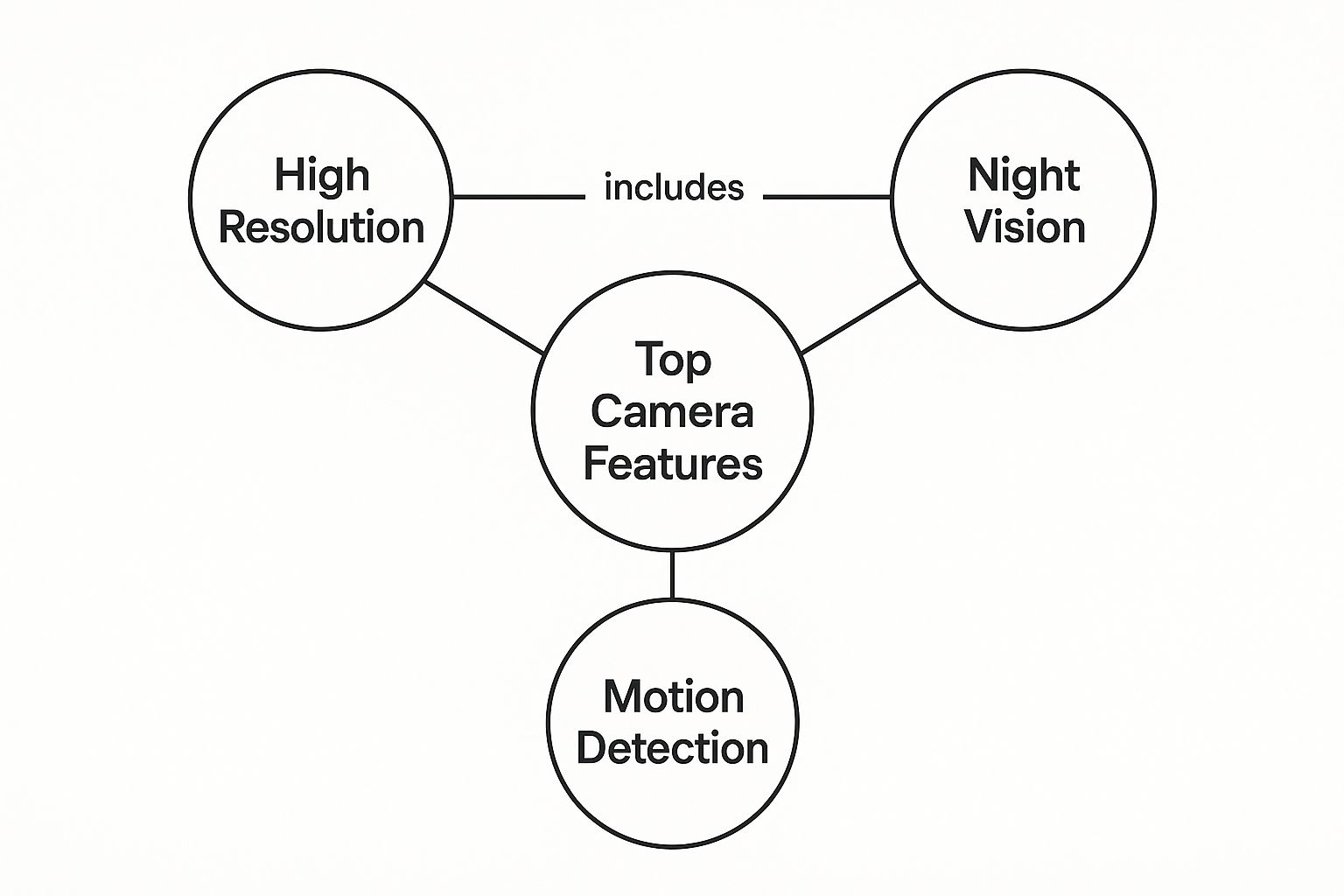
As you can see, features like high resolution, night vision, and motion detection are the foundation of any truly effective security setup. For nearly every small business today, the crystal-clear detail and smart capabilities of an IP system provide a much greater return on your investment. You get security insights you can actually use, not just blurry, questionable recordings.
Essential Features for Modern Business Security
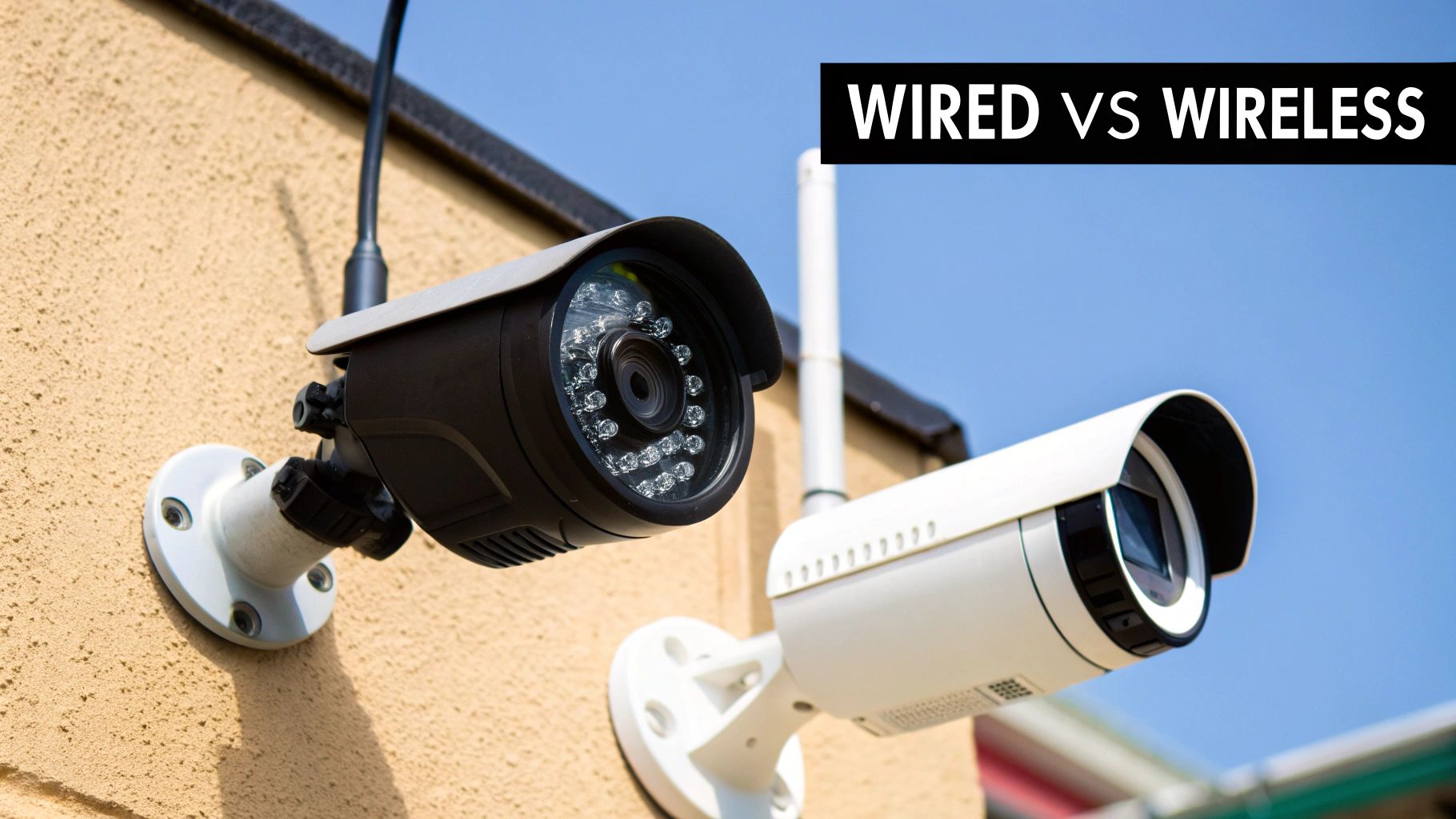
So, what really separates a simple gadget you'd buy for your home from a serious security tool built for a business? It all comes down to the features. The type of camera is your starting point, but its built-in capabilities are what will make a real difference in protecting your livelihood. Choosing the right features turns your system into an active asset, not just a box that sits there recording.
Let's start with the basics: resolution. Think of it as the clarity or sharpness of the video. Just a few years back, 1080p (Full HD) was considered top-of-the-line. Today, 4K resolution is the new benchmark, offering four times the detail.
This isn't just about having a prettier picture; it's incredibly practical. With 4K, you can zoom in on recorded footage and still clearly make out faces, license plates, or other small but critical details. For a business owner, that level of clarity can be the deciding factor between identifying a thief and holding a useless, blurry video.
Beyond Daytime Clarity: Night Vision
Trouble doesn't clock out at 5 PM, and your cameras can't afford to, either. Night vision is non-negotiable, but you'll find that not all systems are created equal. Most cameras use infrared (IR) technology, which lights up the dark with invisible light to produce a black-and-white image. It works, but IR can sometimes wash out details or create glare, making it hard to see what's really going on.
That’s where color night vision comes in. These advanced cameras use highly sensitive image sensors, and sometimes a small visible spotlight, to capture footage in full, vivid color even in near-total darkness. The difference is huge. Knowing the color of an intruder’s shirt or the exact shade of a getaway car provides crucial, actionable information that standard black-and-white IR simply can't capture.
Choosing the right camera means investing in features that provide actionable intelligence. High resolution gives you clarity for identification, while color night vision offers crucial details that are lost in black-and-white footage.
This push for smarter, more effective surveillance is why the market is booming. The global smart security camera market was valued at USD 9.98 billion in 2024 and is expected to rocket to USD 30.10 billion by 2030. Business owners are driving this growth, looking for better ways to fight theft and secure their properties. You can read more about these smart security market trends to see where the industry is headed.
The Brains of the Operation: AI Analytics
The real game-changer in business security has been Artificial Intelligence (AI). Modern cameras do so much more than just hit 'record'—they can actually analyze video as it happens.
Think of AI as an intelligent filter. A basic motion detector will send you an alert for everything: a tree branch swaying, a plastic bag blowing by, a stray cat wandering through the parking lot. This flood of false alarms leads to "alert fatigue," where you get so tired of pointless notifications that you start ignoring them altogether.
AI-powered analytics are much smarter. They can tell the difference between people, vehicles, and other objects, so you only get alerts that genuinely matter. Key AI features include:
Person Detection: The system ignores animals and shadows, only notifying you when a person enters a specific zone. It's perfect for keeping an eye on things after hours.
Vehicle Detection: Get an alert specifically when a car pulls into your lot or up to a loading bay outside of your normal business hours.
Line Crossing: You can draw a virtual "tripwire" across an entryway or a restricted hallway, and the system will alert you the moment someone crosses it.
These smart features transform your cameras from passive observers into proactive security guards, giving you the real-time insights needed to protect your business.
Storage Solutions: Local NVR vs. The Cloud
Once you have your footage, where do you keep it? You have two main options: local storage on a Network Video Recorder (NVR) or cloud-based storage. Each has its own set of pros and cons.
Deciding between them comes down to your priorities—control versus convenience, and upfront cost versus ongoing fees.
Feature Comparison: Local vs. Cloud Storage
Feature | Local Storage (NVR/DVR) | Cloud Storage | Best For |
|---|---|---|---|
Upfront Cost | Higher (NVR purchase) | Lower (or none) | Cloud for budget-conscious startups |
Ongoing Fees | None | Monthly/annual subscription | NVR for predictable costs |
Accessibility | Limited to network access | Anywhere with internet | Cloud for remote management |
Data Security | Secure if network is secure | Protected in data centers | NVR for total data control |
Bandwidth Use | Minimal (internal network) | High (constant uploading) | NVR for businesses with poor internet |
An NVR gives you total ownership of your data with no monthly fees, but it’s a single point of failure—if the device is stolen or damaged in a fire, your recordings are gone with it. Cloud storage, on the other hand, keeps your footage safe off-site and lets you access it from anywhere, but it requires a solid internet connection and comes with subscription costs.
Thankfully, you don't always have to choose. Many of the best security cameras for small business now offer a hybrid model, recording to both a local NVR and the cloud for the ultimate combination of security and flexibility.
Matching Your Camera System to Your Business Needs
It's one thing to know the specs of a camera, but it's another thing entirely to make those features work for you. This is where a real security strategy begins to take shape. Grabbing a generic system off the shelf is like buying a one-size-fits-all suit—it might technically cover you, but it’s never going to look or feel right. The best security cameras for your small business are the ones you hand-pick to solve your specific, day-to-day challenges.
Let’s get practical and move from theory to reality. We'll walk through four common business scenarios to see how different cameras can be combined to create a truly effective security plan. Think of these as blueprints you can adapt for your own space.
Blueprint 1: The Retail Boutique
For a small shop, your main worries are usually shoplifting, employee theft at the register, and making sure customers are safe on the sales floor. The goal is to see everything without making honest shoppers feel like they're in a prison.
Sales Floor: I'd recommend placing two or three wide-angle dome cameras on the ceiling. They’re subtle, so they don’t scream "we're watching you," but their dark, ambiguous lens still makes potential thieves think twice. Don't skimp on resolution here; you'll want clear facial details if you ever need to review footage.
Cash Register: This is your highest-risk area. A dedicated 4K turret camera aimed squarely at the point-of-sale (POS) terminal is non-negotiable. You need to see every single transaction clearly to settle any cash discrepancies or investigate suspicious returns.
Stockroom: A simple bullet camera tucked in a corner gets the job done here. Its only purpose is to watch over your inventory and log who comes and goes from this private area.
Blueprint 2: The Professional Office Space
In an office, the focus shifts from public theft to controlling access, protecting sensitive client or company data, and keeping an eye on things after everyone’s gone home. You want security that works without undermining trust among your team.
Entrances and Exits: A turret camera with color night vision mounted above each main door is perfect. This gives you a crystal-clear record of every person entering or leaving the building, 24/7.
Reception Area: A wide-angle dome camera is ideal for the lobby. It provides a great overview of visitors and daily foot traffic without feeling intrusive.
Server Room or File Storage: This is where your most valuable information lives. A bullet camera with line-crossing detection is a smart move. You can configure it to send an immediate alert to your phone if anyone steps into this restricted zone outside of approved hours.
A well-designed system isn't just about catching people doing wrong. It's about weaving security into the fabric of your business so it feels like a natural, protective part of the workplace.
Blueprint 3: The Busy Restaurant
Restaurants are a unique beast. You’re juggling valuable inventory like food and liquor, kitchen safety, and potential liability issues like a customer slip-and-fall.
Dining Area and Patio: Go with turret cameras that have a wide field of view. Their fantastic low-light performance is a huge plus for capturing clear video in the dim, atmospheric lighting of dinner service.
Kitchen: A heat-resistant dome camera can withstand the tough environment while monitoring the prep line for safety and efficiency. It’s also an impartial witness if any staff disputes pop up.
Stockrooms and Coolers: To tackle inventory shrinkage head-on, place bullet cameras aimed right at the doors of your walk-in coolers and dry storage areas. You'll know exactly who accessed them and when.
Blueprint 4: The Small Warehouse
When you're running a warehouse or storage facility, it’s all about securing the perimeter, watching over huge open areas, and protecting high-value goods and equipment.
Loading Docks: Mount weatherproof bullet cameras where they can be seen. Their visible presence is a great first line of defense. Models with AI-powered vehicle detection are excellent for getting specific alerts when trucks arrive or leave.
Interior Aisles: Instead of installing multiple fixed cameras, a single PTZ (Pan-Tilt-Zoom) camera mounted high on a central beam can be a game-changer. You can program it to automatically patrol different aisles or take manual control to zoom in on any activity that catches your eye.
Perimeter Fencing: Create a virtual tripwire by lining your property with bullet cameras featuring line-crossing alerts. This will instantly notify you if someone sets foot on your property after hours, long before they get near the building.
This move toward custom-fit security isn't just a hunch; it's a massive global trend. The surveillance camera market was valued at USD 32.76 billion in 2024 and is expected to more than double to USD 70.81 billion by 2033. This explosive growth shows just how seriously businesses everywhere are taking the need to protect their assets and people. You can explore more about this market growth and its drivers to see where the industry is heading.
Navigating Installation and Legal Requirements
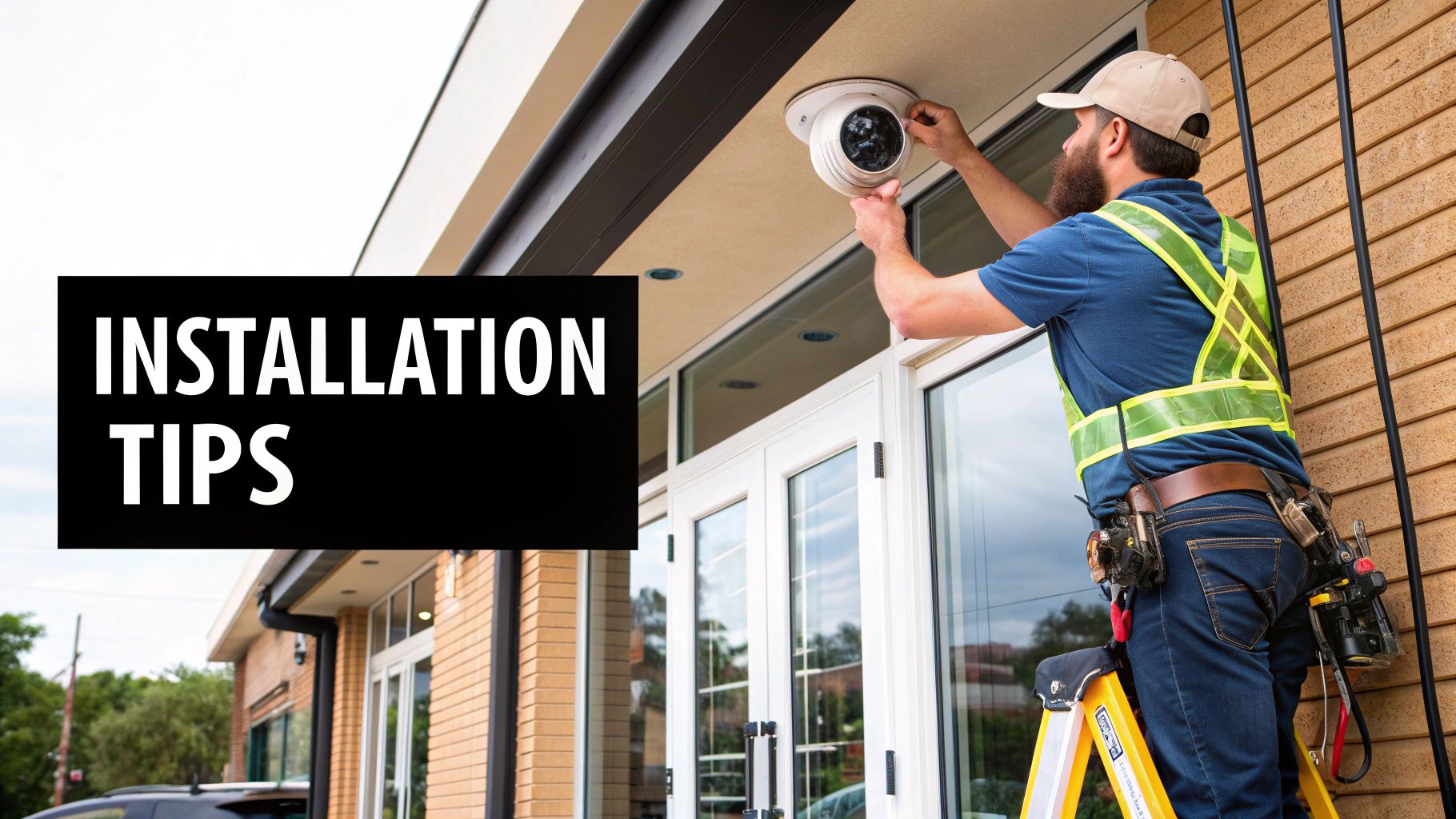
So, you’ve picked out the perfect cameras for your business. Now comes the practical part: getting them installed and working. This leads to the first big question every business owner asks themselves: "Should I do this myself or call in a pro?" It's a classic trade-off between your budget and your time.
Opting for the DIY route can definitely save you some money upfront, especially if you're handy with a drill and have a decent grasp of how your network is set up. But don't underestimate the value of professional installation. A pro knows exactly where to place each camera for the best possible coverage. They handle the wiring safely and make sure the whole system is configured properly right from the start.
Plus, an experienced installer can anticipate problems you might not see coming, like Wi-Fi dead zones in the back of the warehouse or tricky power supply needs. These are the kinds of snags that can turn a weekend DIY project into a month-long headache.
Best Practices for DIY Camera Placement
If you decide to tackle the installation yourself, remember that placement is everything. A camera pointed in the wrong direction is almost as bad as having no camera at all. Your goal is simple: cover the most important spots without creating blind spots or dealing with poor-quality video.
Here are a few pointers from the field:
Cover All Entrances and Exits: This is non-negotiable. Make sure you have a clear view of every single door, from the front entrance to the loading dock out back. You need to see who comes and goes.
Place Cameras High: Mount your cameras high on the wall, just out of easy reach. This simple step protects them from being tampered with or vandalized and gives you a much better bird's-eye view of the area.
Avoid Glare and Backlighting: Watch out for light sources. Never point a camera directly at the sun or a bright overhead light. It will wash out the image and turn people into dark, unidentifiable silhouettes.
Overlap Fields of View: Think of your cameras as a team. Position them so their viewing angles overlap slightly. This creates a complete net of security, leaving no blind spots for someone to slip through unseen.
Understanding Your Legal and Ethical Duties
Putting up security cameras isn't just a technical job—it's a legal one, too. As a business owner, you have a responsibility to protect your company, but you also have to respect the privacy of your employees and customers. Getting this wrong can land you in serious legal trouble.
The golden rule here is transparency. You have to let your employees know they are being monitored. This usually means putting up clear, visible signs and outlining your surveillance policy in the employee handbook. Be specific about why you have cameras, what areas are covered, and how you’ll use the footage.
A security camera's purpose is to protect your business, not to infringe on reasonable expectations of privacy. Being upfront and clear about surveillance is the best way to maintain trust and stay compliant with the law.
As you map out where your cameras will go, it's vital that you look into the legal side of things. Taking the time for understanding the relationship between security and privacy is essential for building a strategy that works and is ethically sound.
Finally, there are places where you absolutely cannot put a camera. Recording is strictly forbidden in any area where people have a reasonable expectation of privacy. This includes:
Bathrooms
Locker rooms
Break rooms or employee lounges
Be extra careful with audio recording. The laws around recording sound are much stricter than for video. In many places, it's illegal to record a conversation unless everyone involved consents. Because of this, it's almost always smarter to just disable the audio feature on your cameras unless you've cleared it with a lawyer for a very specific reason.
Making a Smart and Confident Investment
Choosing the right security system is one of the biggest decisions you'll make for your business. It's more than just buying some hardware; it’s a real commitment to protecting your people, your property, and the future you're working so hard to build. The whole journey—from learning about camera types to sketching out a custom layout—has been about getting you to this exact point: making a choice you can stand behind.
If there’s one thing to take away, it’s this: the best security cameras for a small business aren't always the most expensive or the ones with the longest feature list. The best system is the one that fits your day-to-day operations, your security goals, and your budget like a glove. What works wonders for a bustling cafe could be completely wrong for a quiet warehouse.
Your Final Decision-Making Checklist
To move forward with confidence, let's pull everything together into a final checklist. Think of this as your last round of due diligence before you sign a contract or hit the "buy" button. Answering these questions honestly will make sure no critical detail slips through the cracks.
First, ask yourself:
What are my top 3 security priorities? Is it stopping theft, keeping an eye on employee safety, or preventing after-hours break-ins?
What’s my realistic total budget? Be sure to account for the initial equipment cost and any ongoing fees for cloud storage or professional monitoring.
Which spots in my business are most vulnerable? Pinpoint the high-risk zones, like the cash register, the back stockroom, or the main entrance.
With clear answers in hand, you're ready to talk to vendors.
Questions for Your Security Provider
Whether you’re talking to a professional installer or a sales rep, their answers here will tell you everything you need to know about their expertise and if they’re the right partner for you.
Can you explain exactly why you’re recommending *this specific* camera for *that specific* spot? A good partner will tie their recommendation directly back to the needs you just outlined.
What does the warranty cover, and for how long? You need to know what happens if a camera or the recorder dies unexpectedly.
What kind of support and training do you provide after the sale? It's crucial to know how to use your system and who to call when you need help.
A truly smart investment goes beyond just physical surveillance. It involves creating a comprehensive security posture that protects both your physical and digital assets, ensuring true peace of mind.
Speaking of a complete security plan, a confident investment also means protecting your digital front door. This is especially true for modern IP camera systems that live on your network. Implementing critical cybersecurity measures for small businesses is no longer optional—it's an essential part of keeping your business safe.
By arming yourself with this knowledge, you aren’t just buying cameras. You're investing in the long-term resilience and security of your entire operation.
Frequently Asked Questions About Business Security
Choosing the right security camera system is a huge step, but it's natural for more practical questions to pop up as you get closer to a decision. Let's tackle some of the most common things business owners ask when they're in your shoes.
Do I Need to Inform Employees About Security Cameras?
Yes, you absolutely do. Being upfront isn't just good for morale—it's often a legal requirement. Most jurisdictions mandate that you notify employees about workplace monitoring.
The best way to handle this is with a clear, written policy. It should explain why the cameras are there, what areas are covered, and how the footage will be used. This transparency protects you legally and helps maintain trust with your team. Just be sure to never install cameras where privacy is expected, like bathrooms, locker rooms, or break areas.
How Much Should I Budget for a Small Business Security System?
This is a "how long is a piece of string?" question, as your budget really depends on your specific needs. For a basic, do-it-yourself setup with a couple of cameras, you could be looking at $400 to $1,000 for the equipment alone.
If you're after a more robust, professionally installed system with a dedicated NVR, several high-resolution cameras, and advanced features, the investment typically lands between $2,000 and $5,000, and sometimes more. Remember to factor in ongoing costs, too. Cloud storage plans, for instance, can add $10 to $30 per month for each camera.
Are Wireless Security Cameras Reliable Enough for a Business?
They’ve come a long way. Modern wireless cameras are surprisingly dependable and can be a fantastic solution, especially when running cables is a major headache or too expensive. Their biggest advantage is the sheer flexibility of installation.
However, their reliability is completely tied to the strength of your Wi-Fi signal. For your most critical spots—think cash registers, the main entrance, or a high-value stockroom—a wired Power over Ethernet (PoE) camera is almost always the better, more stable choice. Wired connections don't care about Wi-Fi dead spots or interference, giving you a rock-solid video feed when it matters most.
A hybrid system is often the sweet spot for business owners. It lets you use ultra-reliable wired cameras for your highest-priority zones and flexible wireless ones to fill in the gaps.
Can Security Cameras Lower My Business Insurance Premiums?
They often can, yes. Many insurance companies see a professionally installed and monitored security system as a sign that you're serious about protecting your assets.
Having cameras is concrete proof that you're actively working to reduce risks like theft, vandalism, and even fraudulent slip-and-fall claims. The best move is to call your insurance agent directly. Ask them what kinds of discounts are available and what specific system requirements you need to meet to qualify for them.
Ready to secure your business with a system designed for your unique needs? The experts at PCI Audio-Video Security Solutions are here to help you build the perfect security plan, from initial assessment to professional installation. Contact us today to get a free consultation and protect what you've built.
Comments